

Купить Pixel Forge
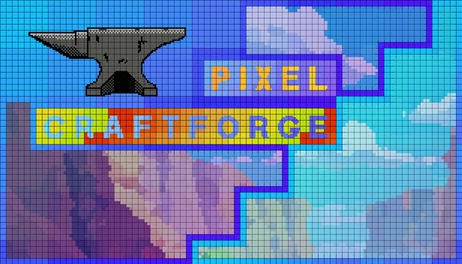
Create pixel art from scratch or transform images with smart conversion. Manage layers, use blending modes, and design animations with advanced symmetry. Import custom palettes and export as PNG or GIF with transparent backgrounds in the resolution of your choice and take your art to the next level.

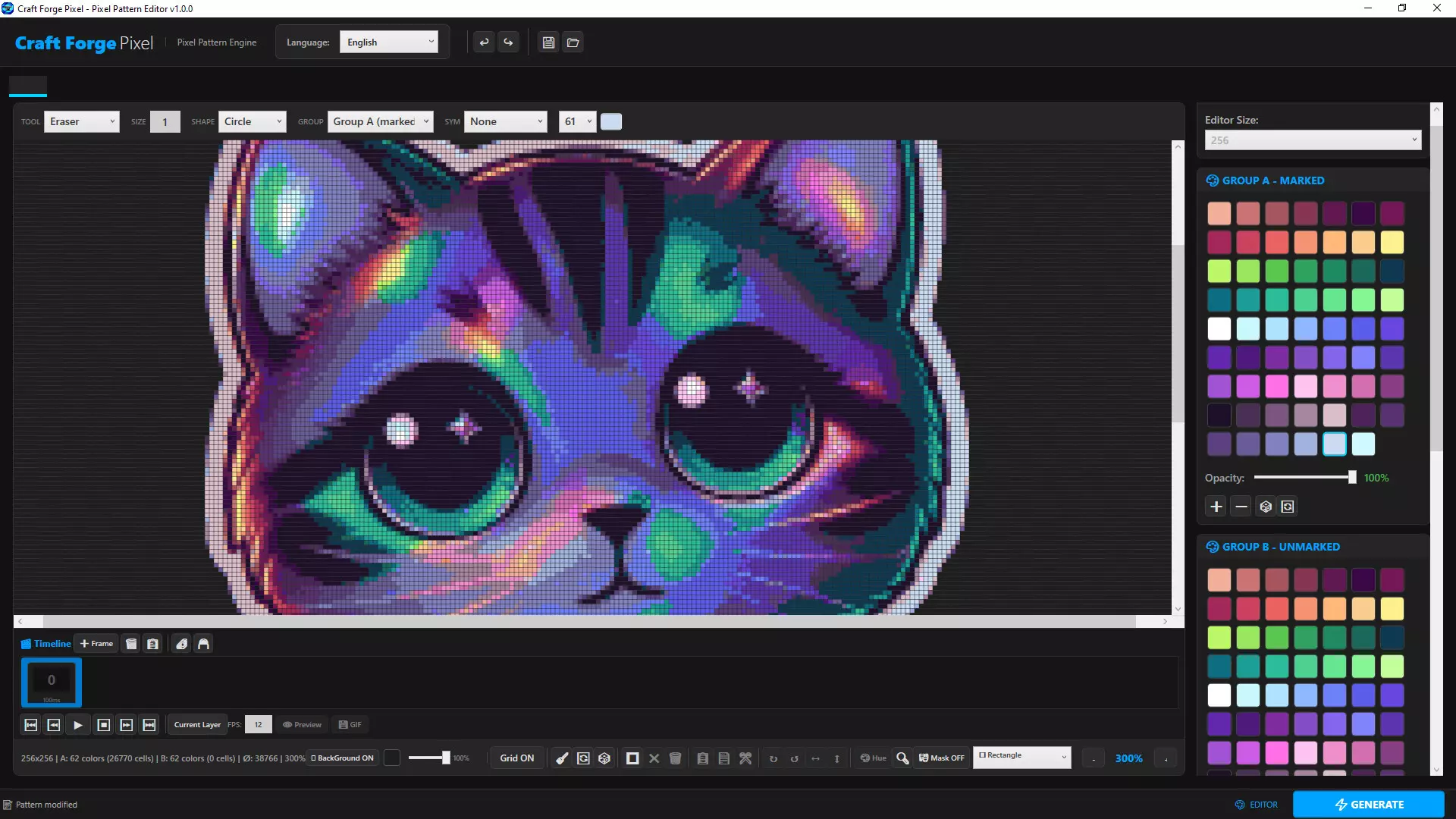
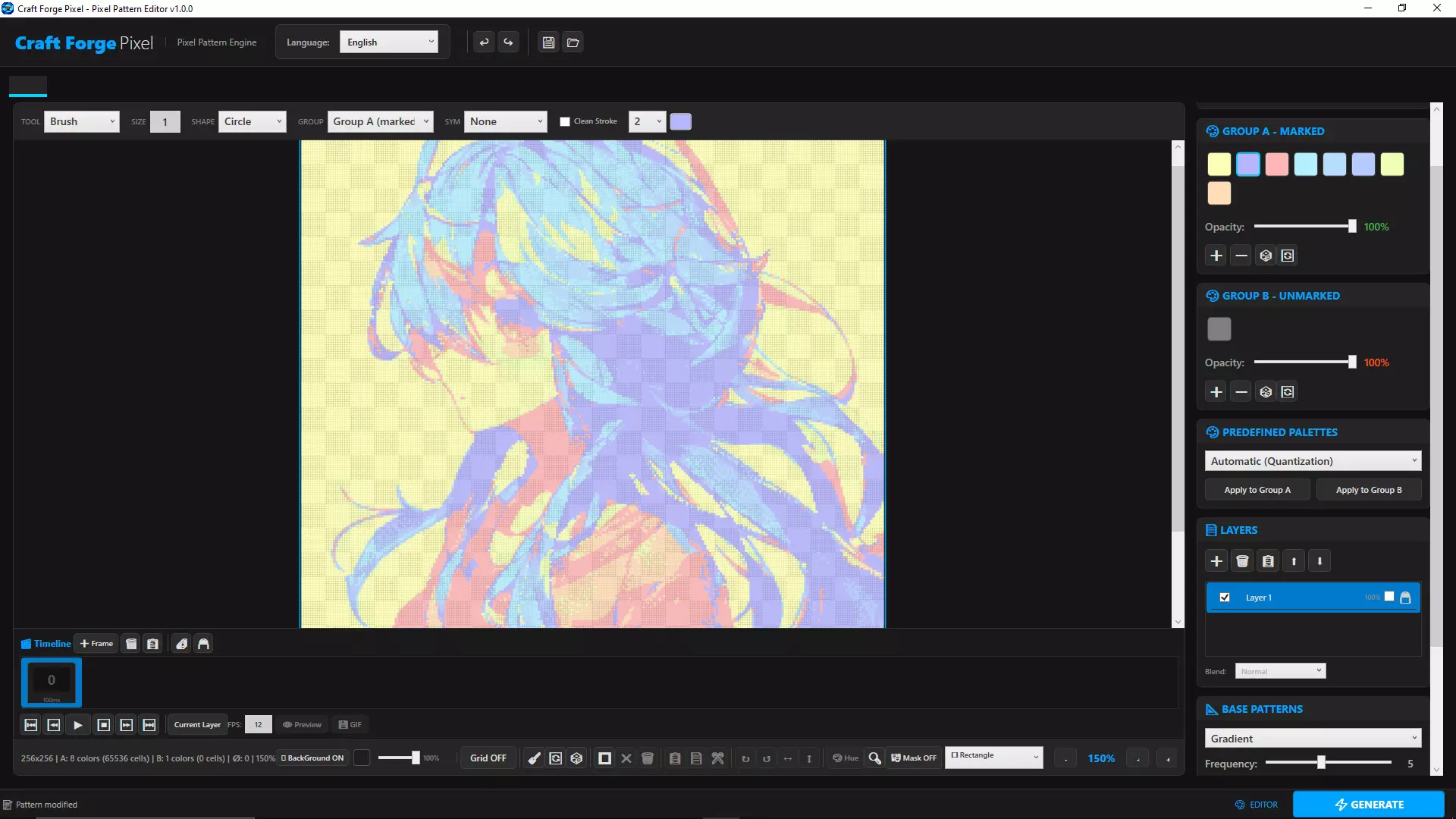
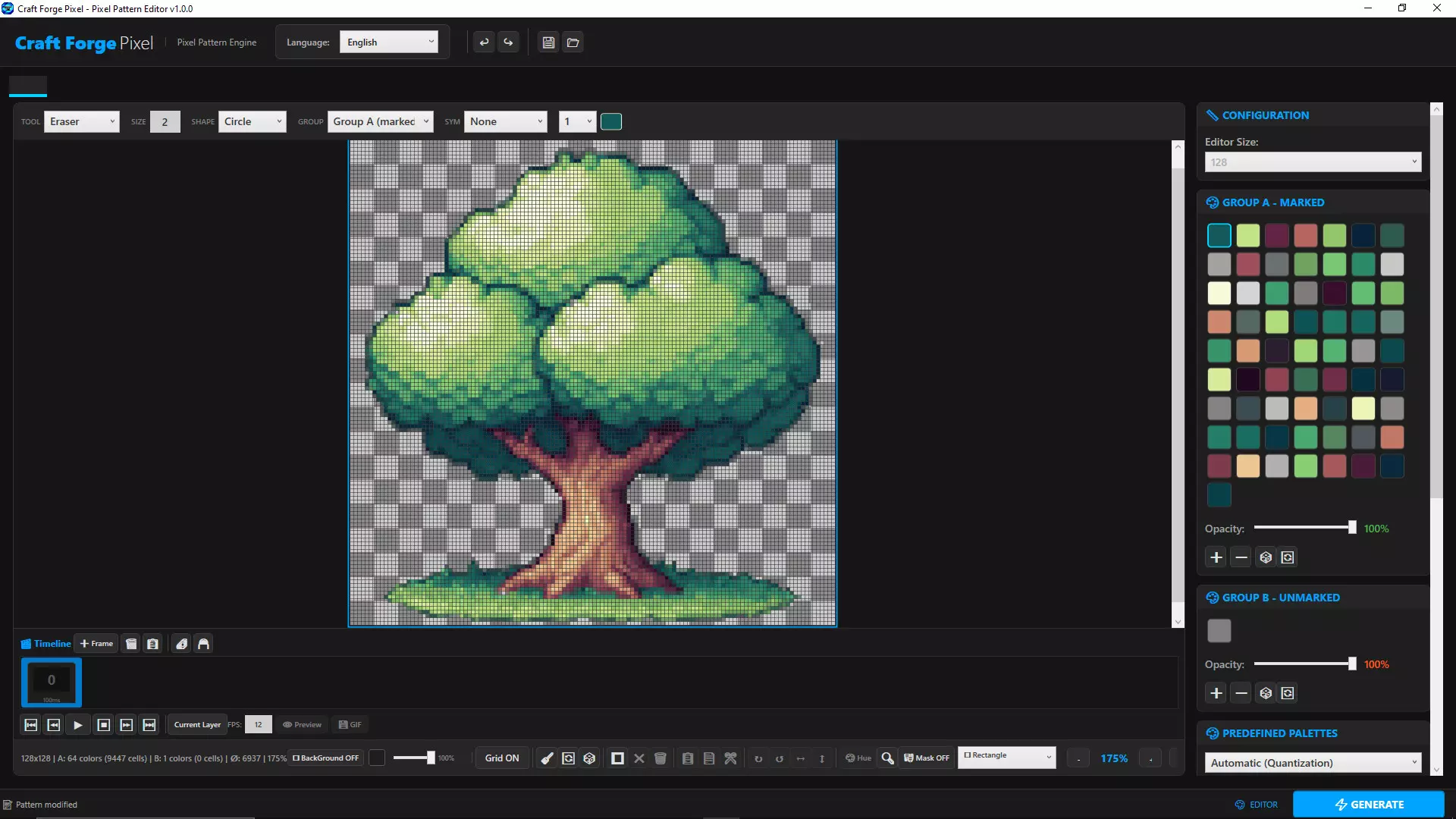
Master the Art of the Pixel with Precision
Craft Forge Pixel is more than just a pixel art editor: it is a comprehensive workstation designed for digital artists, game designers, and content creators who demand absolute control over every pixel. From technical illustration to sprite animation, this suite unifies a robust rendering engine with cutting-edge algorithmic tools to transform abstract concepts into professional designs, optimizing every stage of your creative workflow.
? Artistic Editing Suite & Smart Selection
Chromatic Control with Palette Integration
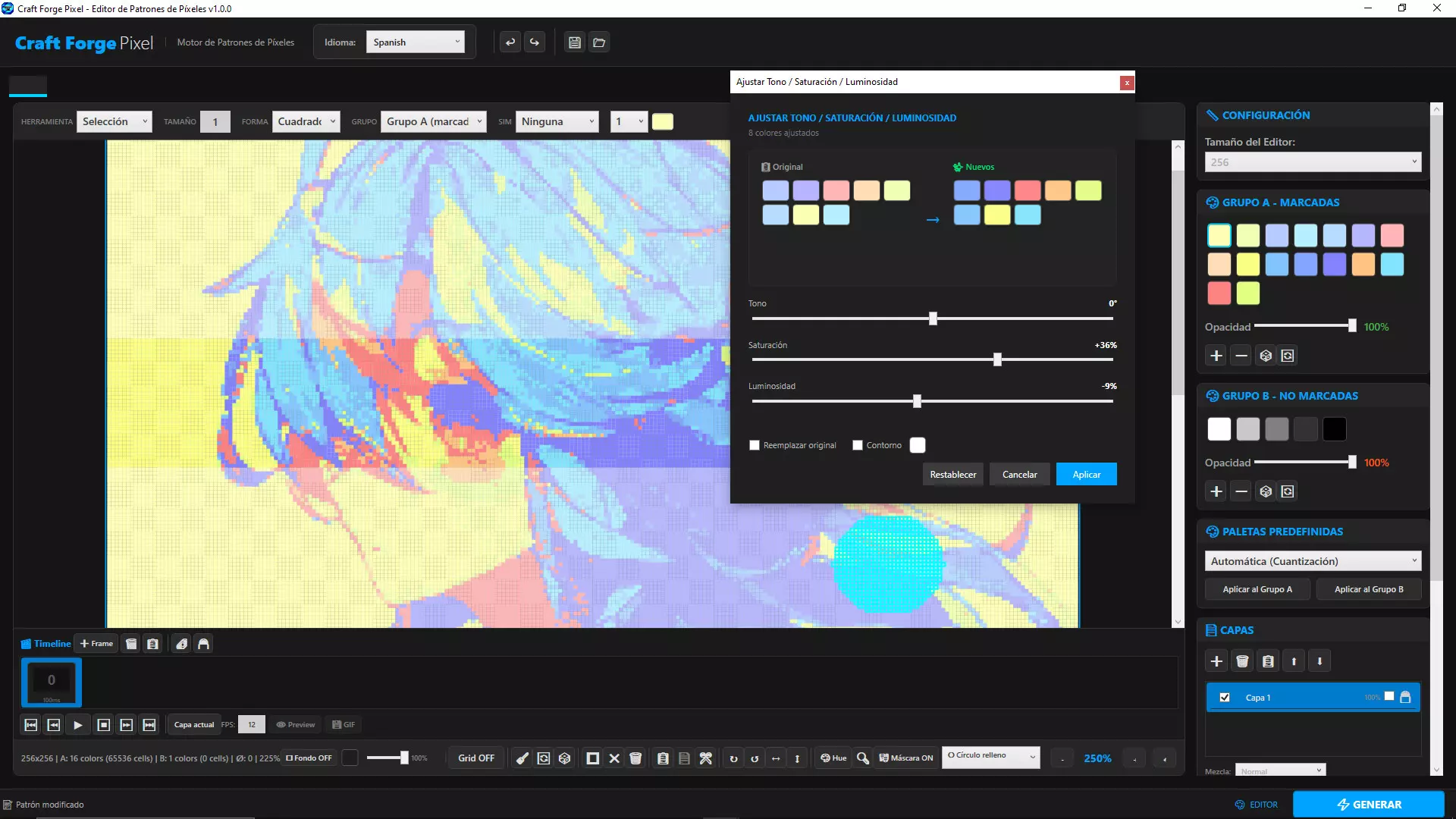
Select any area of your design and hit the Hue button to access real-time sliders for Hue, Saturation, and Luminance. Visualize changes instantly and choose how to integrate them into your workflow: replace original colors to keep your palette lean, or add new variants to expand your creative possibilities without losing your previous work.
Multimodal Selection System
Combine polygonal lasso, circular, and rectangular marquee tools with an independent transformation engine. Copy, paste, rotate, and flip selected areas with exact single-pixel precision. The selection mask feature allows you to isolate regions and operate exclusively within their boundaries, protecting the rest of your canvas.
Automated Outlines
Accessible directly from the chromatic adjustment window, the edge generator instantly applies a 1-pixel thick outline around any shape. Convert flat silhouettes into defined forms with a single click, accelerating the creation of professional-grade game sprites.
? Layer Management & Integrated Animation Engine
Organize your projects just like in a professional illustration suite.
Hierarchical Layer System
Work with multiple independent layers featuring individual visibility, locking, and variable opacity controls. Blend your work using real mathematical blending modes—Multiply, Screen, Overlay, Addition, Subtract—operating directly on color channels for advanced lighting and shading effects.
Frame-by-Frame Timeline & Animation
Build fluid animated sequences through a dedicated visual timeline. Manage keyframes, adjust durations, and preview the result before exporting as an animated GIF with alpha channel support, ready for integration into game engines or digital platforms.
? Technical Image Conversion Engine
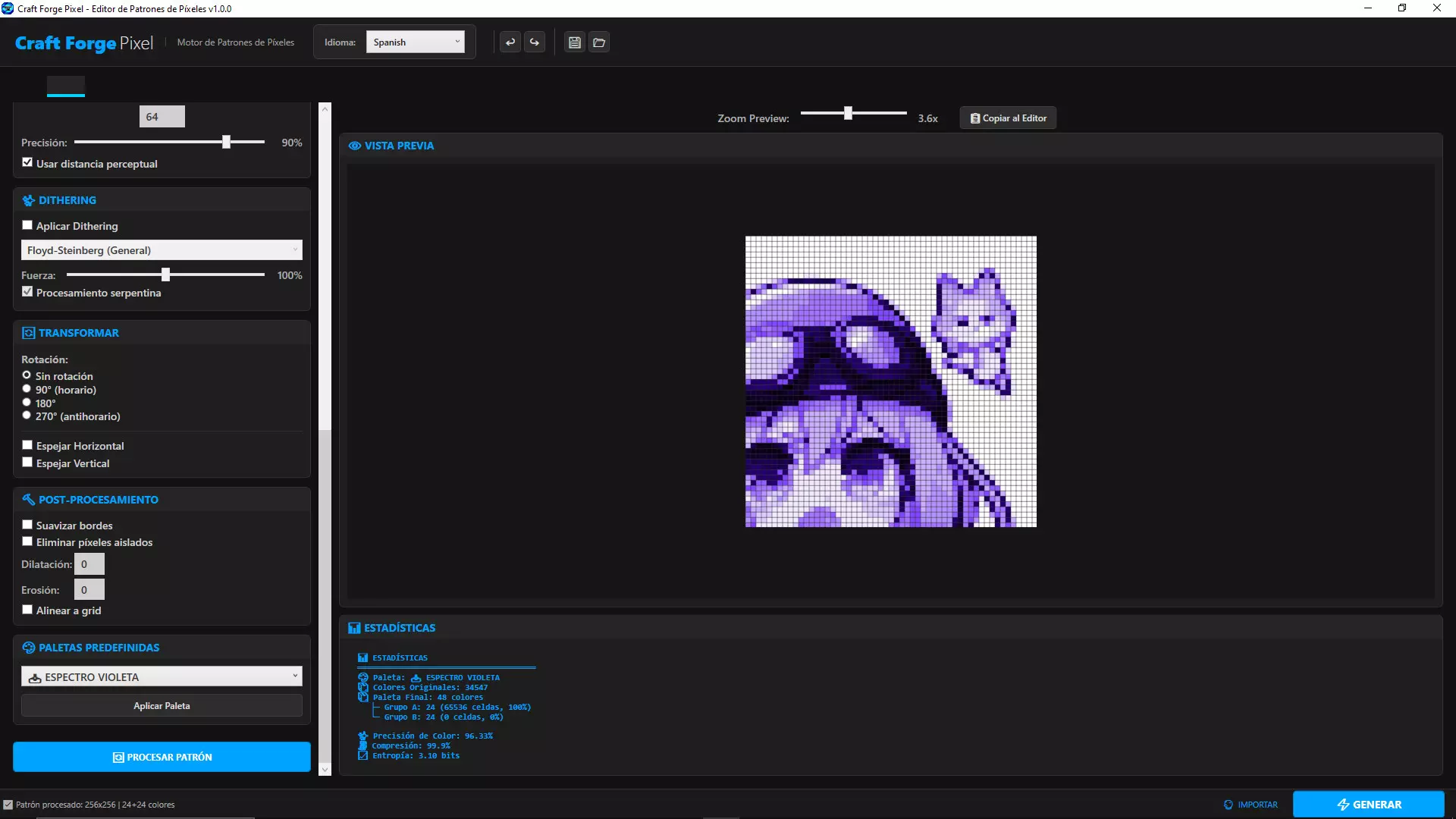
Transform any bitmap image into professional-quality pixel art using algorithms designed to preserve the visual essence of the original material.
Color Space Segmentation Quantization
Choose from color reduction methods such as K-Means clustering, Median Cut, and specialized algorithms for smooth gradient preservation. Each technique offers a unique balance between perceptual fidelity and palette reduction.
Stochastic and Ordered Dithering
Apply error diffusion dithering—Floyd-Steinberg, Atkinson—for organic tonal transitions, or recreate an authentic retro aesthetic with Bayer matrices and Blue Noise. Every algorithm is configurable to match the visual style of your project.
Advanced Pre-processing Filters
Optimize your source image before conversion by applying CLAHE (Contrast Limited Adaptive Histogram Equalization), Bilateral filtering for edge-preserving smoothing, and Unsharp Masking to enhance fine textures.
⚙️ Optimized Workflow & Professional Export
Custom Palettes & Color Libraries
Import color schemes by pasting hex code sequences or use the built-in Retro and Monochrome libraries as a starting point for your creations.
Multithreaded Rendering
All intensive operations—filtering, quantization, previewing—leverage parallel multithreading processing, ensuring instantaneous response even on large canvases.
Configurable Export
Define the output grid cell size and export your designs in PNG or GIF format at the exact resolution you require, maintaining absolute sharpness for assets, publications, or presentations.
⌨️ Shortcut Architecture for Professional Flow
Designed for high-speed artistry, the application integrates an exhaustive and consistent keyboard shortcut system that minimizes mouse dependency and maximizes productivity.
Immediate Tool Access
Toggle instantly between Brush (P), Eraser (B), Fill (F), and Eyedropper (D). Navigate between core modules—Editor, Importer, Settings—using Ctrl+1, Ctrl+2, and Ctrl+3.
Advanced Clipboard & Selection Manipulation
Cut, copy, and paste specific regions with industry-standard behavior (Ctrl + X/C/V). Nudge selections pixel-by-pixel using arrow keys, rotate 90° in both directions, and apply horizontal or vertical flips independently.
Automation & Masks
The "Magic Wand" (Ctrl + W) instantly identifies and selects all cells sharing the same color index starting from the active cell. Activate the Selection Mask (Ctrl + M) to strictly delimit your workspace and protect the rest of the canvas from accidental modifications.
Preset Management
Store and recall your custom palettes, dimensions, and preferences instantly using the Save (Ctrl + S) and Load (Ctrl + O) commands, making it easy to iterate between different projects and styles.
- Если не установлен Steam клиент, скачайте его для Windows (клиент также доступен на Mac и Linux) и установите.
- Запустите Steam, зайдите в свой аккаунт или зарегистрируйте новый, если у вас его еще нет.
- При оформлении заказа, предоставьте ссылку на свой профиль в Steam или ваш SteamID состоящий из 18 цифр (765***).
- Ожидайте приглашения от нашего бота (если у вас аккаунт с ограниченными правами) или добавьте бота в друзья (ссылка на бота будет предоставлена после успешной оплаты).
- После того, как вы добавите нашего бота в друзья, игра автоматически (время ожидания обычно составляет не более 5-30 секунд) будет отправлена вам в виде подарка (гифта).
- Примите подарок, добавьте в Библиотеку и нажмите «Играть».










и мы вам напишем, если цена на этот товар снизится