
Купить Auto clicker


The auto clicker app for steam gamers. Works with windows , standalone PC titles and web games. Multi click, auto tapper mode, macros and recording included.

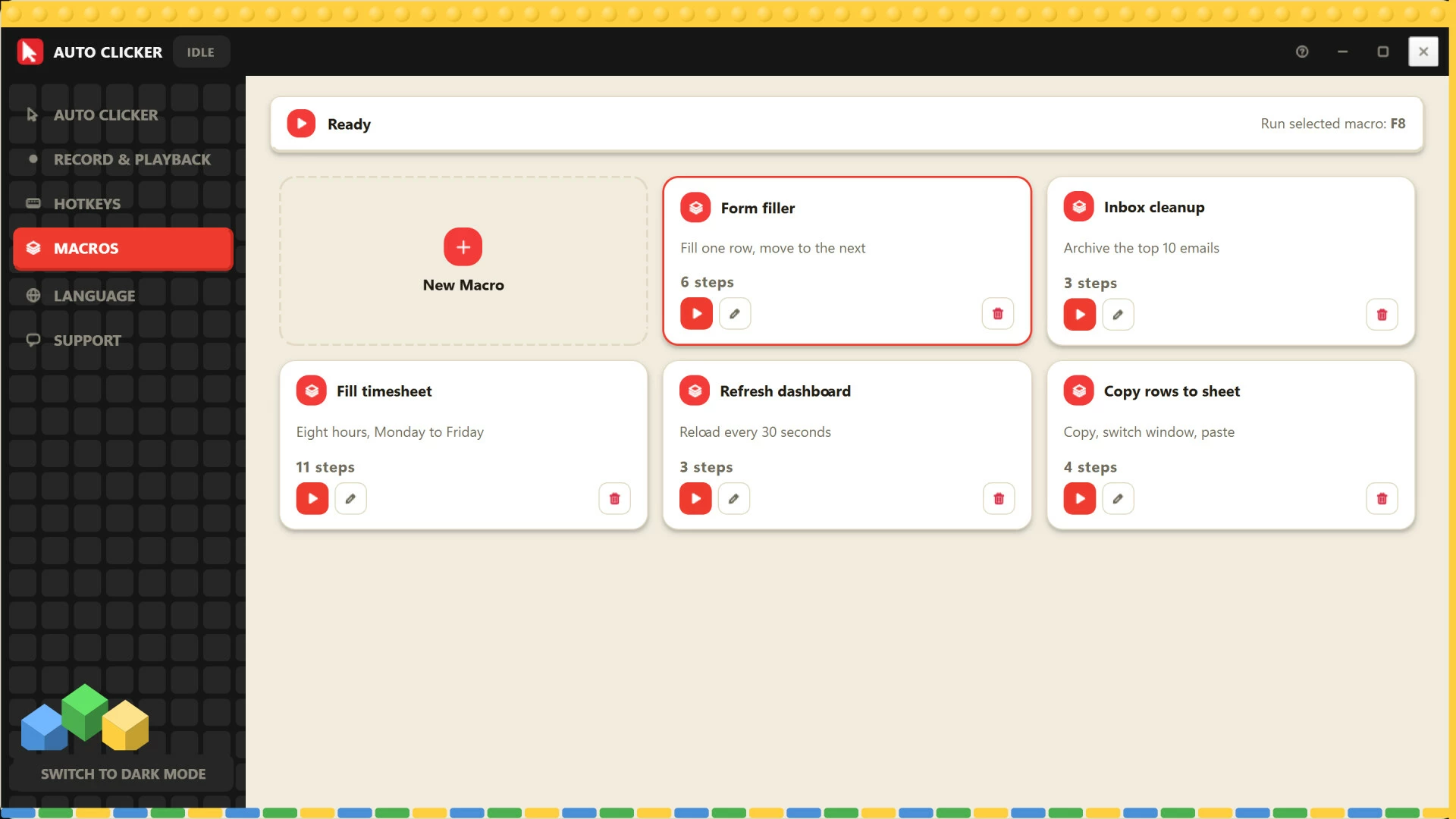
The Auto Clicker App Built for Gamers
Some games ask you to click the same button ten thousand times. Auto Clicker does it for you. Pick your speed, press a hotkey, and let your game run while you do something else.
It works as an auto tapper, a multi click tool, and a recorder for repeating your favorite grind routines. No scripting and no complicated setup.
Works with the games you already play
Auto Clicker runs on Windows and clicks on your screen, so it fits the way you play.
• Steam games: Run it alongside the games in your Steam library.
• Standalone PC titles: Use it with games installed outside Steam.
• Windows apps: Works with Windows apps and game launchers.
• Web games: Click away in browser-based idle and clicker games too.
Click the way your game needs
From a slow, steady click to a rapid burst, the auto clicker gives you full control.
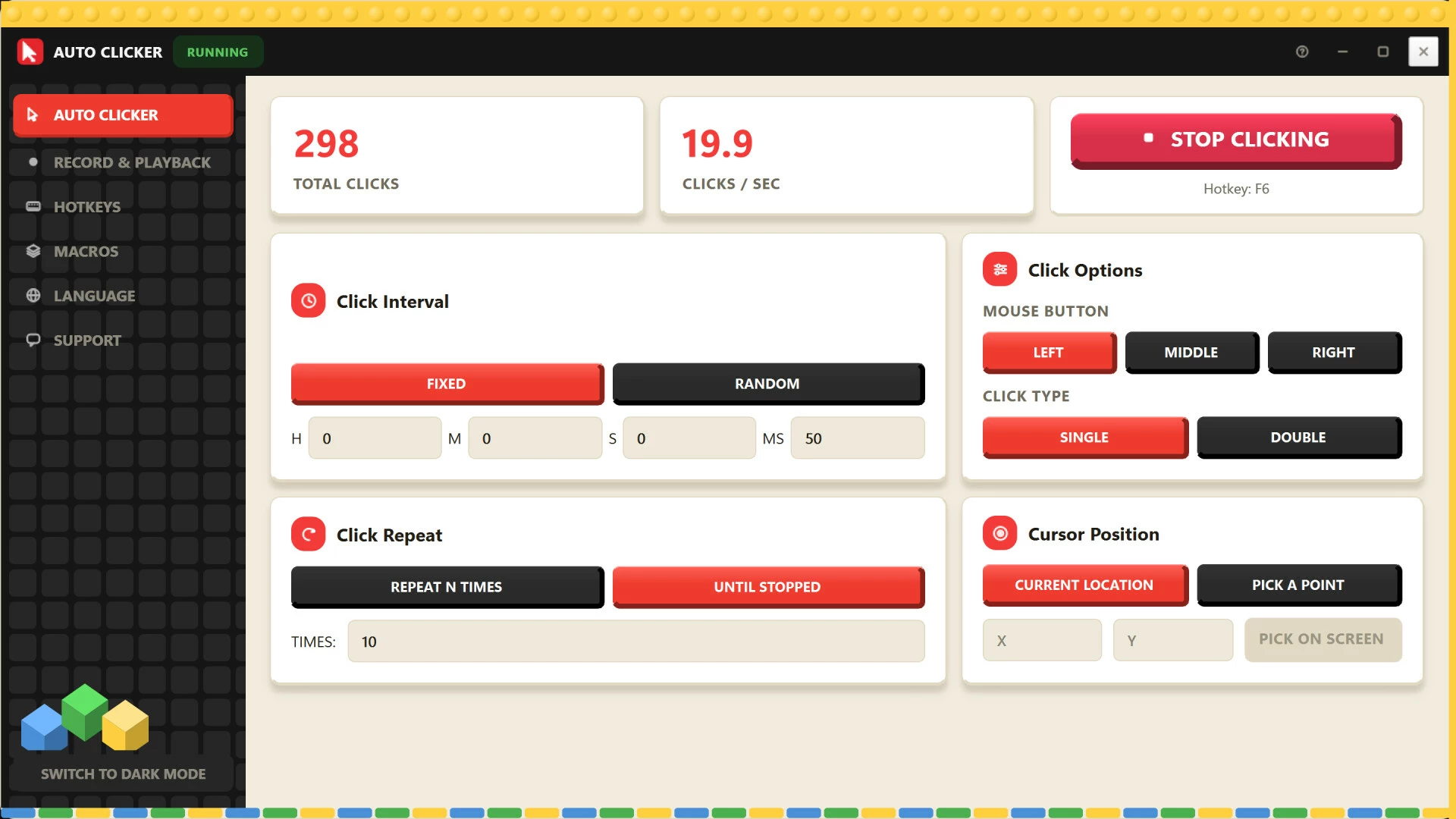
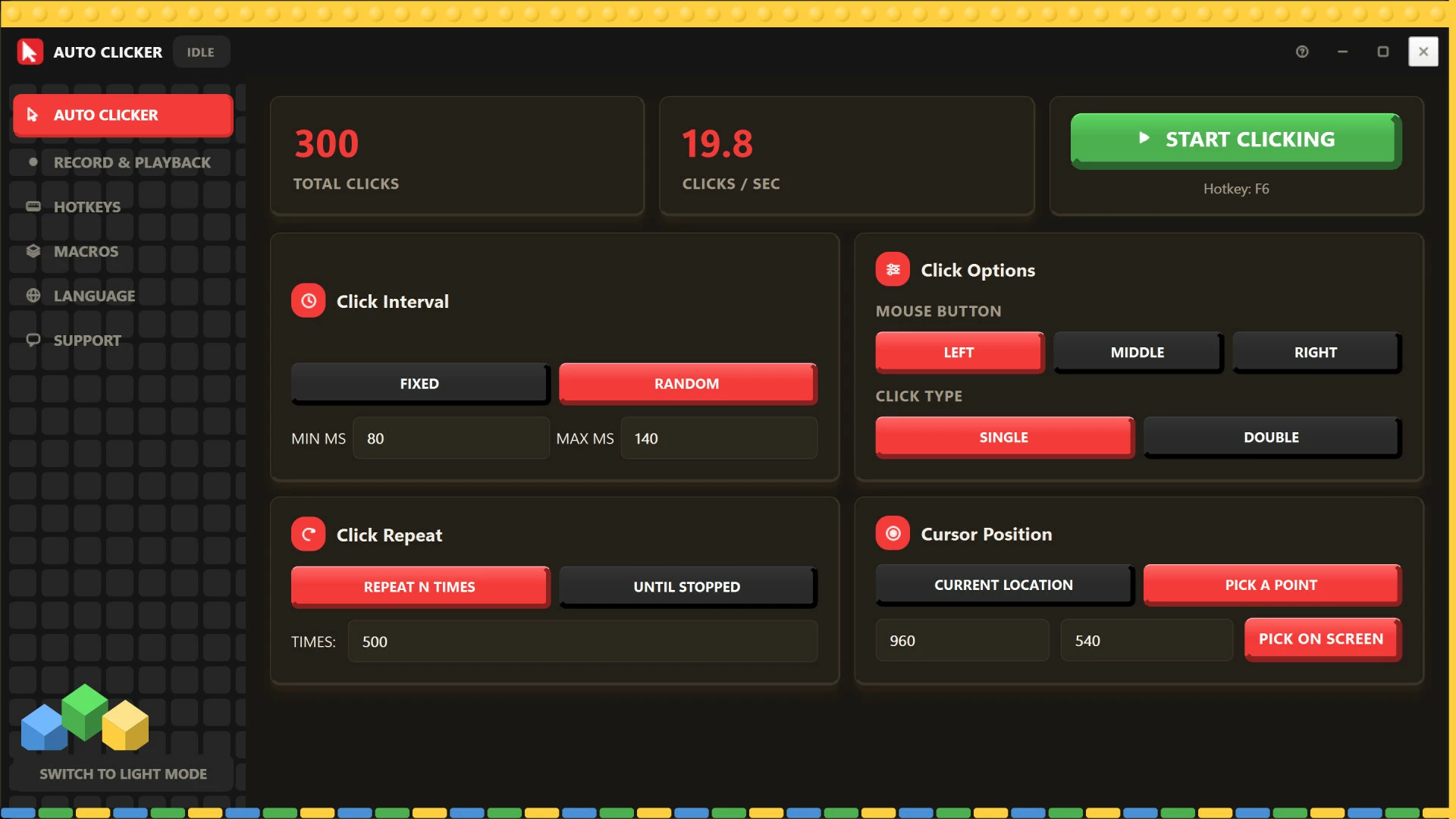
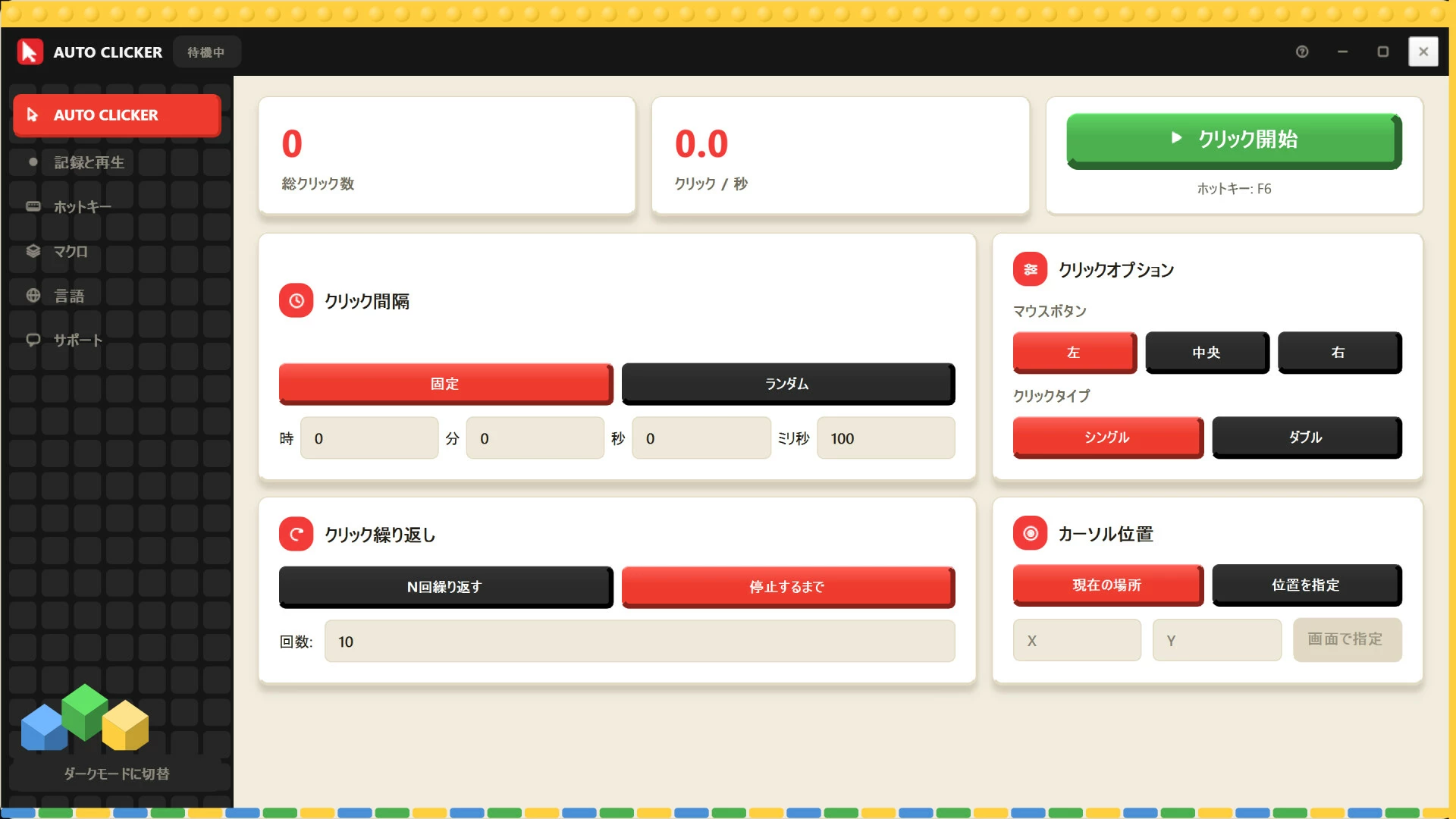
• Fixed or random timing: Set an exact delay in hours, minutes, seconds and milliseconds, or randomize it so your clicks feel more natural.
• Any mouse button: Left, middle or right click.
• Single or double click: Switch with one tap. Great for games that reward double clicks.
• Repeat your way: Click a set number of times, or keep going until you stop it.
• Click anywhere: Use your current cursor position, or lock onto a fixed spot by typing coordinates or picking a point right on your screen.
• Live stats: Watch your total clicks and clicks per second as it runs.
Record your grind, replay it forever
Found a farming route or upgrade loop that works? Record it once and let it repeat.
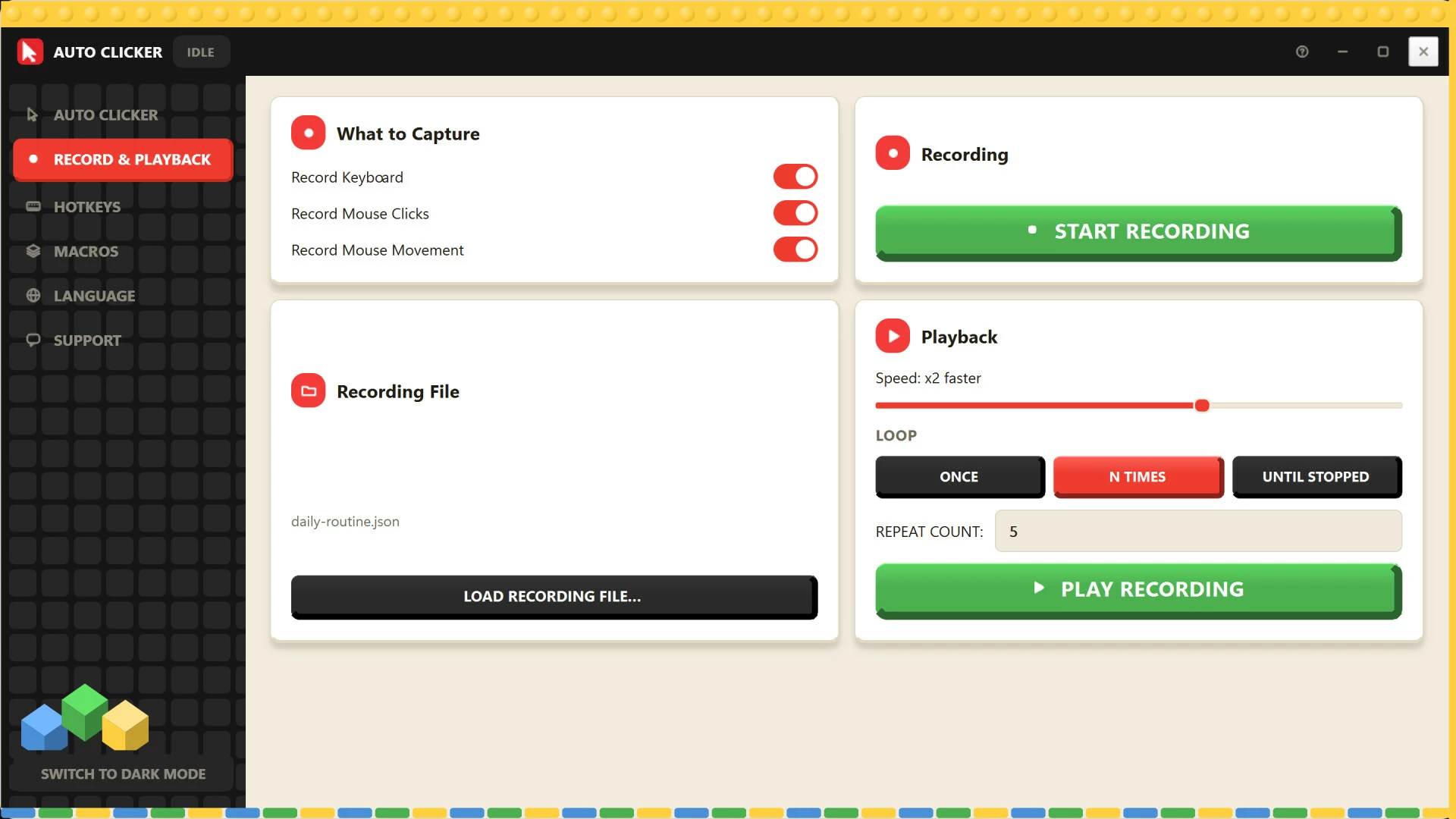
• Capture keyboard input, mouse clicks and mouse movement. Turn each one on or off depending on your game.
• Play it back faster or slower than you recorded it.
• Run it once, a set number of times, or on a loop until you stop it.
• Save your recordings and load them again for your next session.
Build game macros without writing code
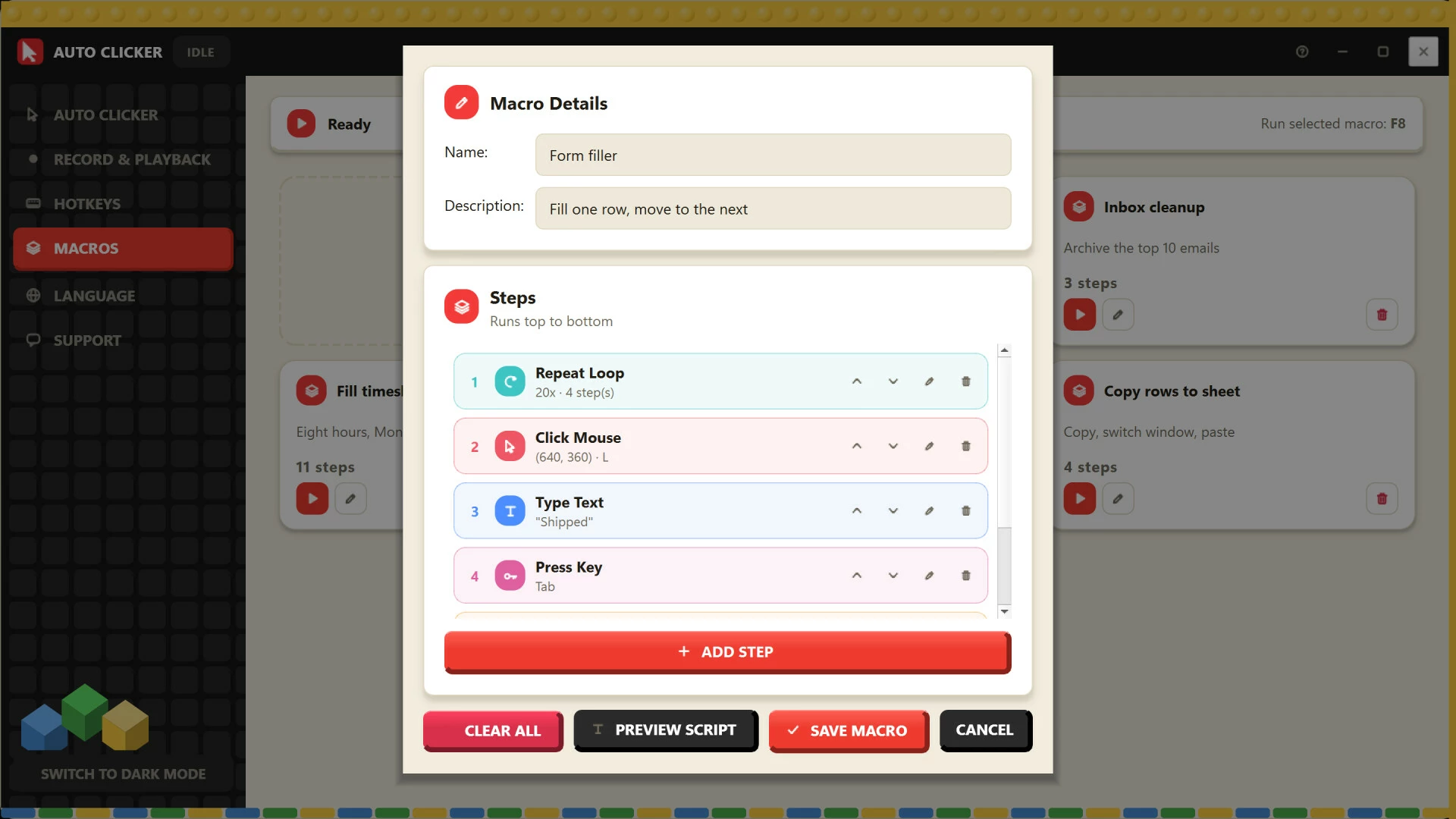
The visual Macro Builder lets you chain together your own routines, step by step.
• Add key presses, mouse moves, key combos and wait times.
• Reorder, edit or delete any step in seconds.
• Name each macro, preview the script, then save it.
• Trigger your selected macro instantly with a hotkey.
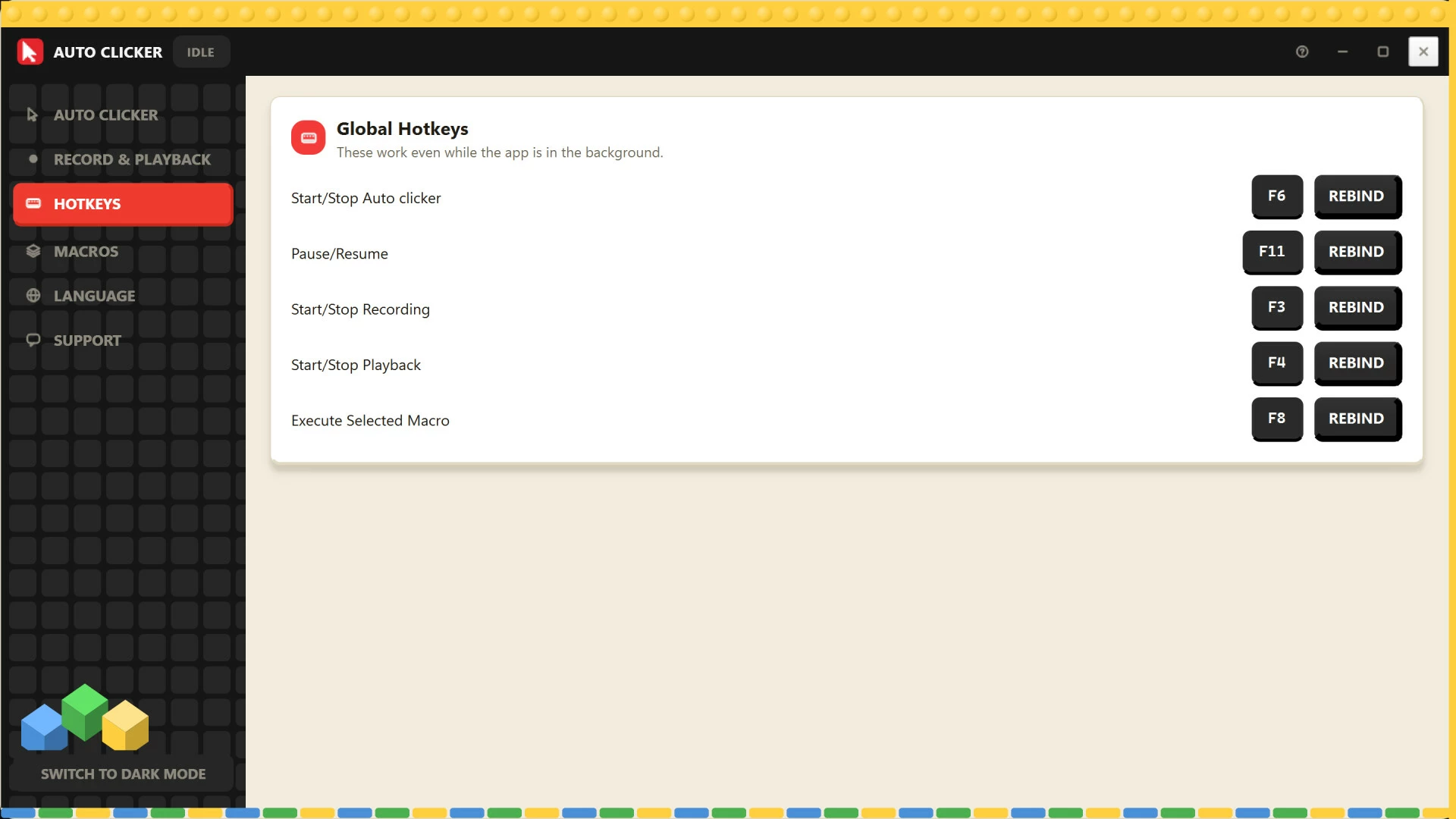
Hotkeys that work while you play
Control everything while your game is in the foreground and Auto Clicker runs in the background. Every key can be rebound.
• Start / Stop Clicking (F6)
• Pause / Resume (F11)
• Start / Stop Recording (F3)
• Start / Stop Playback (F4)
• Run Selected Macro (F8)
Easy to use
Even if you've never touched an auto clicker before, you'll be up and running in a minute. The interface is clean, colorful and easy to read, with light and dark mode to match your setup.
• Available in 25+ languages, including English, Spanish, French, German, Portuguese, Japanese, Korean, Chinese, Arabic and more.
• Your recordings and macros are saved to your user profile, so they stay put after app updates.
Perfect for
• Idle and clicker games
• Incremental and tycoon games
• Farming and grinding in single-player games
• Any game with repetitive clicking or tapping
Please use Auto Clicker responsibly and follow the rules of any game you play. Some online and competitive games prohibit automation, so check a game's terms before using it.
Download AutoClicker and spend your time playing, not clicking. It's the auto clicker that just works.
- Если не установлен Steam клиент, скачайте его для Windows (клиент также доступен на Mac и Linux) и установите.
- Запустите Steam, зайдите в свой аккаунт или зарегистрируйте новый, если у вас его еще нет.
- При оформлении заказа, предоставьте ссылку на свой профиль в Steam или ваш SteamID состоящий из 18 цифр (765***).
- Ожидайте приглашения от нашего бота (если у вас аккаунт с ограниченными правами) или добавьте бота в друзья (ссылка на бота будет предоставлена после успешной оплаты).
- После того, как вы добавите нашего бота в друзья, игра автоматически (время ожидания обычно составляет не более 5-30 секунд) будет отправлена вам в виде подарка (гифта).
- Примите подарок, добавьте в Библиотеку и нажмите «Играть».











и мы вам напишем, если цена на этот товар снизится