
Купить Orbit Reminders
Акция! До окончания 607085


Дата выхода: 4 ноября 2026
Регион:
Россия, Украина
Язык:
Английский (Интерфейс)
Close the window & the reminder still lands. Orbit keeps your tasks, habits & ideas on your own devices, encrypted, so you never forget. One purchase covers your PC, your laptop & your phone, on Windows, Linux & Android. No account.

Описание
Close it. It still reminds you.
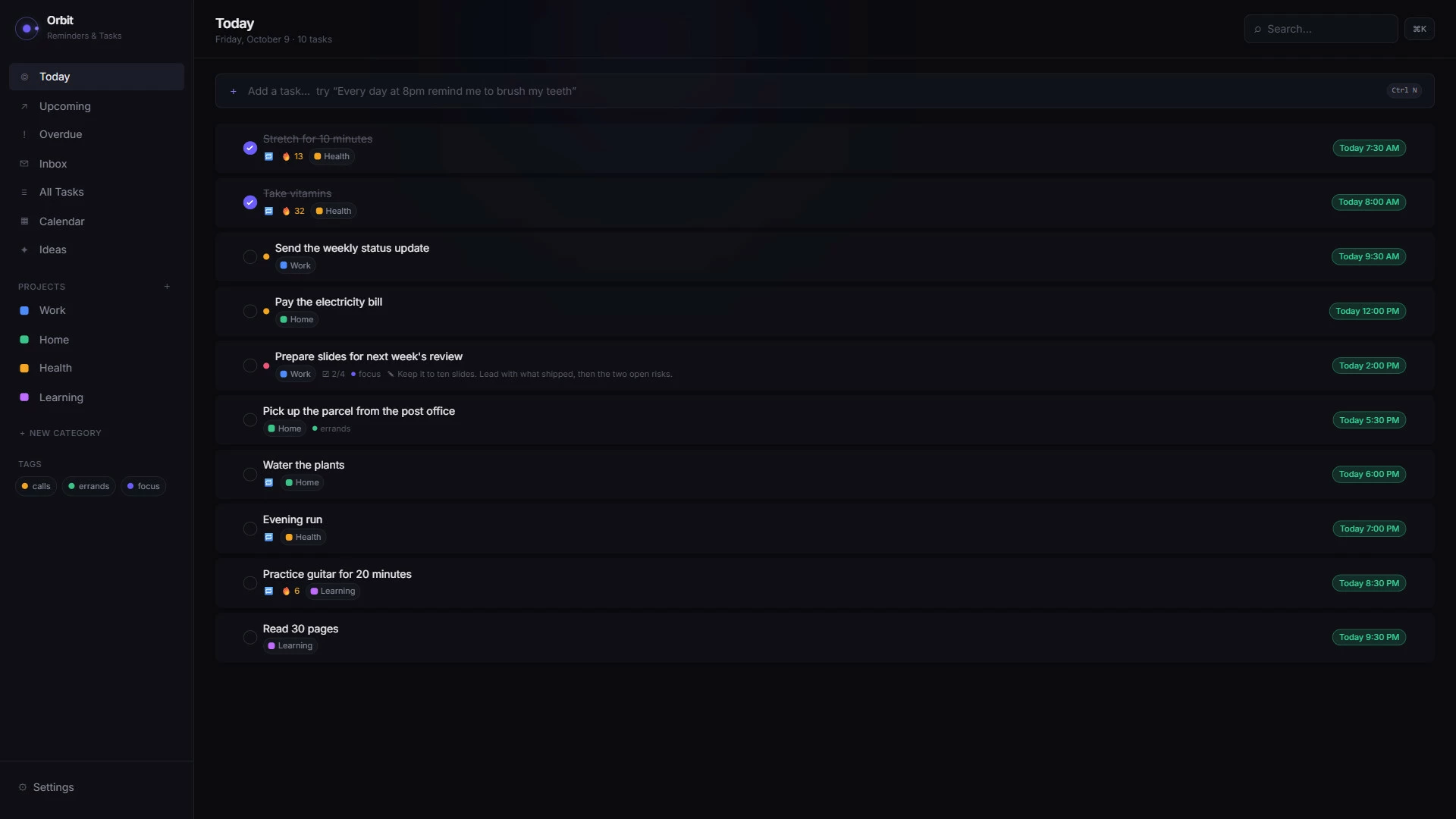
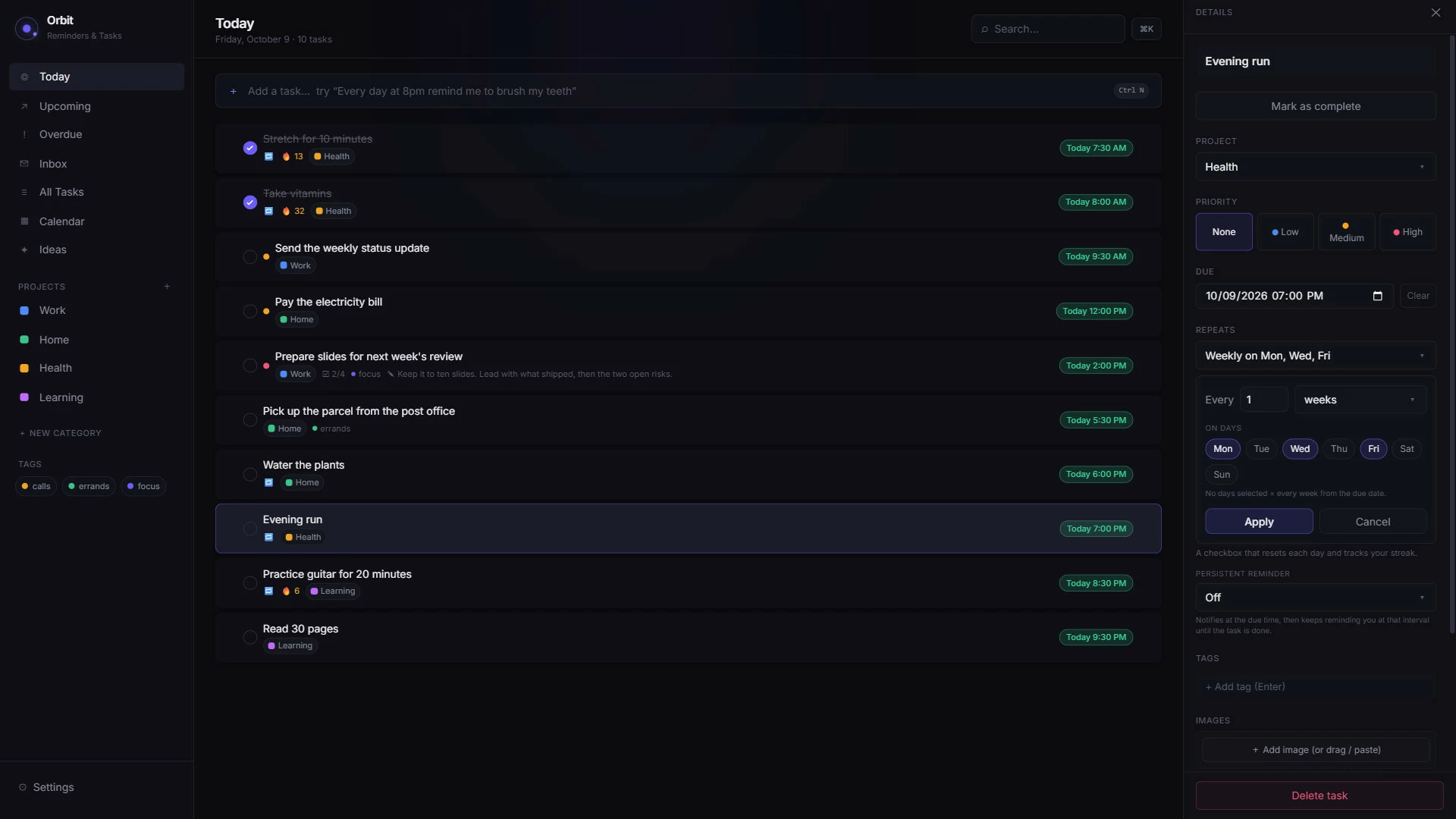
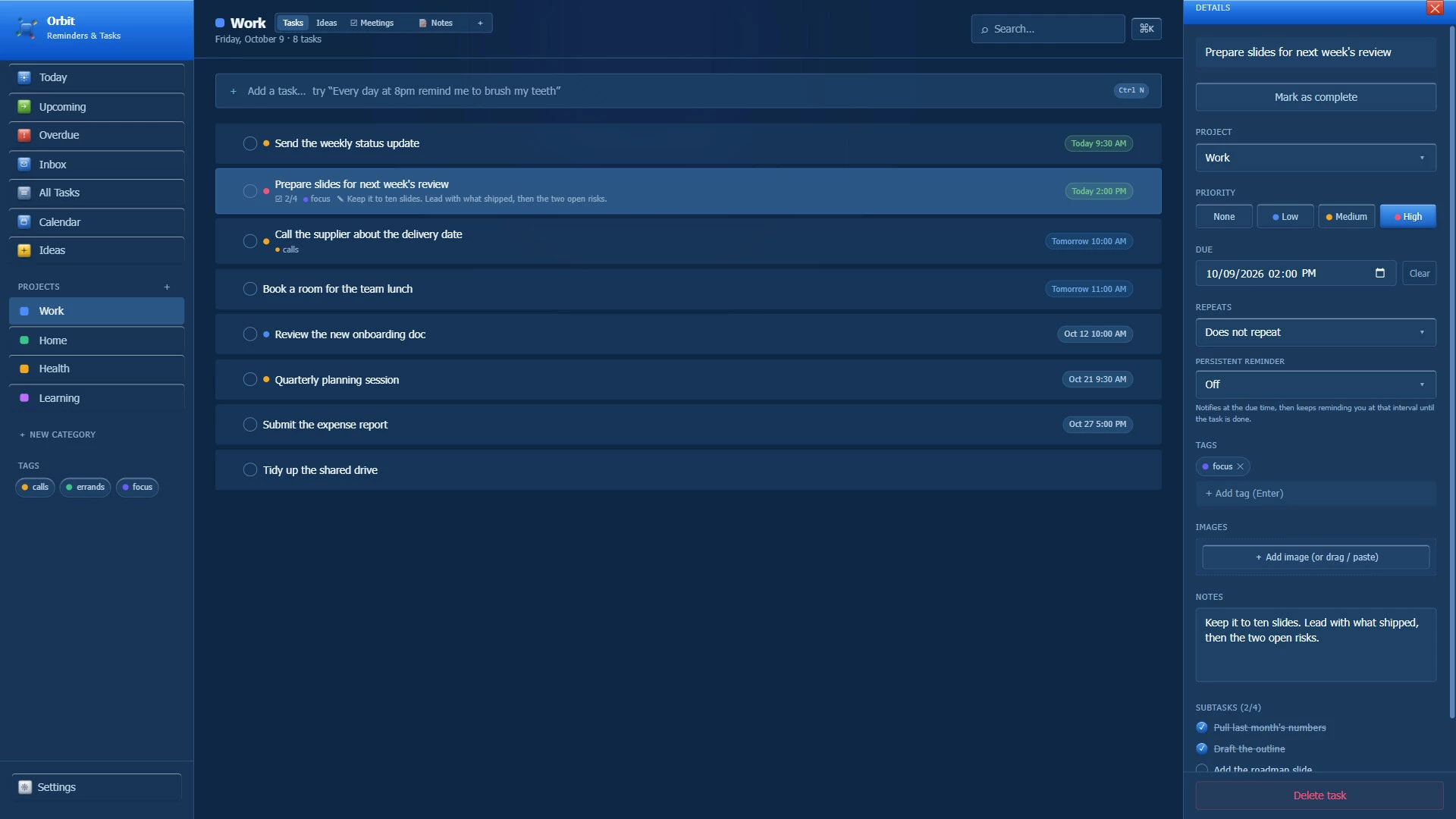
Orbit sits in your tray next to everything else you've got running. Set a reminder, close the window, get back to your game, & the reminder still lands on time. Want it to keep nagging until you tick it off? It will.On your PC, your laptop & your phone
One purchase covers two computers & a phone. Windows or Linux on the computers, in any mix, plus Orbit's Android app on the phone. Install it from Steam on your second computer & it activates itself. On your phone, type in the Orbit key from Settings, then pair it with your PC & the same list is on both.An iPhone version is on the way, & your key will work on it too.
Type it the way you'd say it
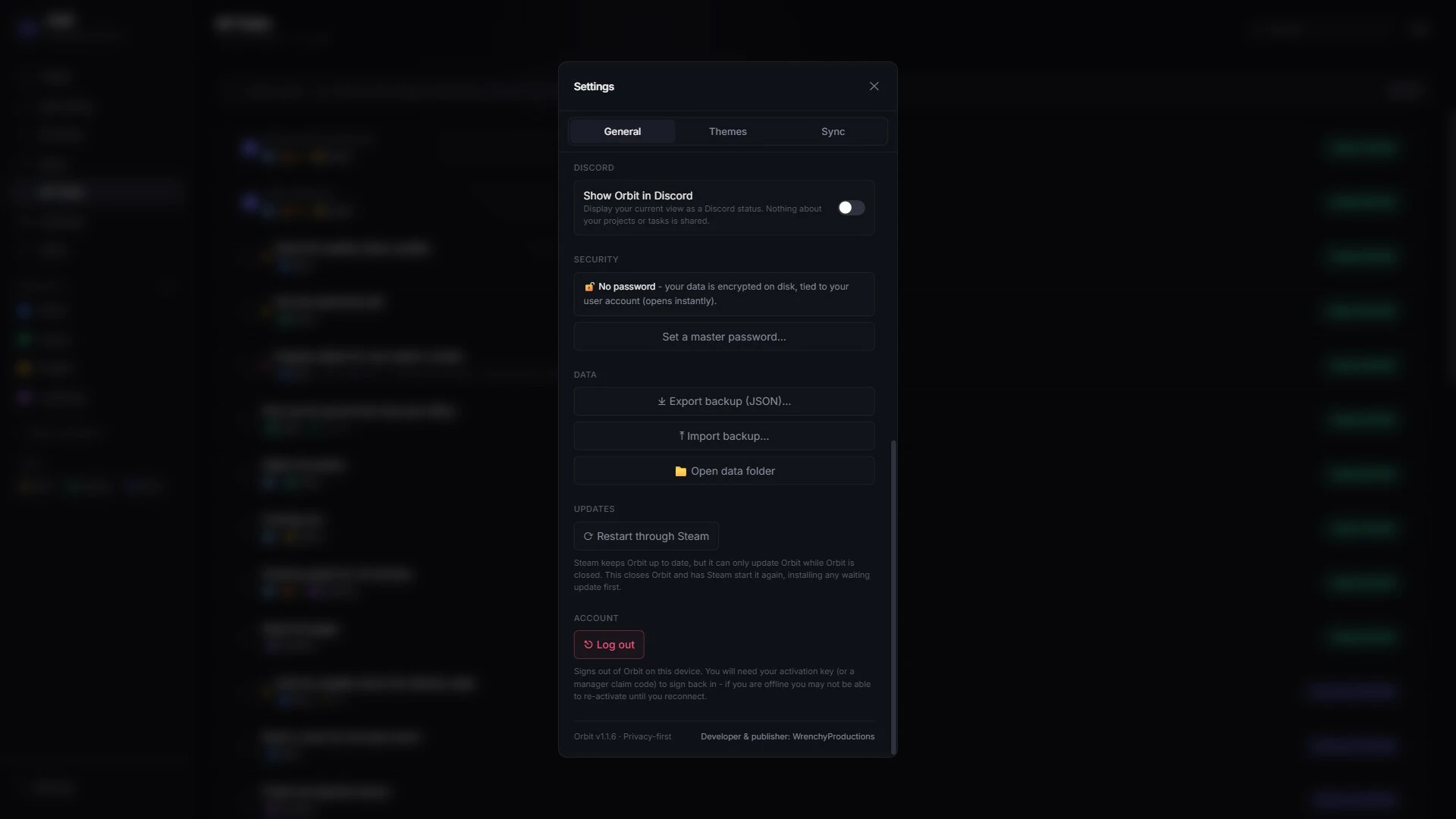
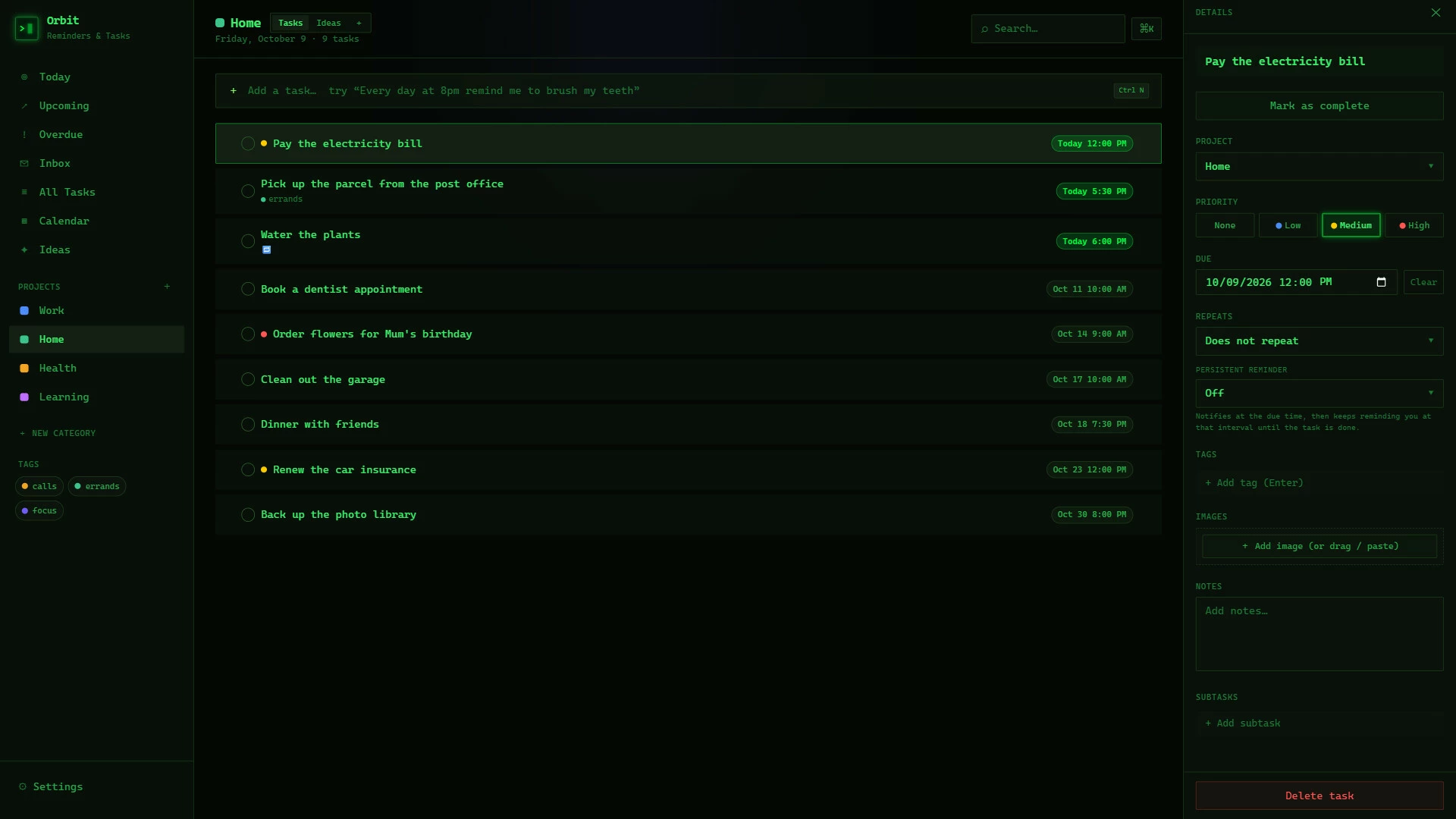
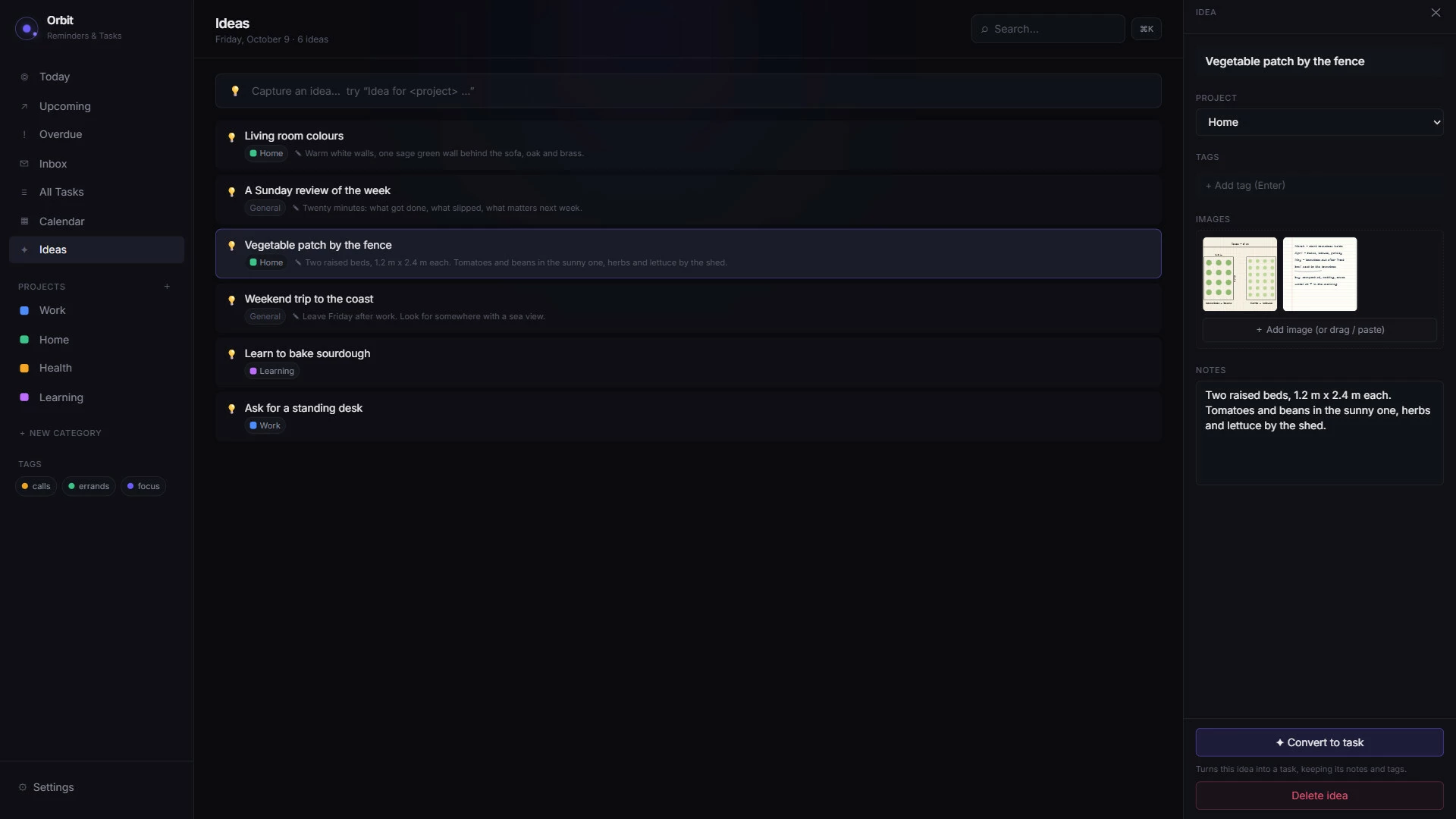
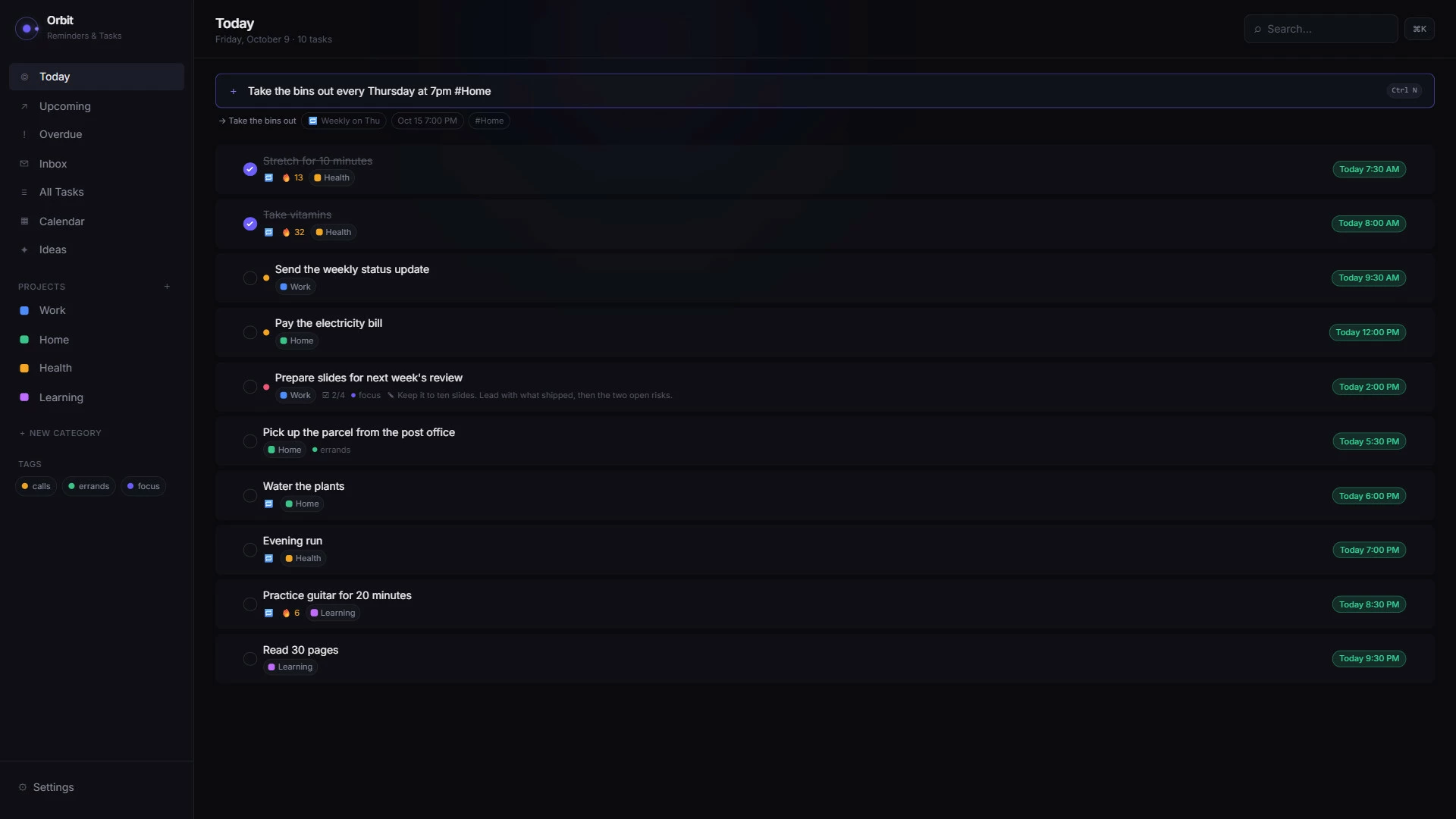
"Stretch every weekday at 8am." "Bins every Thursday at 7pm." Orbit reads the date & the repeat straight out of the sentence, right on your PC, & sets it up for you. Habits keep a streak, projects get their own tabs, & ideas get a space of their own with images attached.Today, upcoming, overdue
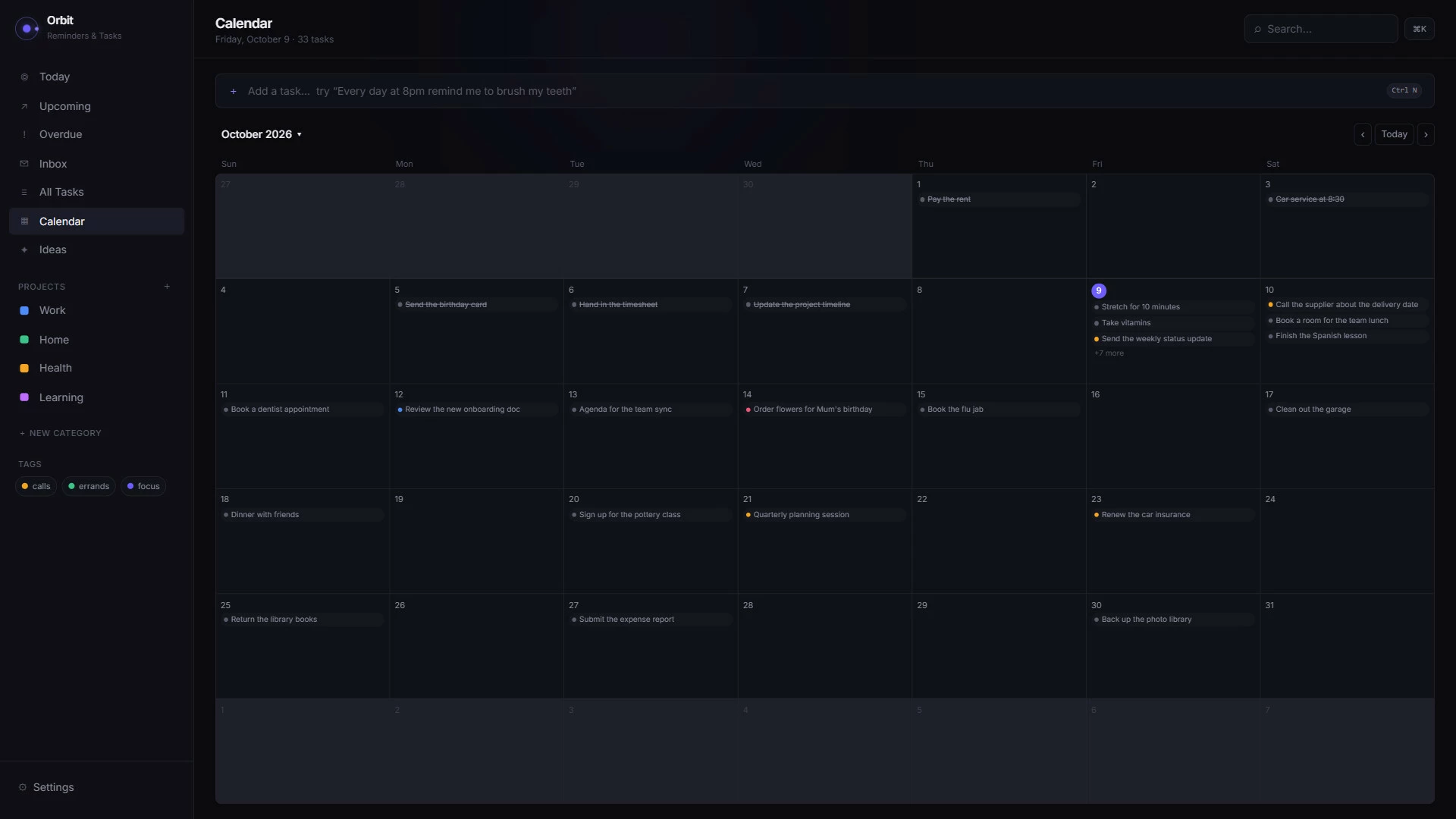
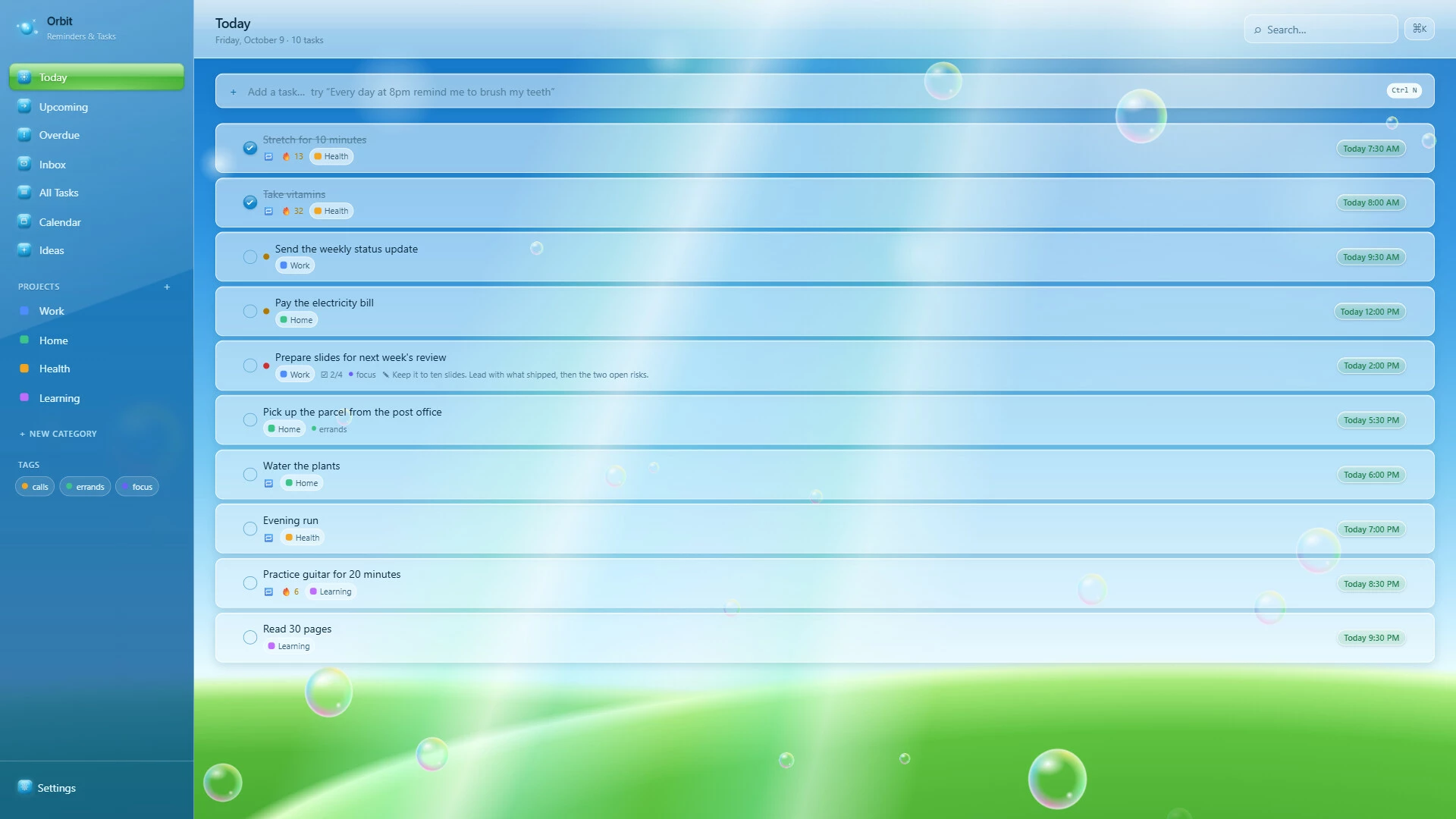
Today, Upcoming, Overdue, Inbox & a calendar for the month. Ctrl+N adds a task from anywhere in the app, Ctrl+K finds anything, & there's a quick-add popup right from the tray.Your stuff stays yours
Everything lives on your own devices in an encrypted database. No account, no cloud, & your tasks stay with you. Add a master password if you want Orbit locked when it starts, & it backs itself up automatically.Make it yours
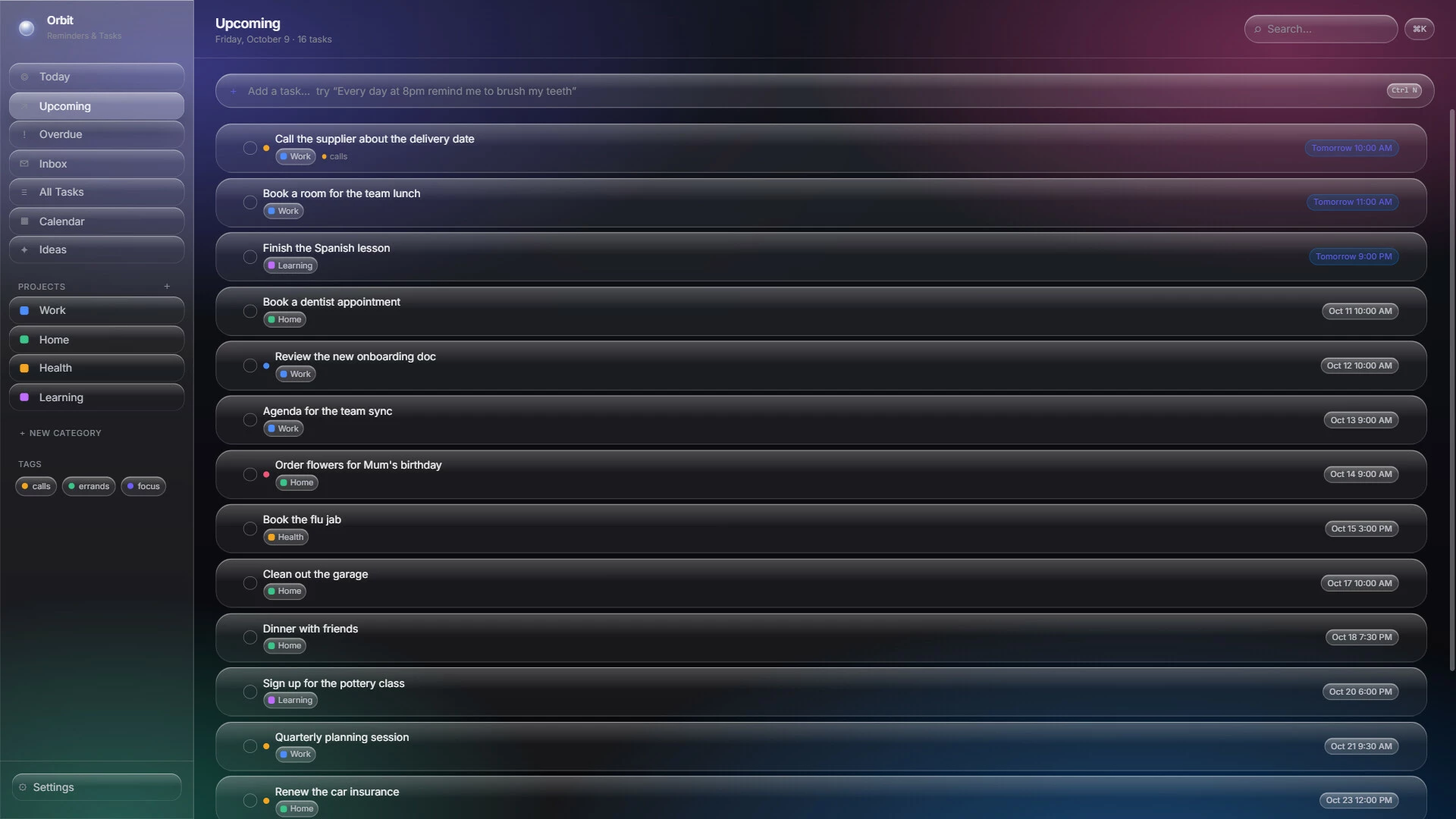
Dark & light come free. The other looks you see in the screenshots are optional paid themes.Pay once
No subscription, ever, & no paying again for your laptop or your phone. Orbit checks your purchase with Steam when you first set it up, checks in once a week during your first month, & after that it never needs the internet again.Активация продукта в Steam
- Если не установлен Steam клиент, скачайте его для Windows (клиент также доступен на Mac и Linux) и установите.
- Запустите Steam, зайдите в свой аккаунт или зарегистрируйте новый, если у вас его еще нет.
- При оформлении заказа, предоставьте ссылку на свой профиль в Steam или ваш SteamID состоящий из 18 цифр (765***).
- Ожидайте приглашения от нашего бота (если у вас аккаунт с ограниченными правами) или добавьте бота в друзья (ссылка на бота будет предоставлена после успешной оплаты).
- После того, как вы добавите нашего бота в друзья, игра автоматически (время ожидания обычно составляет не более 5-30 секунд) будет отправлена вам в виде подарка (гифта).
- Примите подарок, добавьте в Библиотеку и нажмите «Играть».
Детали игры
Жанр:
Дата выхода:
4 ноября 2026
Издатель:
Разработчик:
Метки:
Похожие игры

Популярное



Комментарии и отзывы (0)
Если у Вас не отправляются сообщения - почистите cookie в браузере
и авторизуйтесь заново :)


Войдите для комментирования


Узнайте первым о снижении цены
Введите ваш адрес электронной почты
и мы вам напишем, если цена на этот товар снизится
и мы вам напишем, если цена на этот товар снизится
Отписаться
Ваш e-mail будет отписан.
Язык:
Валюта:
Язык: