
Купить Pixel Painter

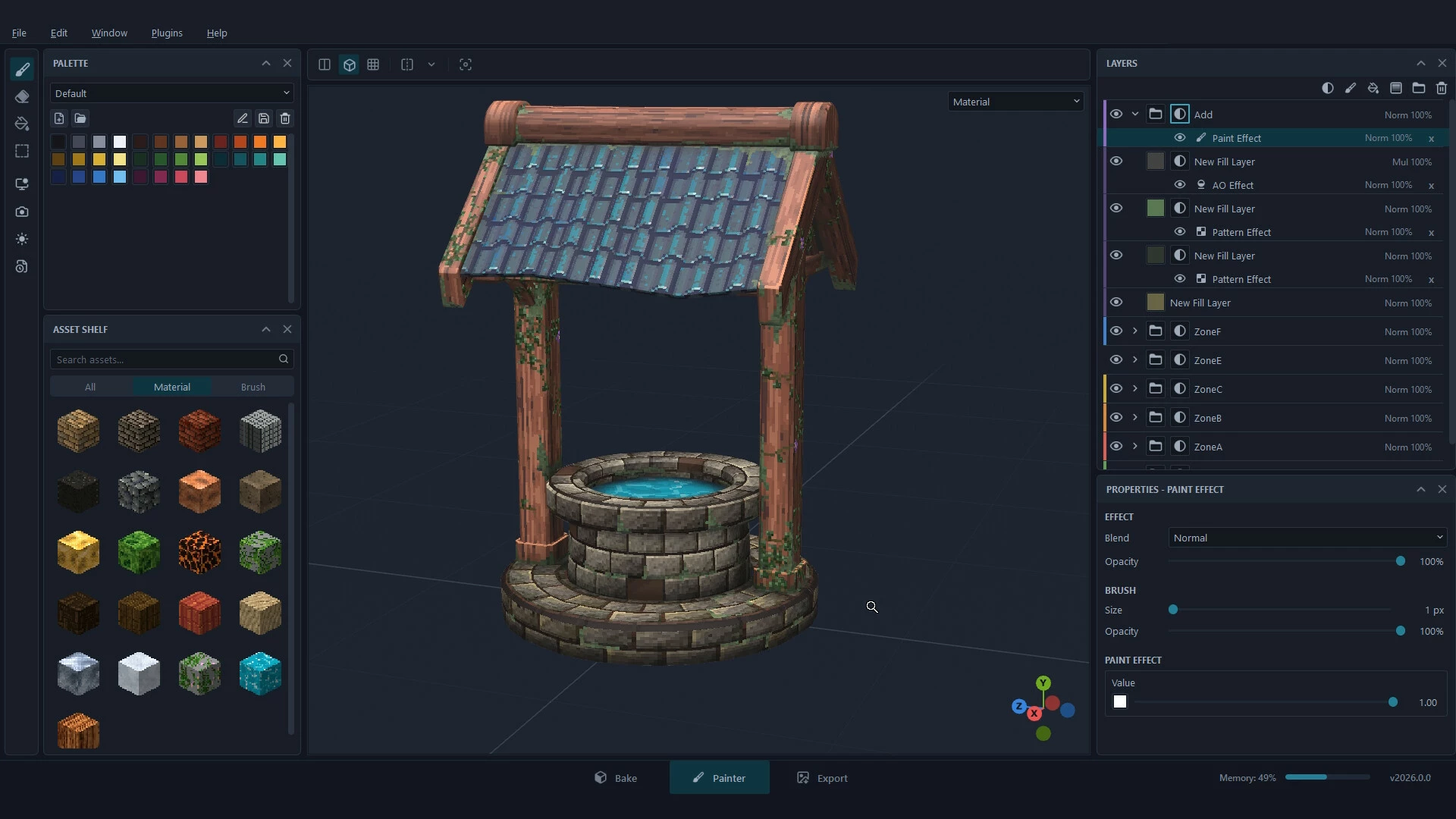
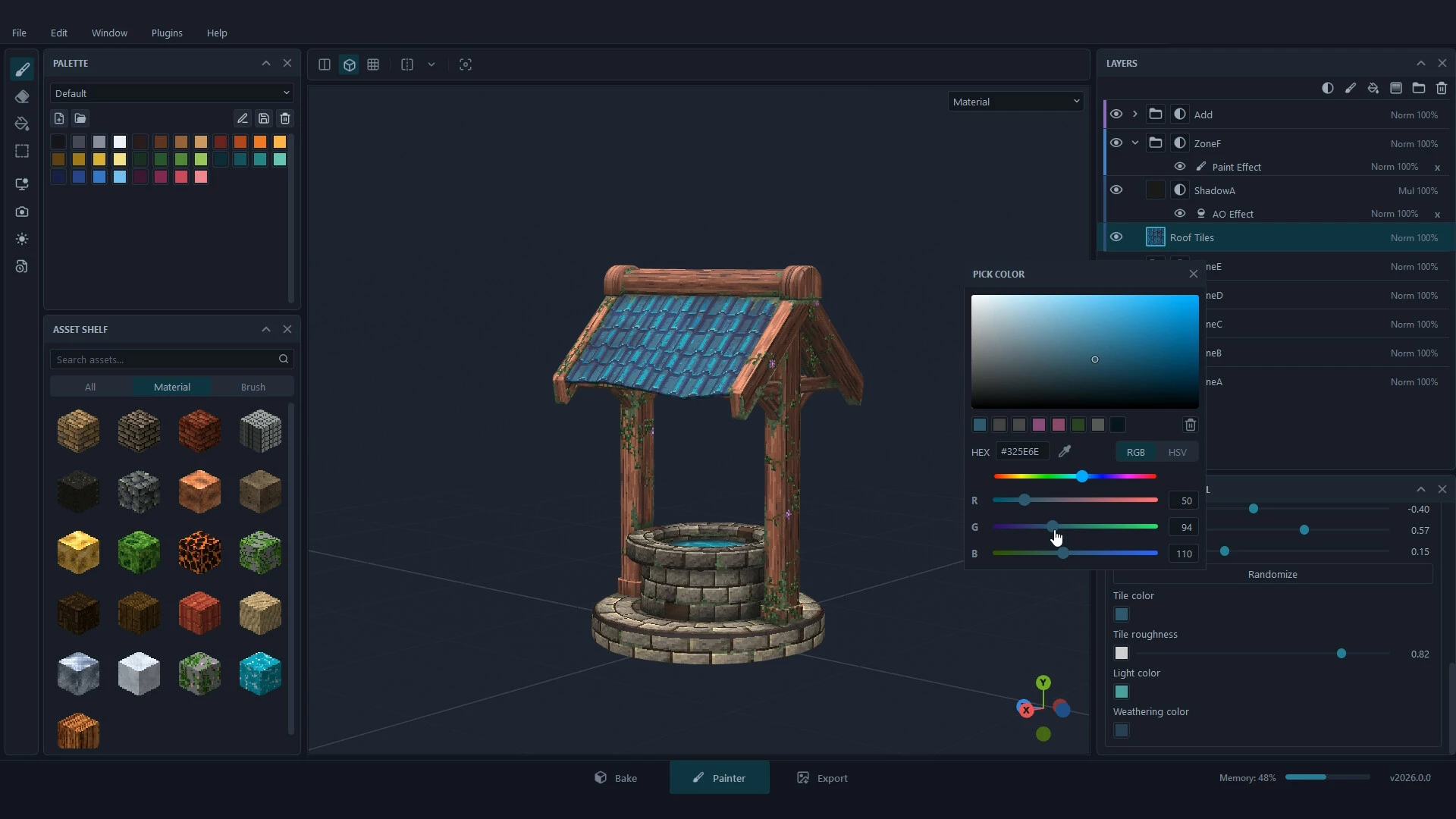
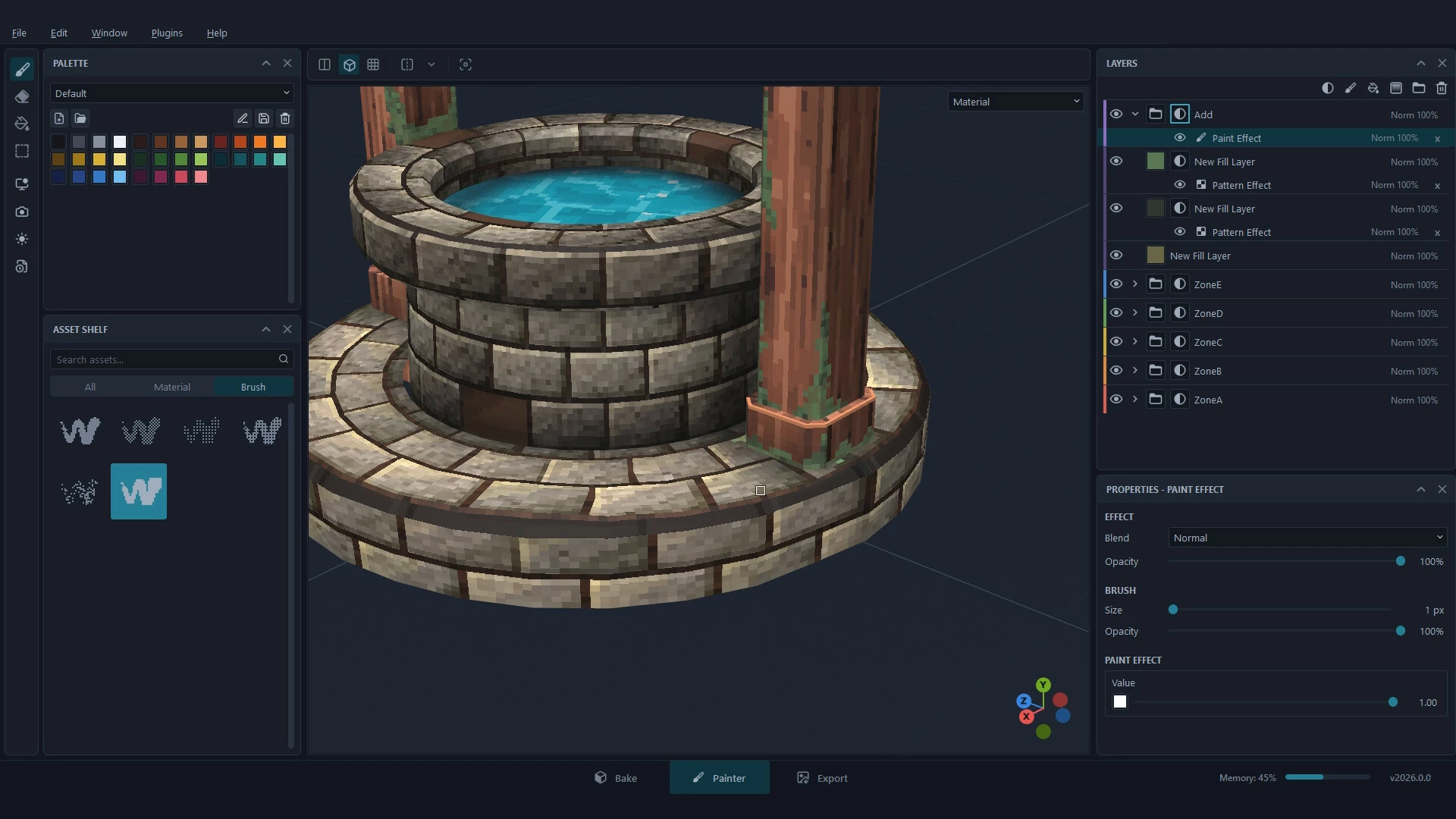
Pixel Painter is a 3D texture painter made for pixel art. Paint crisp, pixel-perfect textures straight onto your models, layer procedural materials like stone, wood and vines, shape light and wear with smart masks, and export clean PBR maps for games and animation.

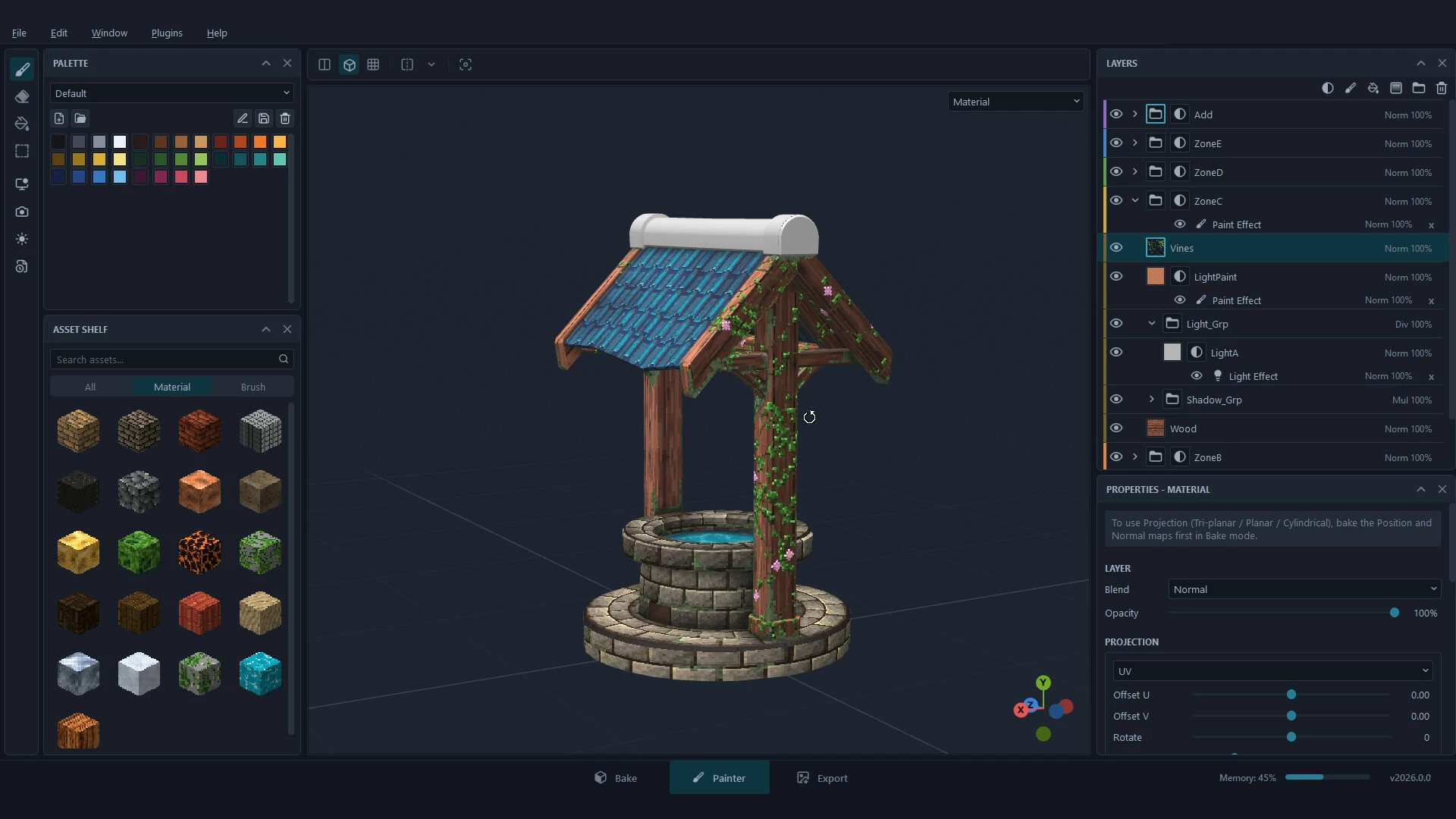
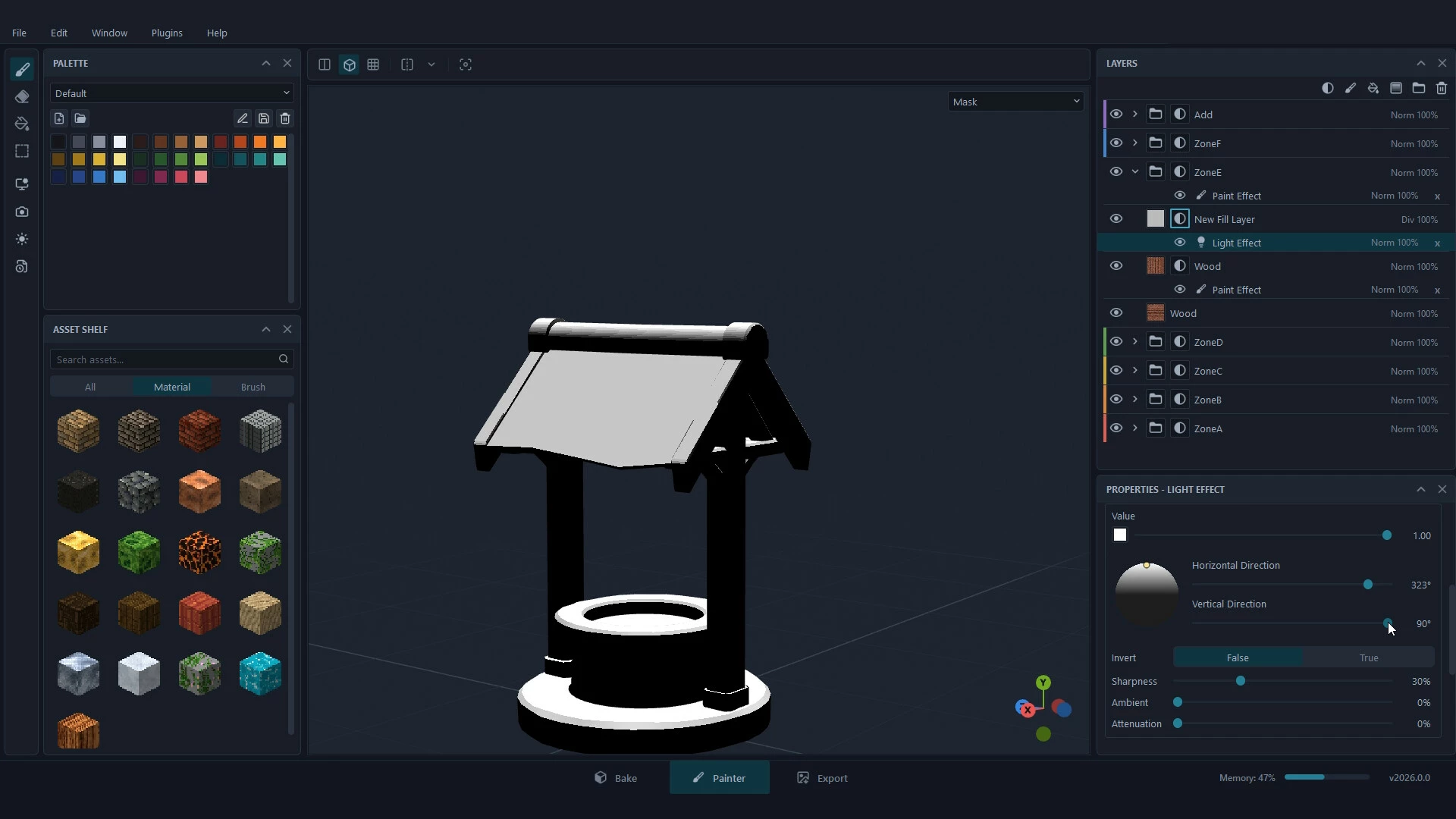
Texture painting, made for pixel art
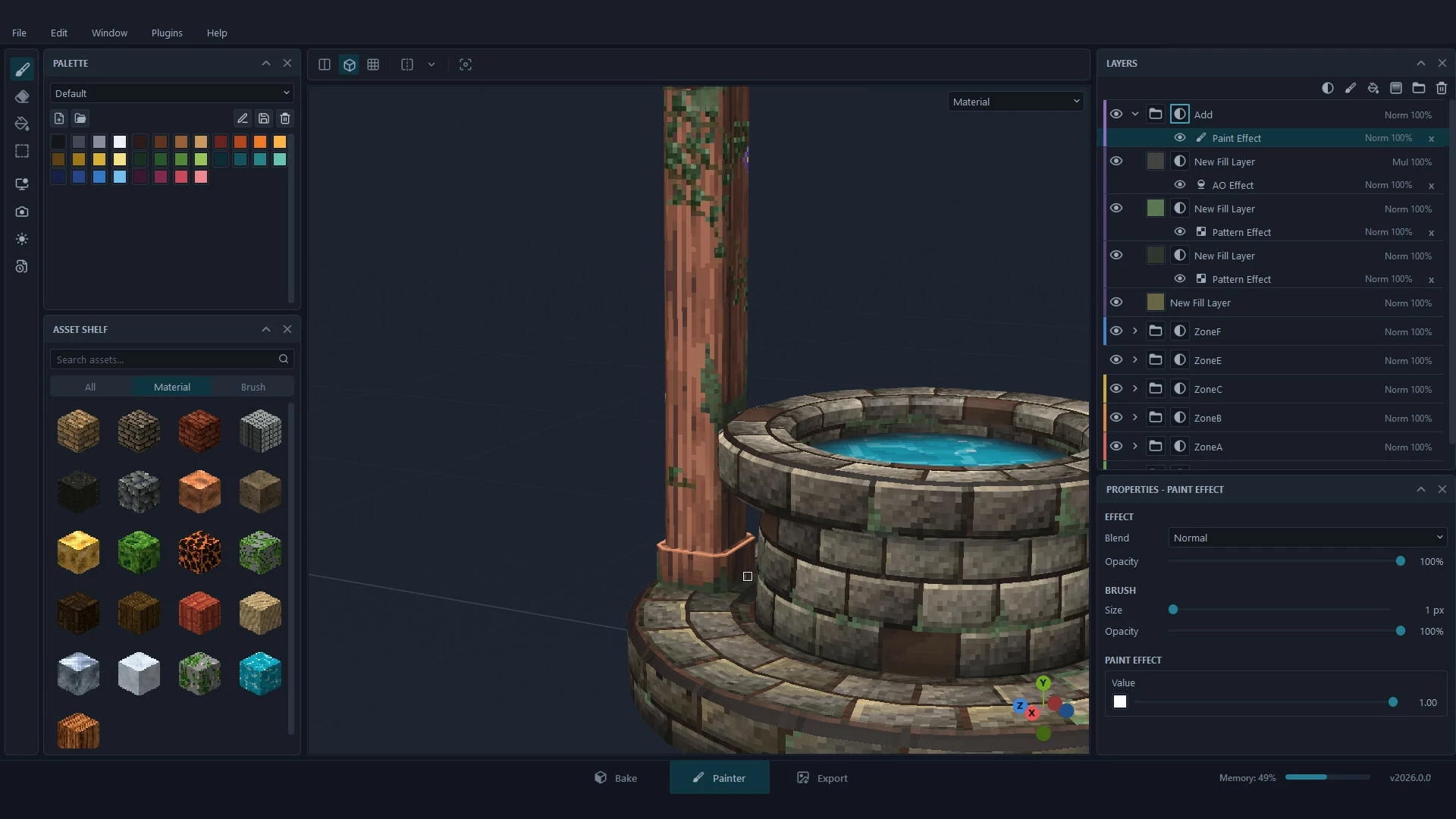
Pixel Painter lets you paint low-resolution, pixel-perfect textures directly on a 3D model. Every brush stroke lands on whole texels - no blur, no smudged edges - so what you paint is exactly what ends up in your game or animation.
Paint directly on the model
Hard-edged pixel brushes, an eraser, and a fill tool that fills a face, a UV island, a tile or every tile
Marquee selection that paints only the visible surface or straight through the model
Symmetry painting, plus Mirror / Flip for a whole layer after the fact
Texture resolutions from 16 to 1024 pixels per tile, with UDIM support for big models
Procedural materials, one click to try
Drop a material from the Asset Shelf onto your model and tune it live: 17 built-in procedural materials including brick, cobblestone, wood, planks, parquet, roof tiles, metal, moss, vines, grass, dirt, sand, snow, water and lava. Place them by UV, tri-planar, planar or cylindrical projection, and save your own as reusable materials.
Layers and smart masks
Paint and fill layers, groups, blend modes and opacity, with colour tags to keep big stacks readable
Masks you paint by hand, or generate from the model itself: Light (aim the light and the pixels follow), Ambient Occlusion, Curvature, Position and Pattern
Copy and paste layers between texture sets
Full PBR
Base Color, Metallic, Roughness, Normal, Height, Emissive and Opacity - preview them under bundled HDRI lighting, or browse and download free HDRIs from Poly Haven without leaving the app.
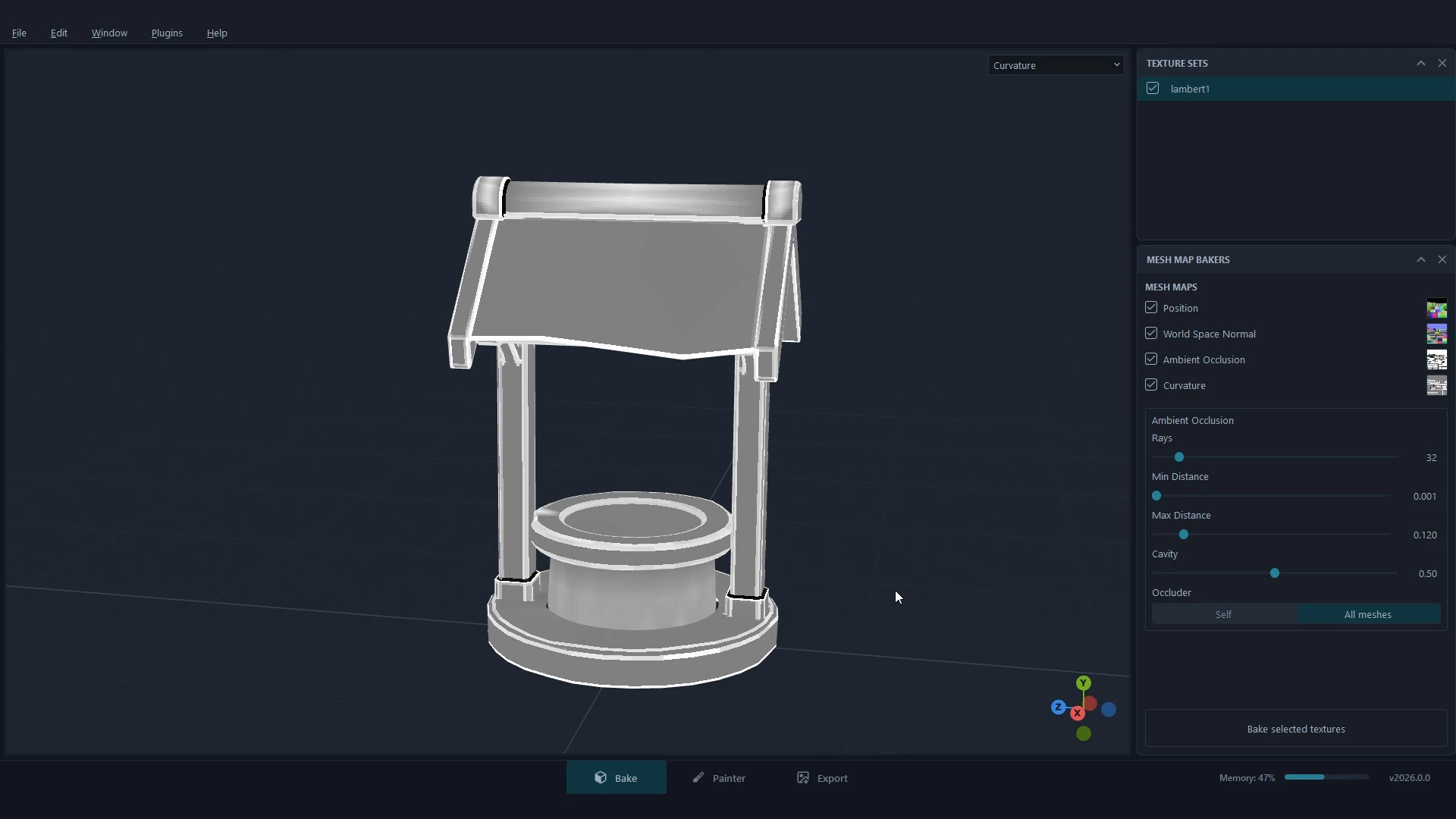
Bake mesh maps
Bake Position, World Space Normal, Ambient Occlusion and Curvature maps in one click, then use them to drive your smart masks.
Render your finished model
Turn the model you just painted into a presentable image without leaving the app. Render makes a path-traced still: light bounces around your scene, so you get soft shadows and natural reflections.
Light it like a studio: directional, point and spot lights, several at once, placed right on the 3D view
A transparent or solid-colour background for dropping renders onto a portfolio or store page
A built-in denoiser to clean up the image, and you can cancel any time while it renders
Sizes from 1024 up to 4096 pixels, plus 1080p and 4K
Save as PNG, or as EXR to keep the full lighting range
From your 3D app to your game or animation
Exported maps are standard image files, so they work in a game engine and in an animation or rendering pipeline alike
Import FBX, OBJ and glTF (.gltf / .glb) models; re-import an updated mesh and keep the paint you already did
Export PNG (8 / 16-bit), TIFF (8 / 16 / 32-bit float) or EXR (16 / 32-bit float)
Nearest-neighbour upscale on export (up to 8x) keeps pixels crisp at any size
Your own export presets for file naming and channel layout
Autosave, so a crash never costs you an afternoon
Make it yours
Build your own palettes, and extend Pixel Painter with Python scripts and plugins.
- Если не установлен Steam клиент, скачайте его для Windows (клиент также доступен на Mac и Linux) и установите.
- Запустите Steam, зайдите в свой аккаунт или зарегистрируйте новый, если у вас его еще нет.
- При оформлении заказа, предоставьте ссылку на свой профиль в Steam или ваш SteamID состоящий из 18 цифр (765***).
- Ожидайте приглашения от нашего бота (если у вас аккаунт с ограниченными правами) или добавьте бота в друзья (ссылка на бота будет предоставлена после успешной оплаты).
- После того, как вы добавите нашего бота в друзья, игра автоматически (время ожидания обычно составляет не более 5-30 секунд) будет отправлена вам в виде подарка (гифта).
- Примите подарок, добавьте в Библиотеку и нажмите «Играть».







и мы вам напишем, если цена на этот товар снизится