
Купить Huiyu Image Tools

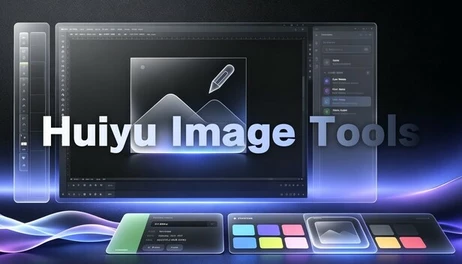
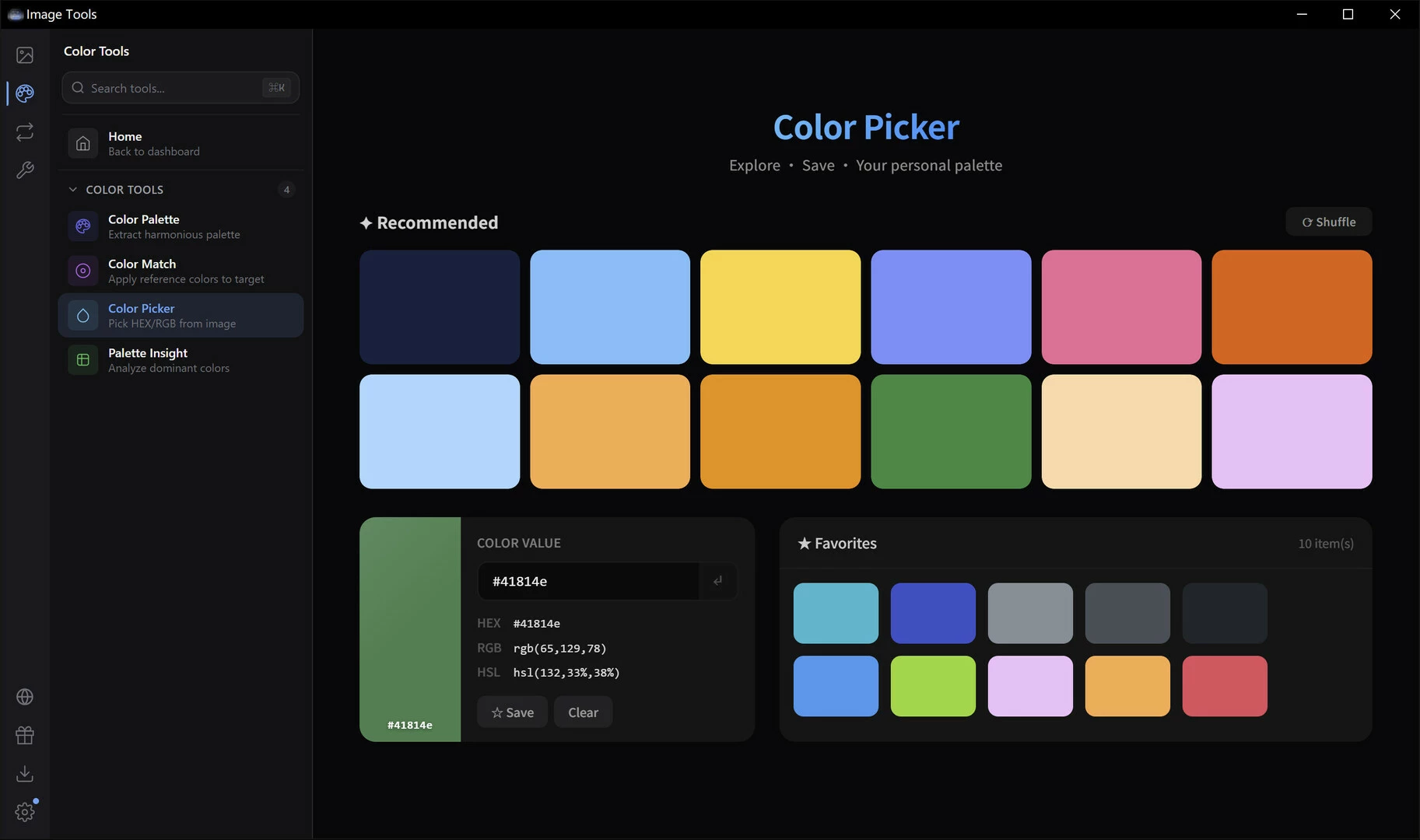
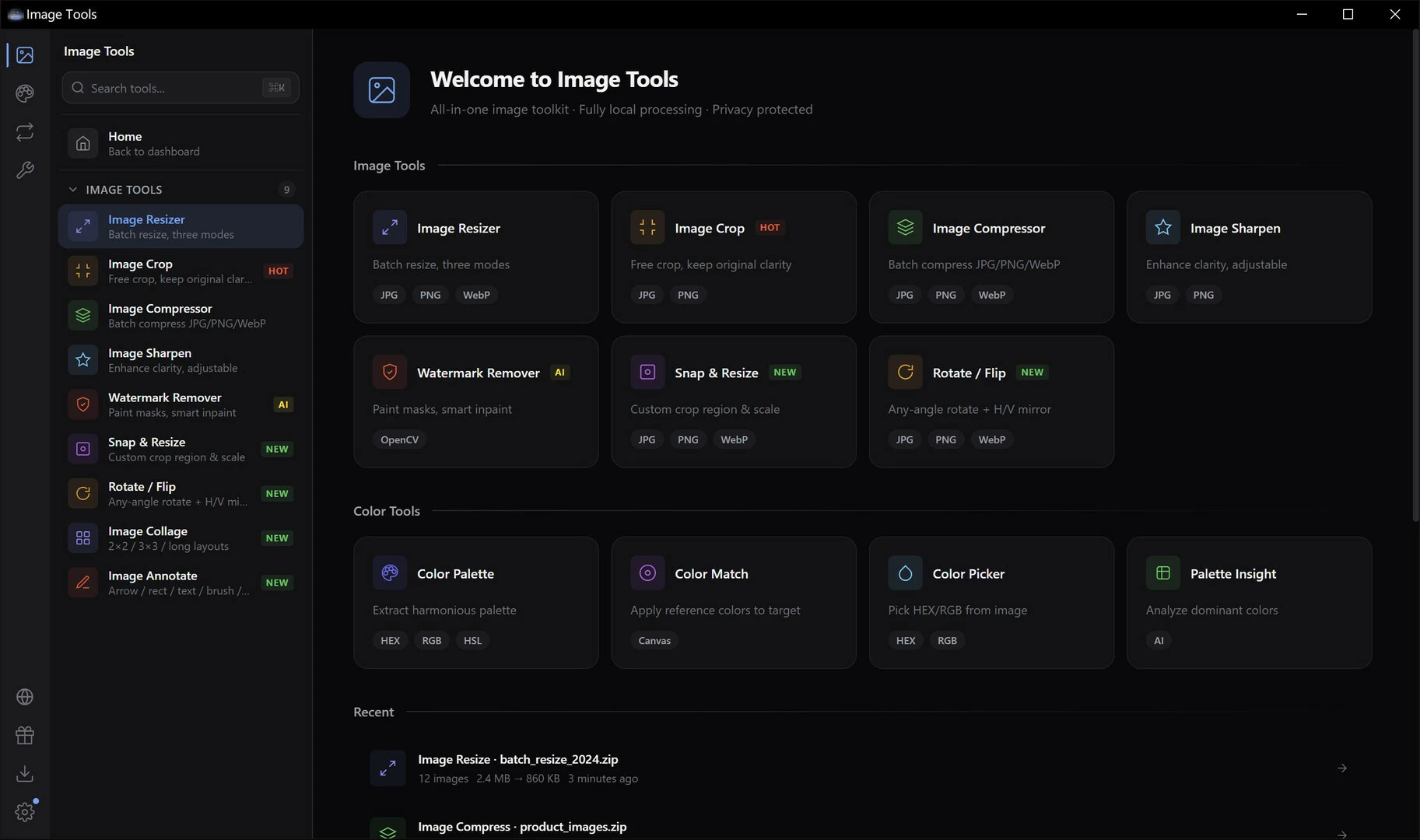
Image Toolkit: 16 image tools in one app — resize, crop, compress, watermark removal, collage, color picker, and more. All-in-one solution. Local processing, privacy-protected, lightweight and clean.

═══════════════════════════════════════
Huiyu Image Tools
All-in-One Image Toolkit
═══════════════════════════════════════
16 powerful image tools in one app. 100% local processing. Your privacy, protected.
A comprehensive image toolkit combining editing, format conversion, and color design. All operations run locally on your computer - images never leave your device. Your privacy always comes first.
?️ Image Editing
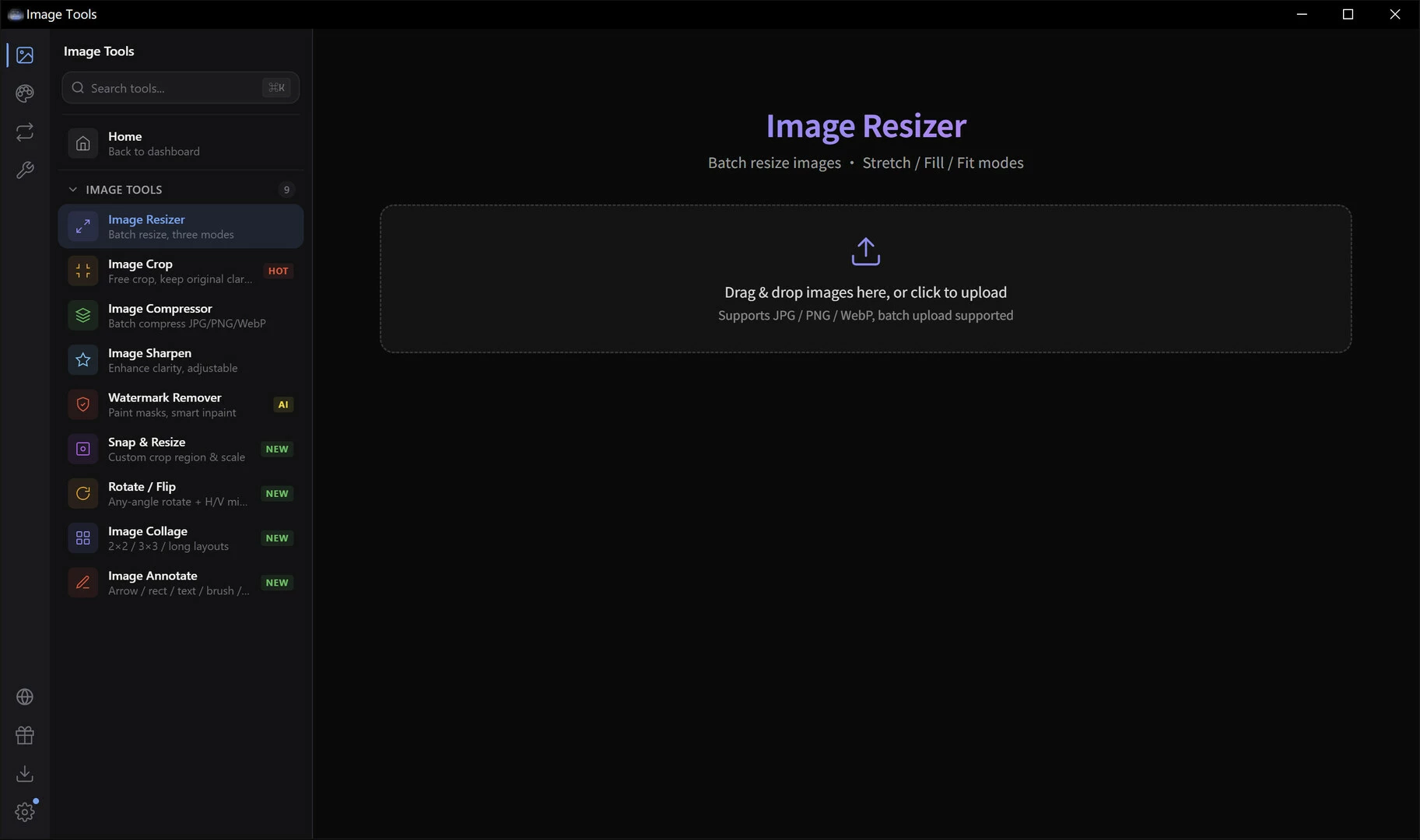
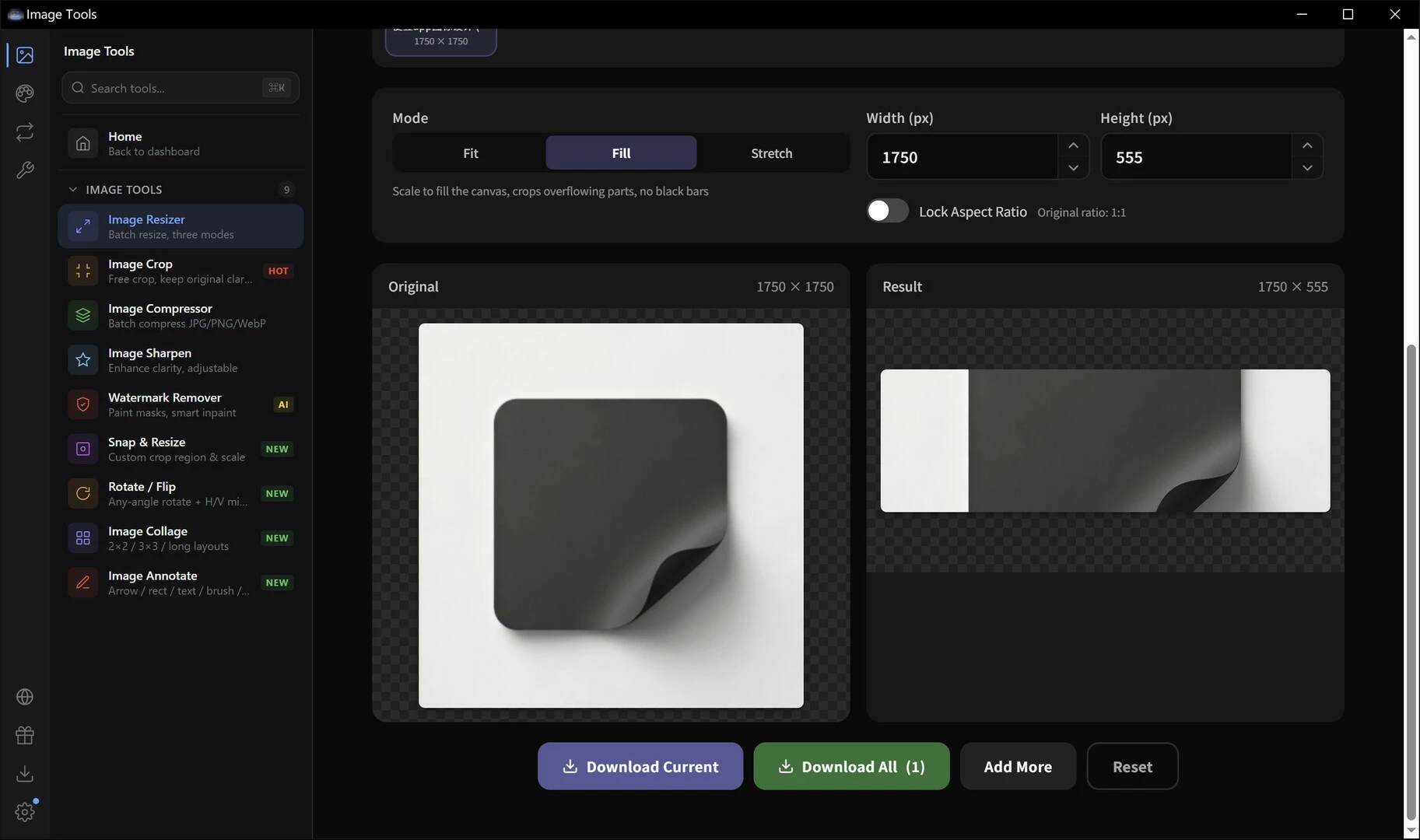
? Image Resizer
Resize images by pixels, percentage, or aspect ratio. Batch process multiple images in one go.
? Multiple modes —— Pixels / percentage / aspect ratio / custom dimensions
? Batch processing —— Resize multiple images at once
? Quality preserved —— Smart interpolation for crisp results
? Format support —— JPG / PNG / WebP and more
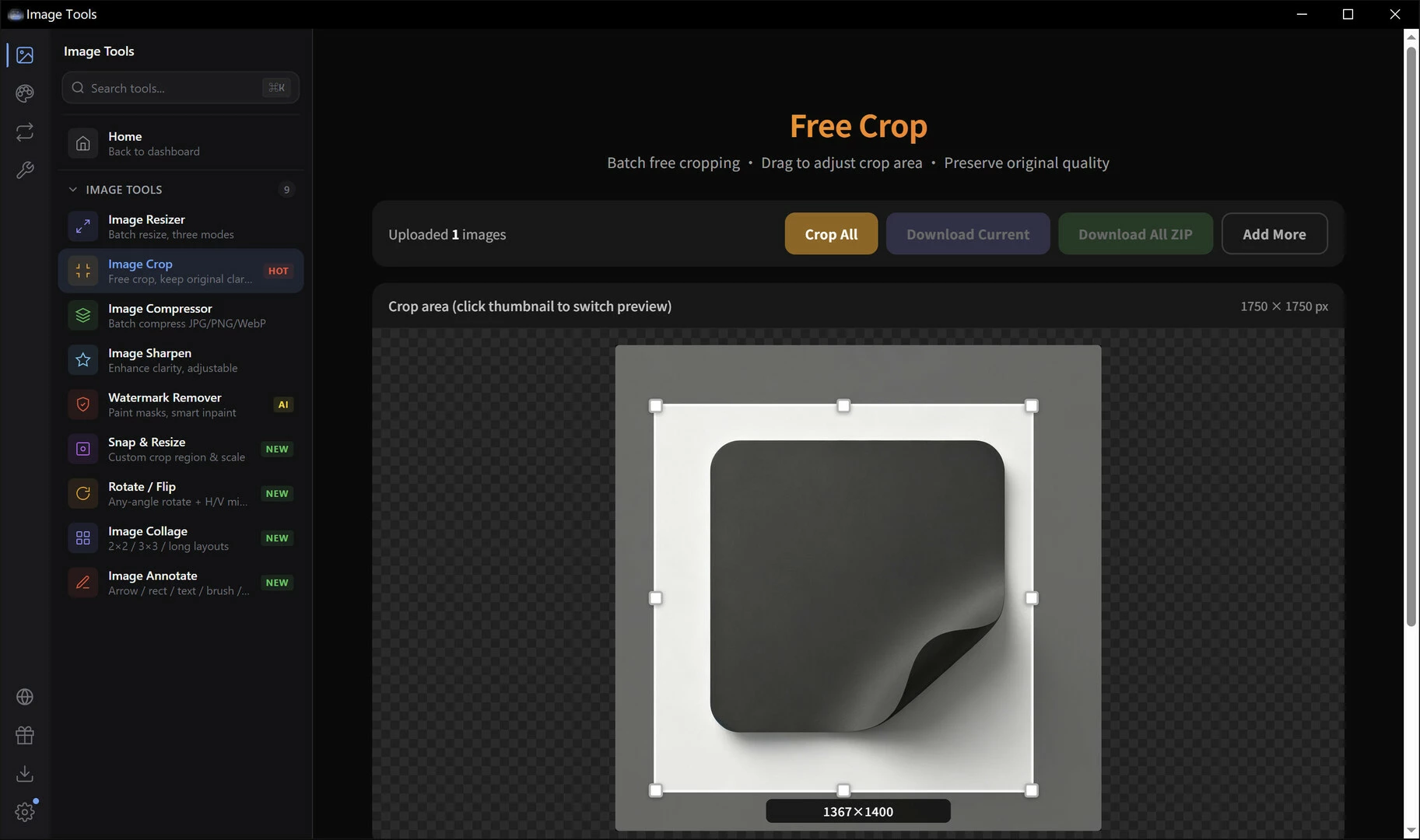
✂️ Image Cropper
Free crop, fixed aspect ratio, or preset sizes. Crop exactly how you want it.
? Free crop —— Drag selection, totally flexible
? Aspect lock —— 1:1 / 4:3 / 16:9 and more presets
? Social presets —— Popular social media sizes ready to use
? Pixel-perfect —— Keyboard fine-tuning for precision
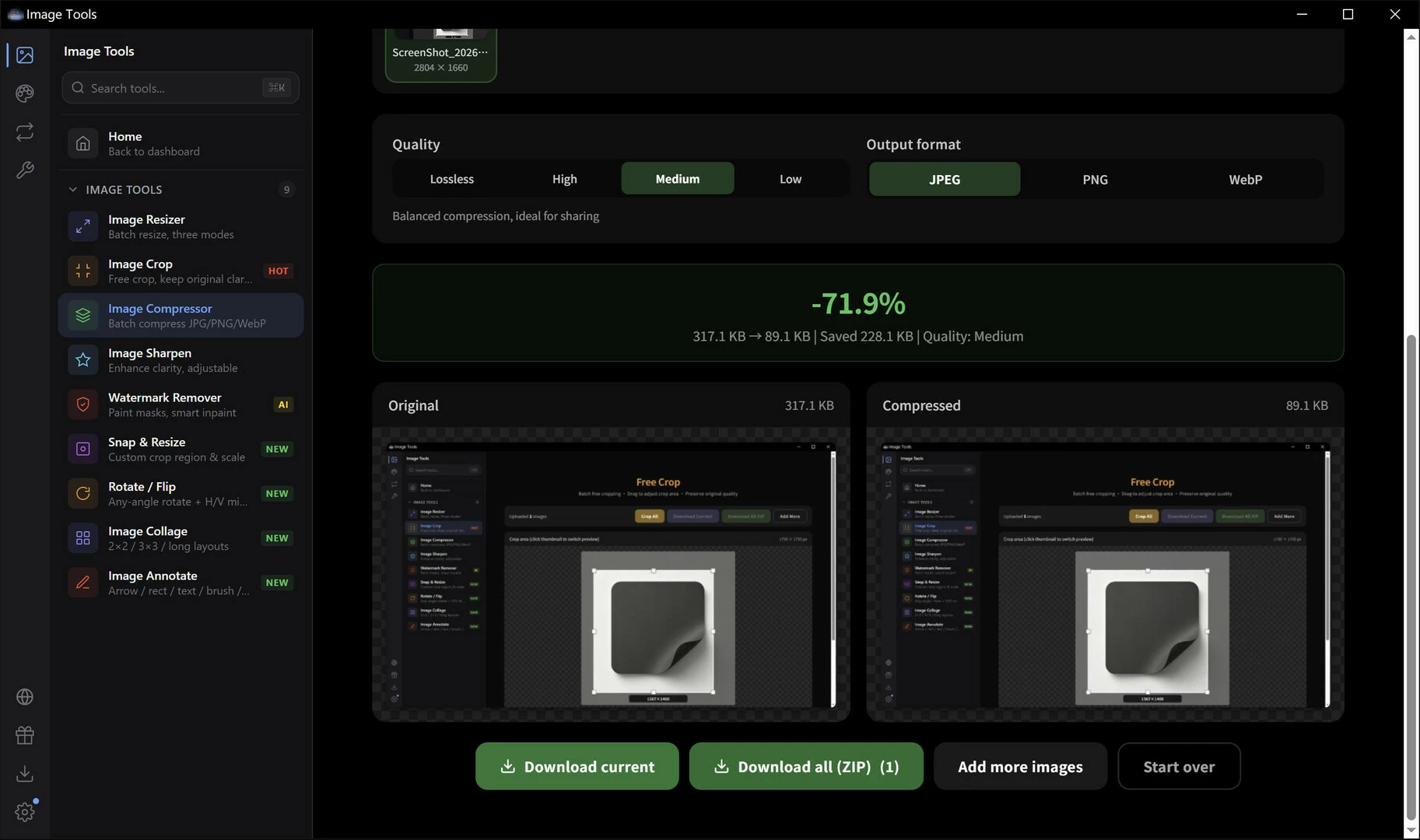
? Image Compressor
Dramatically reduce file size while maintaining visual quality. Save storage space instantly.
⚡ Lightning fast —— Local processing, done in seconds
?️ Quality slider —— Real-time preview of compression
? Size comparison —— Before/after sizes at a glance
? Batch compress —— Multiple images, one click
✨ Image Sharpener
Bring blurry photos into focus. Enhance details and make images pop.
? Smart sharpen —— Edge-aware, only sharpens details
?️ Adjustable intensity —— Mild / medium / strong
?️ Live preview —— Side-by-side comparison
? Lossless export —— High-quality output
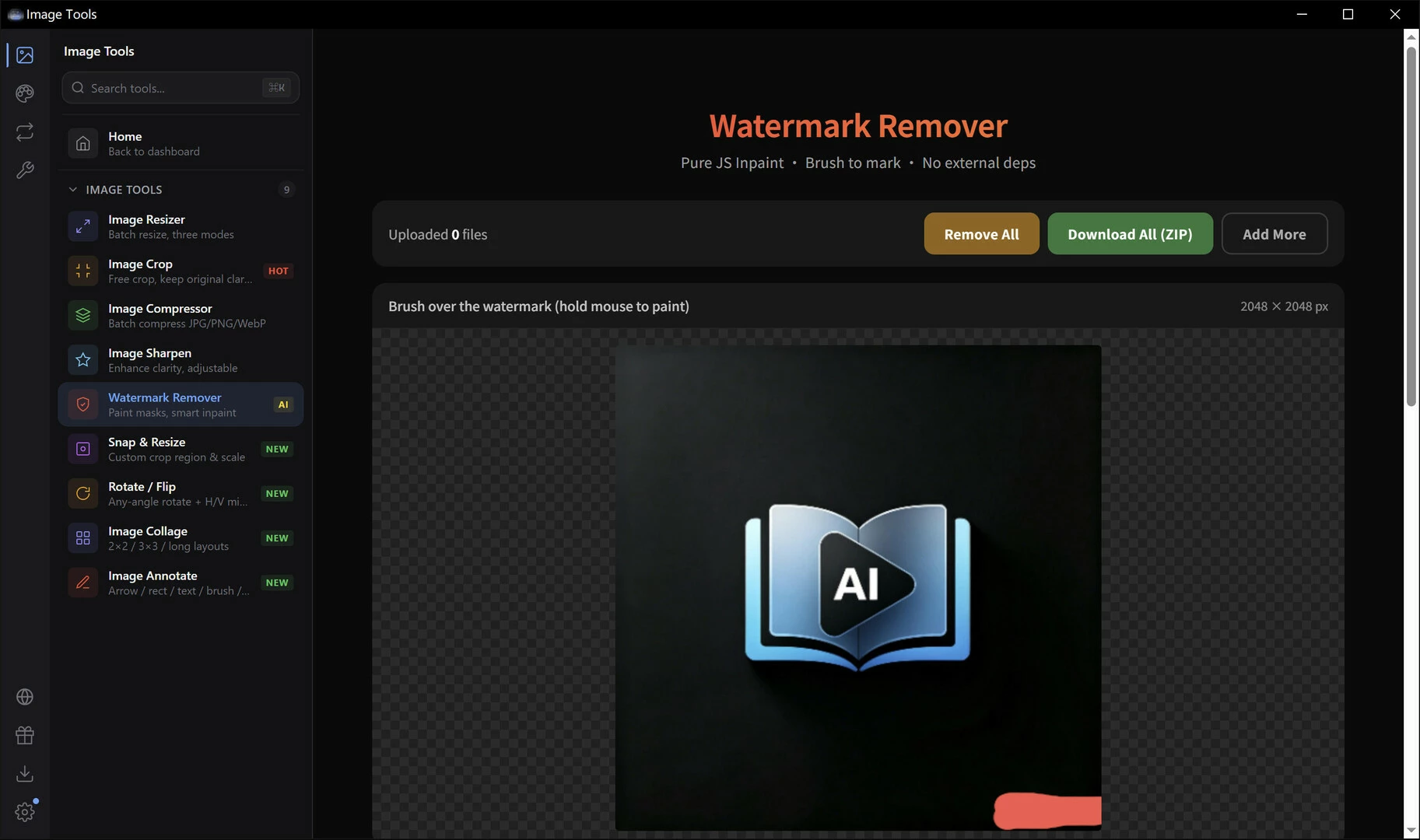
? Watermark Remover
AI-powered inpainting removes watermarks, text, and blemishes. Restore clean, natural-looking images.
? Brush tool —— Manually mark areas to remove
? Smart repair —— AI fills in surrounding textures
?️ Adjustable brush —— Multiple sizes for precision
? Natural results —— Smooth, seamless restoration
? SnapResize Smart Crop
AI detects the main subject and keeps it in frame when cropping. Every pixel counts.
? Smart composition —— Face/subject detection, auto-centered
? Any ratio —— Set target dimensions freely
⚡ One-click results —— Upload and go
? Thumbnail magic —— Perfect for e-commerce & social
? Rotate & Flip
Rotate by any angle, flip horizontally or vertically. Fix orientation in seconds.
? Free rotation —— 0-360 degrees, any angle
↔️ Flip horizontal —— Mirror left-right
↕️ Flip vertical —— Mirror top-bottom
⚡ Quick 90° —— One-click left/right rotation
?️ Image Collage
Combine multiple photos into one. Horizontal, vertical, or grid layouts — unleash your creativity.
➡️ Horizontal —— Side by side
⬇️ Vertical —— Stacked top to bottom
? Grid layout —— Rows and columns, freely combined
? Adjustable gaps —— Spacing & borders, fully customizable
✏️ Image Annotator
Text, arrows, shapes, mosaics - rich annotation tools for crystal-clear communication.
? Text labels —— Fonts, colors, sizes galore
➡️ Arrow markers —— Point to what matters
? Shape highlights —— Rectangles, circles, freehand
? Pixel mosaic —— Blur out sensitive info instantly
? Conversion & Metadata
? Format Converter
Convert between JPG, PNG, WebP, BMP, ICO and more. Batch mode for maximum efficiency.
? Multi-format —— JPG / PNG / WebP / BMP / TIFF
? Batch convert —— Whole folders in one operation
?️ Quality control —— Compression level adjustable
? Folder structure preserved —— Organized output
? EXIF Viewer
Inspect photo metadata - camera info, lens specs, GPS location, and more.
? Camera info —— Body / lens / aperture / shutter / ISO
?️ GPS data —— See where the photo was taken
? Timestamps —— Capture time & modification date
? One-click copy —— Copy data to clipboard instantly
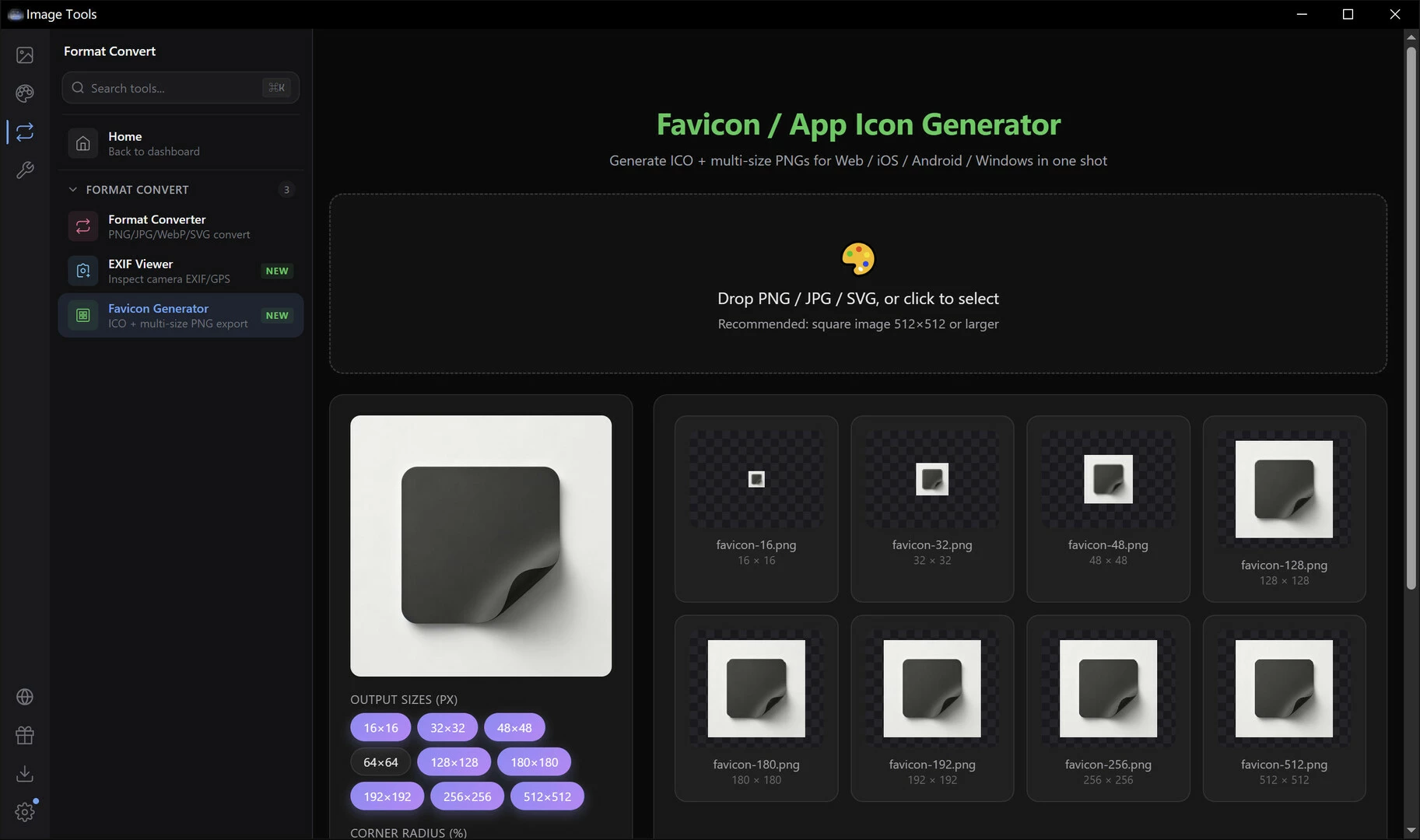
? Favicon Generator
Generate multi-size ICO icons for websites, apps, and folders in one click.
? Multi-size output —— 16/32/48/64/128/256 px
? Website favicon —— Generate favicon.ico instantly
? Folder icons —— Customize your folder look
⚡ One-click generation —— Upload, get full icon pack
? Color Design Tools
? Palette Generator
Automatically extract dominant colors from any image. Generate harmonious color schemes effortlessly.
?️ Image-based —— Upload an image, get its palette
? Multiple schemes —— Several options to choose from
? HEX/RGB/HSL —— Copy values in any format
? Export & share —— Save and share your palettes
? Color Match
Transfer the color style of one image to another. Unify your visual aesthetic.
? Style transfer —— Apply reference tone to target image
? Histogram matching —— Precise brightness & color distribution
⚡ Live preview —— See results instantly
? HD export —— High-quality download
? Color Picker
Pick colors from anywhere on screen. Get precise color values - a designer's best friend.
? Pixel-perfect —— Magnified view for accuracy
? Multi-format output —— HEX / RGB / HSL / HSV
? History —— Auto-saves picked colors
⌨️ Shortcut —— Summon anytime, maximum efficiency
? AI Color Scheme
Enter one color, let AI generate a complete palette. Endless design inspiration.
? AI-powered —— Smart, harmonious color generation
? Multiple modes —— Complementary / analogous / triadic / split and more
? Real-time preview —— See schemes instantly
? One-click copy —— Grab values and go
? Features
? Privacy First
All image processing happens on your device. Your data never leaves your computer.
? Local only —— Zero image uploads to any server
? Privacy guaranteed —— Process sensitive photos with confidence
⚡ Blazing fast —— Local computation, no network waits
? No tracking —— We collect zero user data
⌨️ Command Palette
Ctrl+K to summon. Search and launch any tool instantly. Keyboard lovers rejoice.
? Global search —— Find any tool in milliseconds
⌨️ Keyboard-driven —— Full keyboard, no mouse needed
? Smart ranking —— Frequently used tools first
⚡ Instant response —— Zero delay, zero waiting
? Download Center
Manage all your results in one place. Batch download everything with a single click.
? Unified management —— All output files in one view
? Batch download —— Zip and download all at once
? Progress tracking —— Real-time processing status
?️ History —— Revisit past work anytime
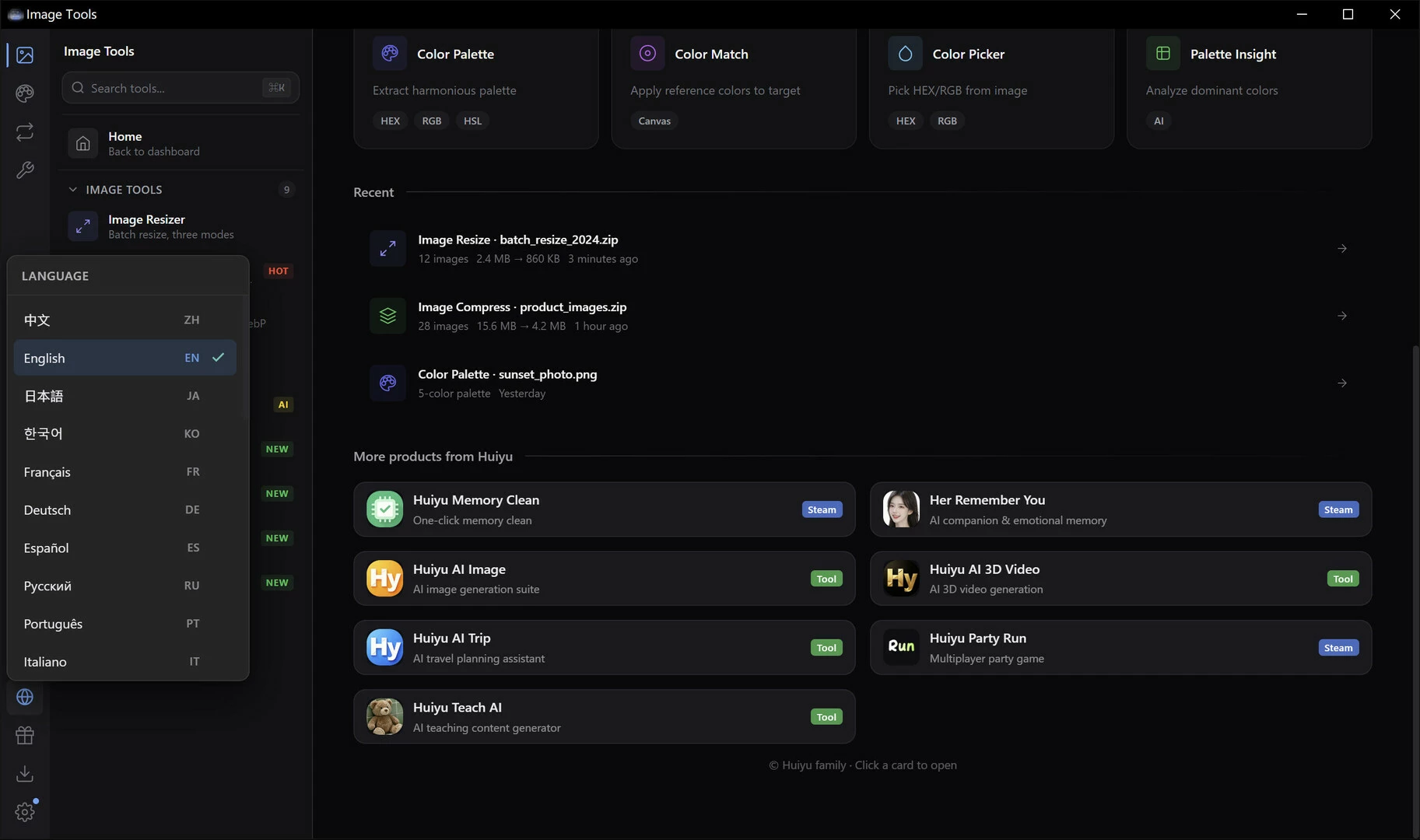
? Bilingual Support
Simplified Chinese and English. For users around the world.
?? 简体中文 —— Native-level experience
?? English —— Fluent English interface
? One-click switch —— Change language anytime
? Many languages
?️ Native Drag & Drop
Drag image files right into the window. Automatically opens the right tool. Intuitive and fast.
? Drag files in —— Drop into window, start working
? Smart matching —— Auto-selects the best tool for the job
? Batch drag —— Drop multiple images at once
⚡ Instant load —— Zero waiting, instant results
? Steam Integration
Exclusive Steam experience. Rich Presence shows friends which tool you're using.
? User recognition —— Shows current Steam user info
? Rich Presence —— Friends see what you're working on
? Store link —— One click to more Huiyu products
? Graceful fallback —— Works fine without Steam running
⚡ Lightweight & Fast
Built with Tauri. Tiny installer, lightning-fast startup, minimal resource usage.
? Tiny size —— Installer is only ~18 MB
? Instant startup —— Click and it's open
? Low memory —— Barely any footprint in background
?️ Native feel —— Smooth desktop experience
═══════════════════════════════════════
16 image tools. One powerful app.
Local. Private. Lightning fast.
═══════════════════════════════════════
- Если не установлен Steam клиент, скачайте его для Windows (клиент также доступен на Mac и Linux) и установите.
- Запустите Steam, зайдите в свой аккаунт или зарегистрируйте новый, если у вас его еще нет.
- При оформлении заказа, предоставьте ссылку на свой профиль в Steam или ваш SteamID состоящий из 18 цифр (765***).
- Ожидайте приглашения от нашего бота (если у вас аккаунт с ограниченными правами) или добавьте бота в друзья (ссылка на бота будет предоставлена после успешной оплаты).
- После того, как вы добавите нашего бота в друзья, игра автоматически (время ожидания обычно составляет не более 5-30 секунд) будет отправлена вам в виде подарка (гифта).
- Примите подарок, добавьте в Библиотеку и нажмите «Играть».









и мы вам напишем, если цена на этот товар снизится