
Купить CursorSkins
Акция! До окончания 253884


Дата выхода: 3 ноября 2026
Регион:
Россия, Беларусь, Украина, Армения, Азербайджан, Грузия, Кыргизстан, Республика Молдова, Таджикистан, Туркменистан, Узбекистан, Аргентина
Язык:
Английский (Интерфейс)
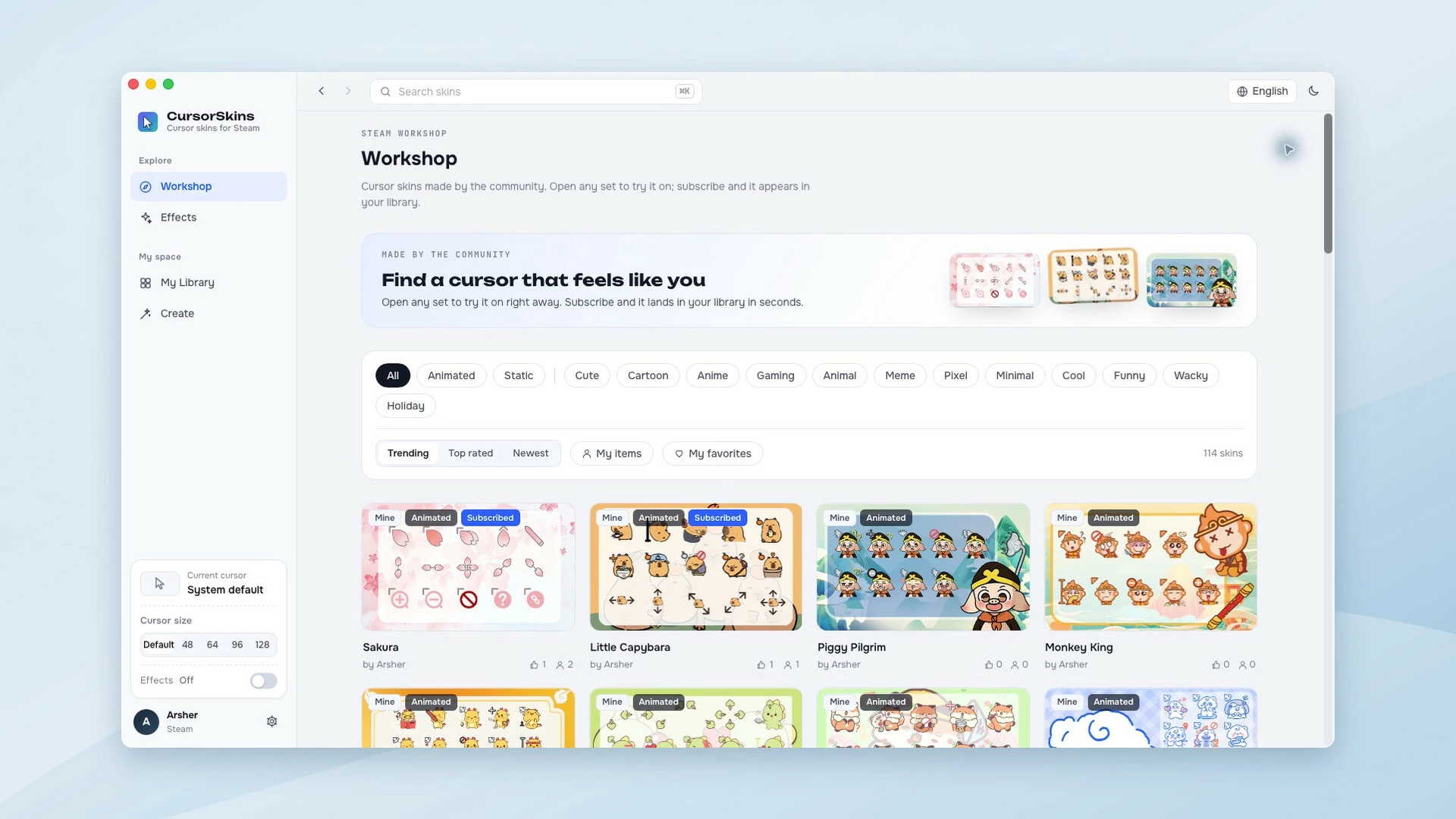
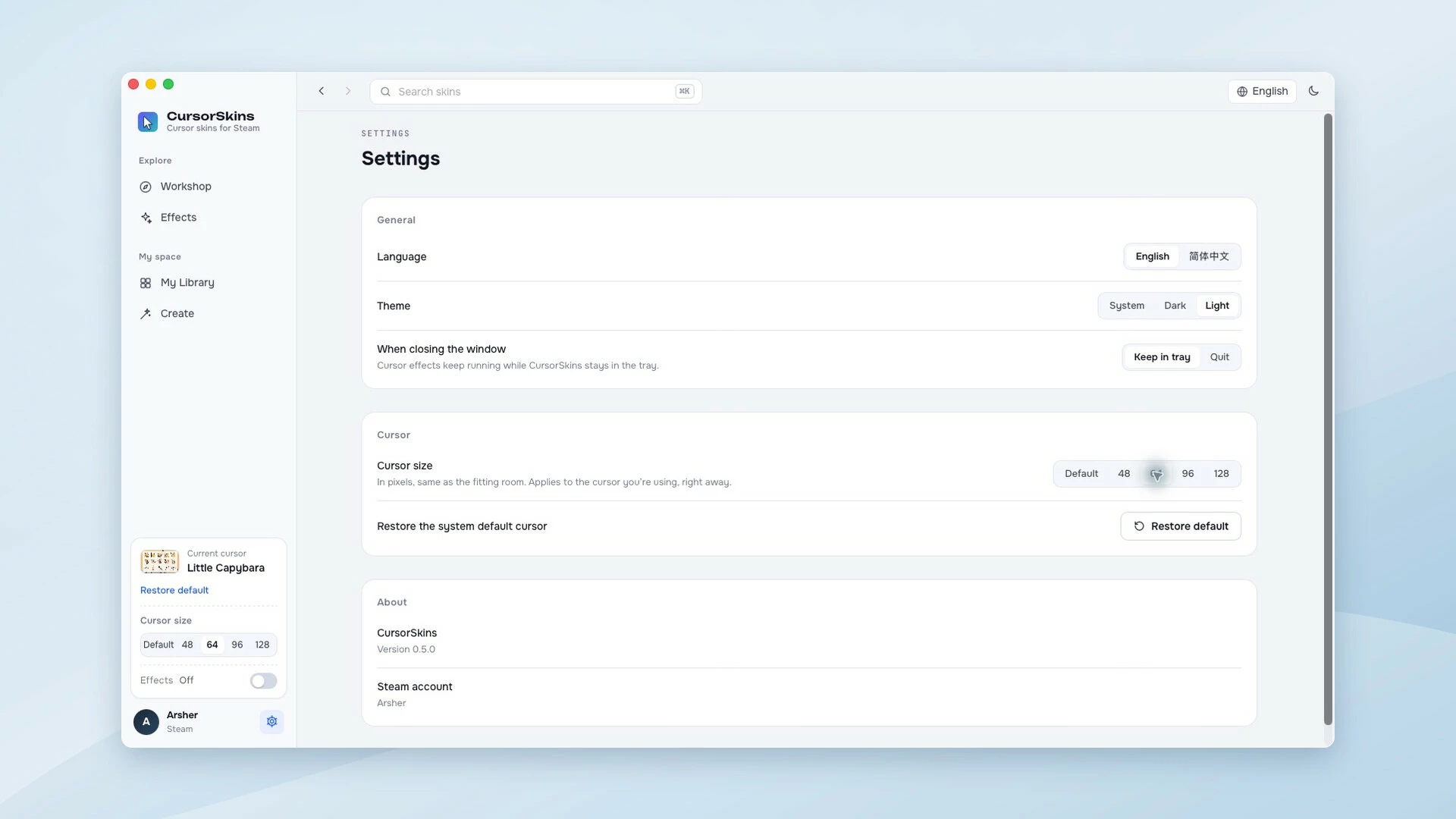
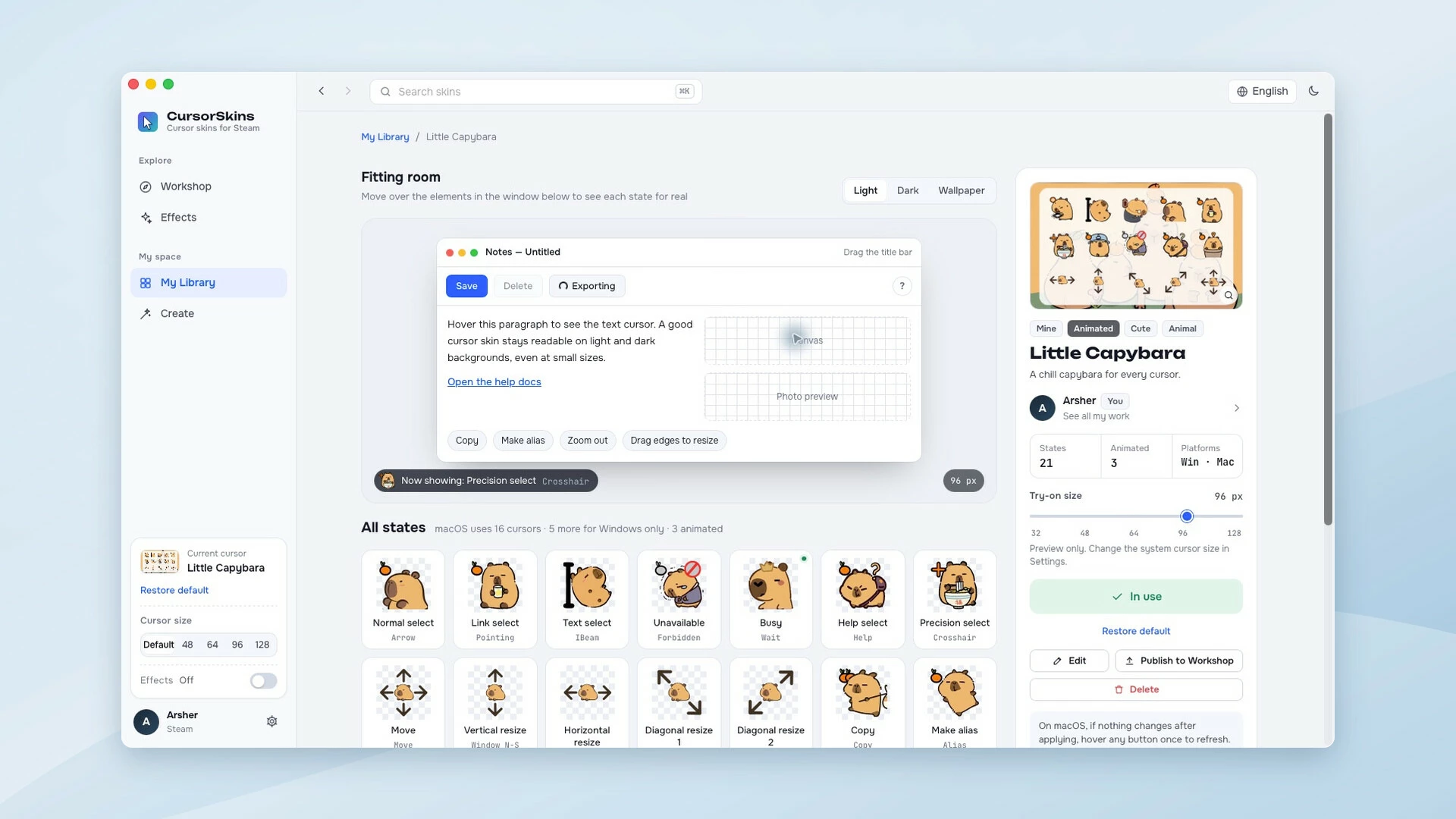
Give your Windows or macOS cursor a new look. Discover animated skins on Steam Workshop, add cursor trails and click effects, or import images to create and share your own cursor sets. Buy once, with no subscription.

Описание
A little more personality, every time you point
Turn your everyday cursor into something you enjoy looking at. CursorSkins brings static and animated cursor skins, playful mouse effects, and a built-in editor to Windows and macOS.Find your next favorite cursor
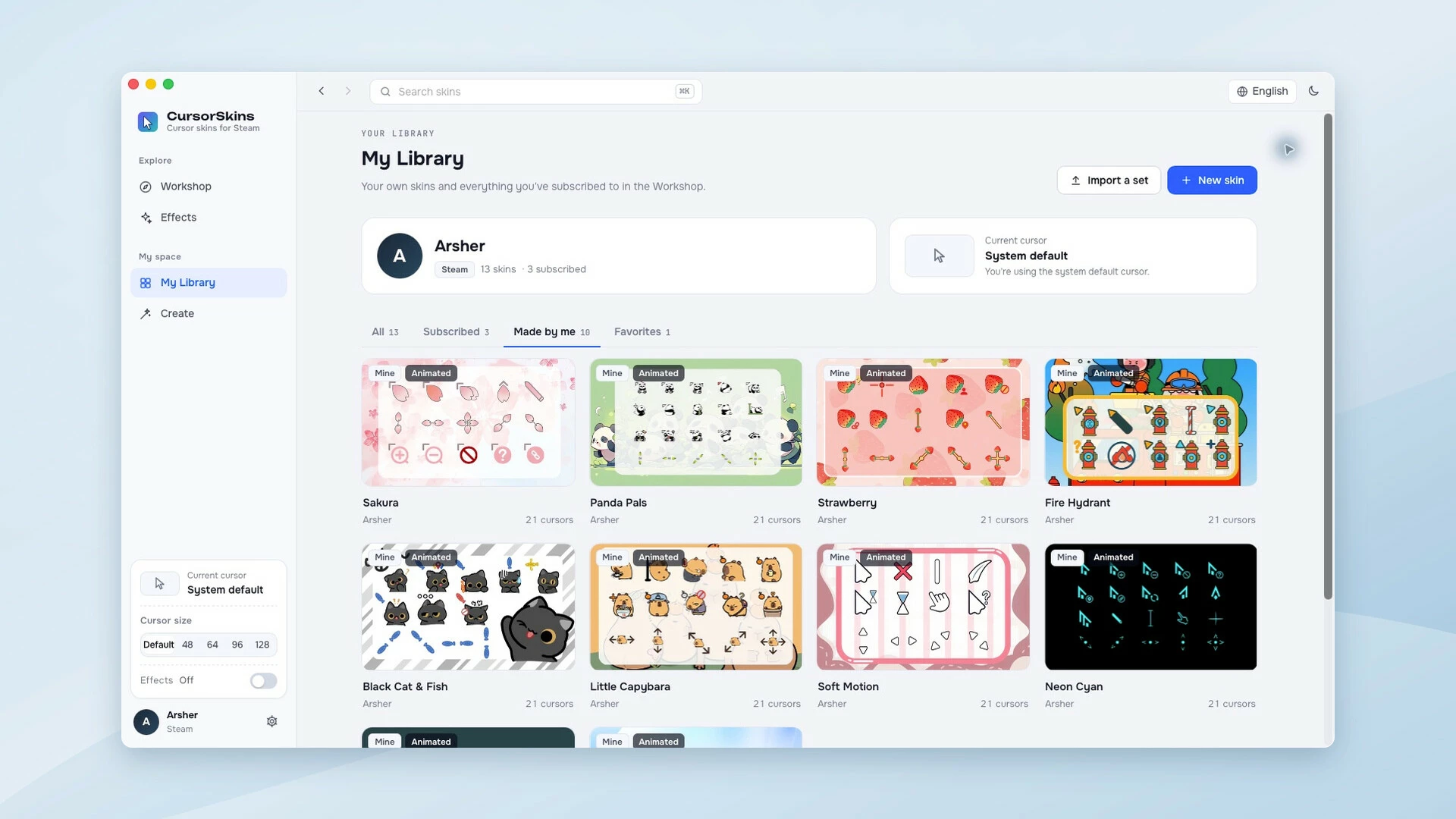
Browse Steam Workshop, subscribe to a skin, and apply it from your library. Go from soft blue hearts to neon pointers, strawberries, or a laid-back capybara. Preview a set in the fitting room before changing your system cursor, and restore your system cursors whenever you like.Make movement and clicks more fun
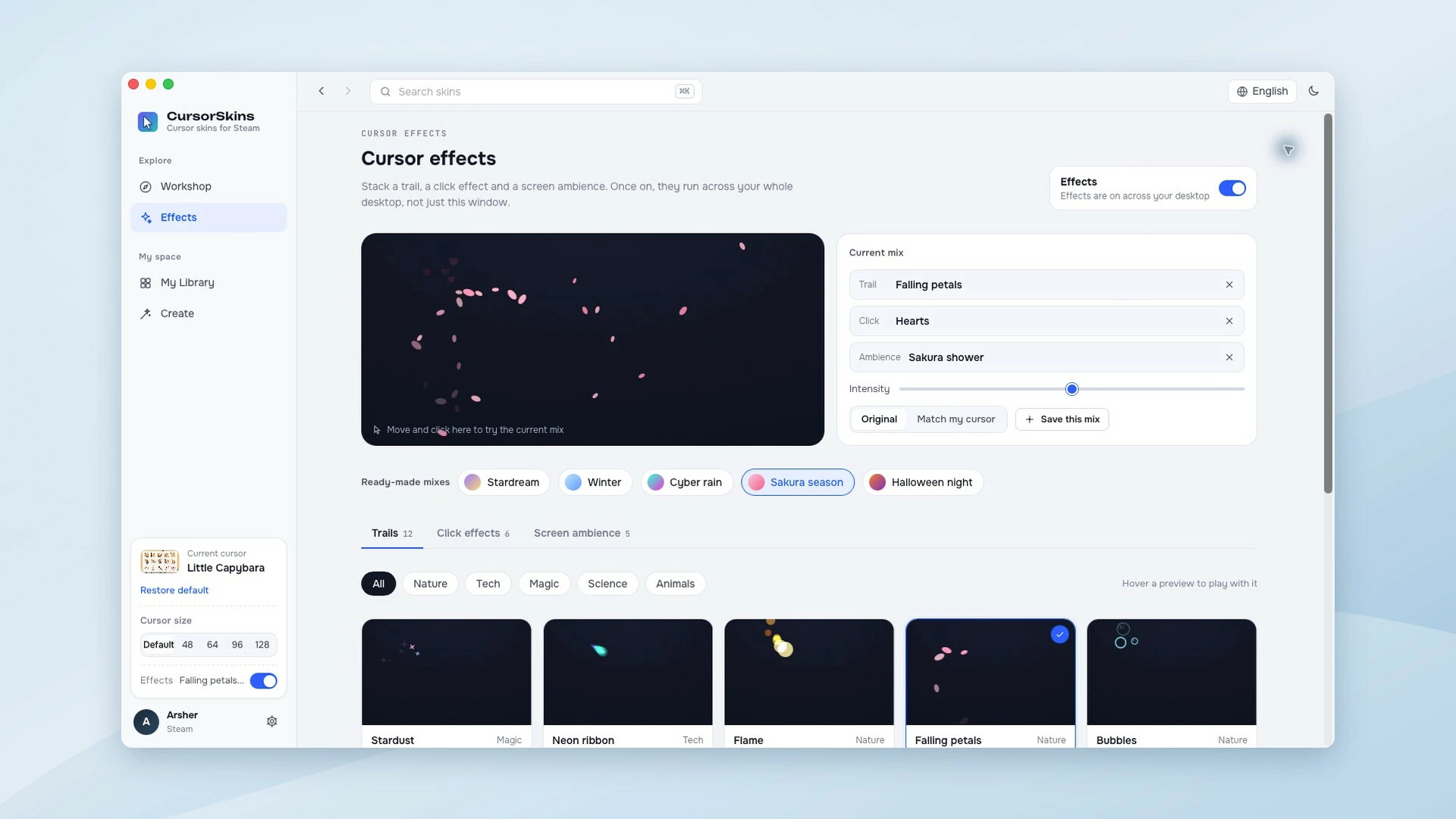
Add desktop visual effects from the Effects page: 12 cursor trails, 6 click effects, and 5 screen ambience effects (23 in total). These visual effects work independently of your cursor skin. Start with a preset or combine effects, tune their intensity and colors, and save your own combinations.Make it yours, down to the hotspot
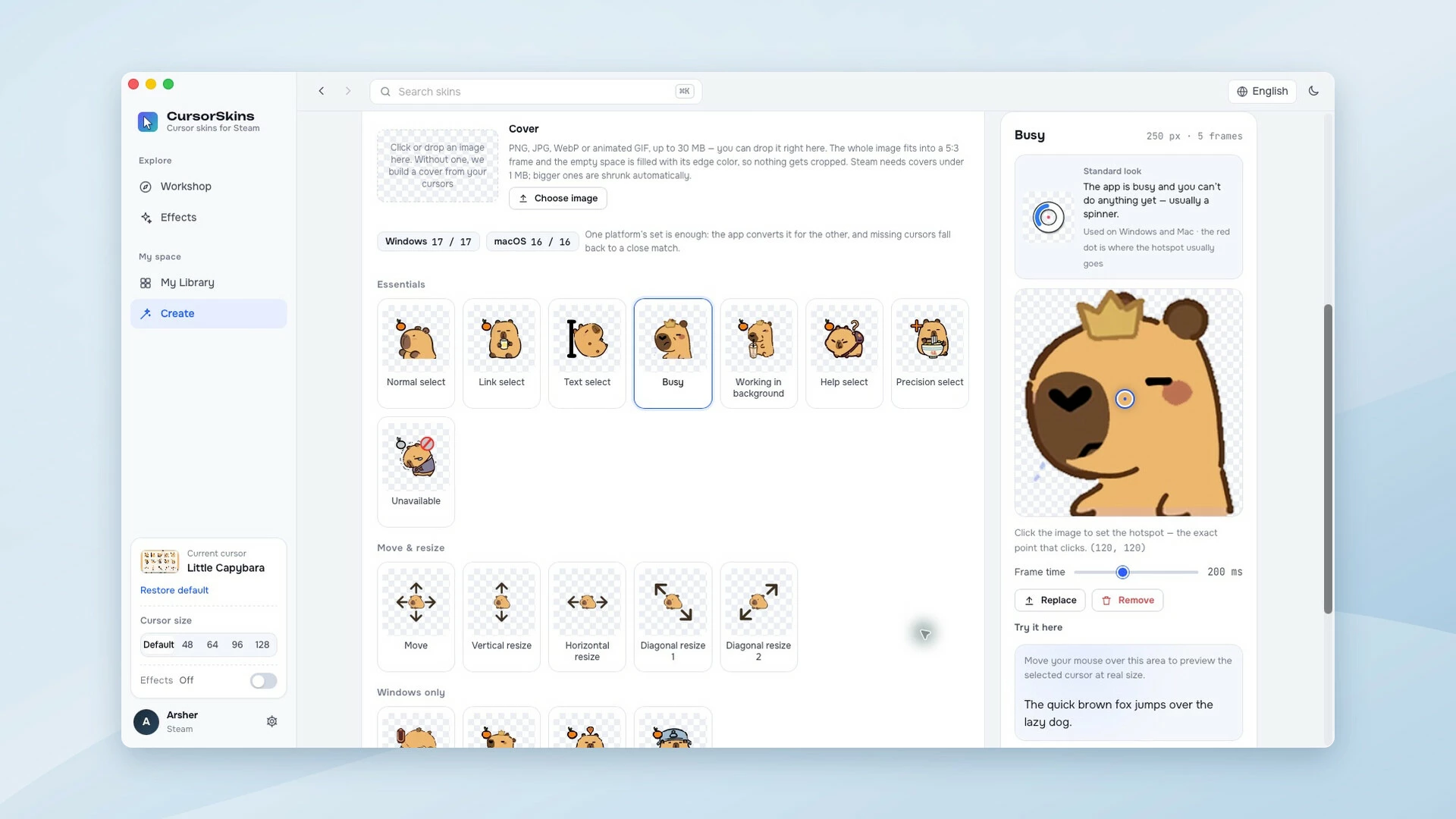
- Import PNG and GIF images, Windows .cur / .ani cursor files, and macOS .cape cursor sets.
- Customize the pointer, text selection, links, waiting, resizing, and other cursor states.
- Adjust click hotspots and animation timing, copy a state, and try the result in the preview area.
- Save your creations locally, then publish and update your cursor sets on Steam Workshop.
Windows and macOS. One purchase.
No subscription and no separate CursorSkins account. The interface supports English and Simplified Chinese. Keep the app in the system tray while you work, and use your local cursor library when Workshop is unavailable.Good to know
Steam and an internet connection are required for Workshop features. CursorSkins customizes system cursors; apps and games that draw their own cursor may continue to use it. Available cursor states vary by operating system. Please share only artwork you created or have permission to use.
Активация продукта в Steam
- Если не установлен Steam клиент, скачайте его для Windows (клиент также доступен на Mac и Linux) и установите.
- Запустите Steam, зайдите в свой аккаунт или зарегистрируйте новый, если у вас его еще нет.
- При оформлении заказа, предоставьте ссылку на свой профиль в Steam или ваш SteamID состоящий из 18 цифр (765***).
- Ожидайте приглашения от нашего бота (если у вас аккаунт с ограниченными правами) или добавьте бота в друзья (ссылка на бота будет предоставлена после успешной оплаты).
- После того, как вы добавите нашего бота в друзья, игра автоматически (время ожидания обычно составляет не более 5-30 секунд) будет отправлена вам в виде подарка (гифта).
- Примите подарок, добавьте в Библиотеку и нажмите «Играть».
Детали игры
Дата выхода:
3 ноября 2026
Разработчик:
Особенности:
Похожие игры



Популярное




Комментарии и отзывы (0)
Если у Вас не отправляются сообщения - почистите cookie в браузере
и авторизуйтесь заново :)


Войдите для комментирования

Узнайте первым о снижении цены
Введите ваш адрес электронной почты
и мы вам напишем, если цена на этот товар снизится
и мы вам напишем, если цена на этот товар снизится
Отписаться
Ваш e-mail будет отписан.
Язык:
Валюта:
Язык: