

Купить UltraWall
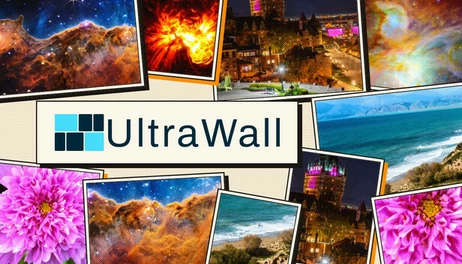
A wallpaper studio for Windows: your real monitors appear as movable frames over the image, so one picture can flow across every display or each monitor can take its own crop. 500 curated 4K wallpapers included, with local search and per-image credits. Works offline after installation.
Update 1, first update for UltraWall - v1.3.0:
This is the first official update to UltraWall, this update brings major additions and redesigns:
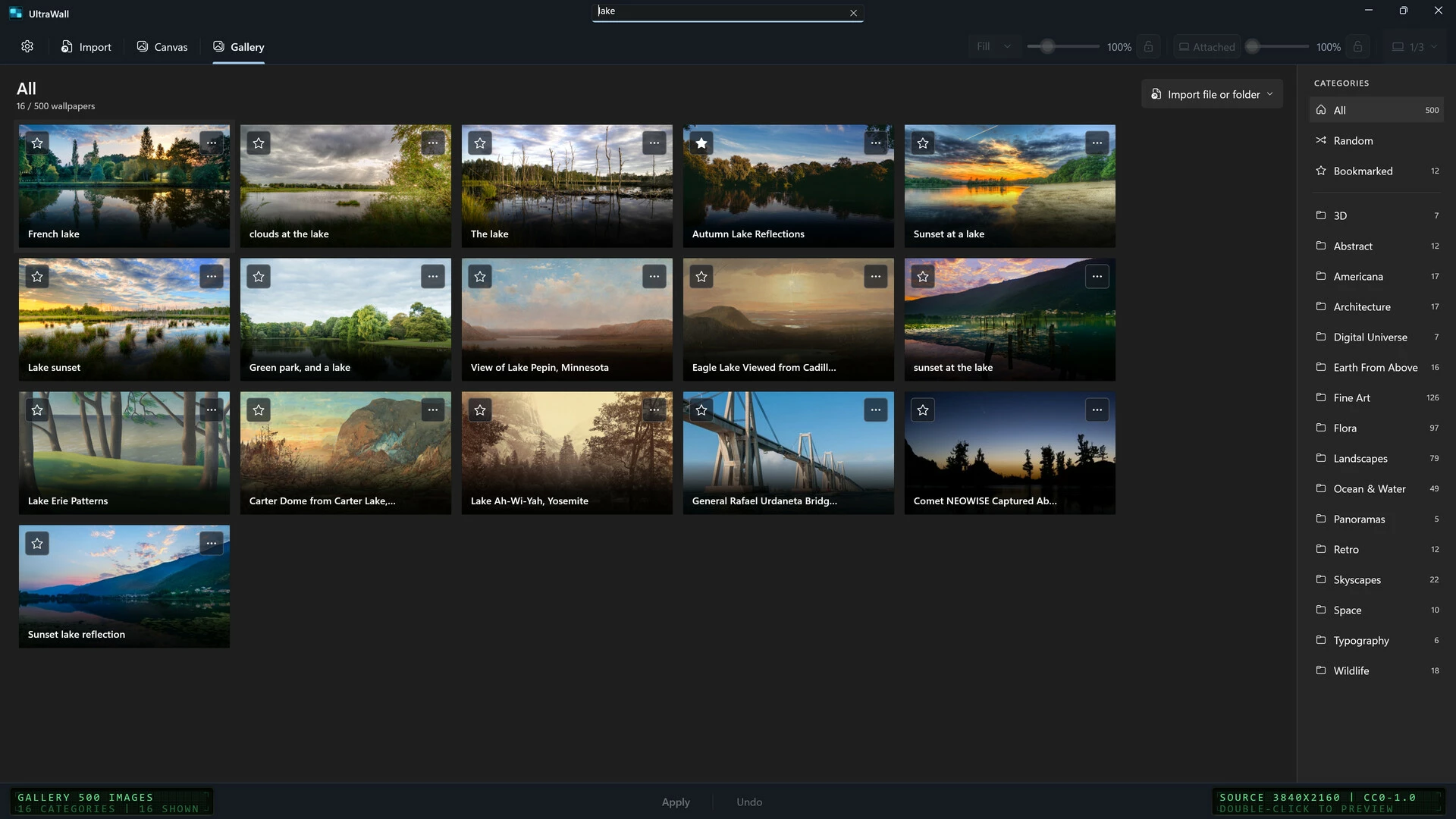
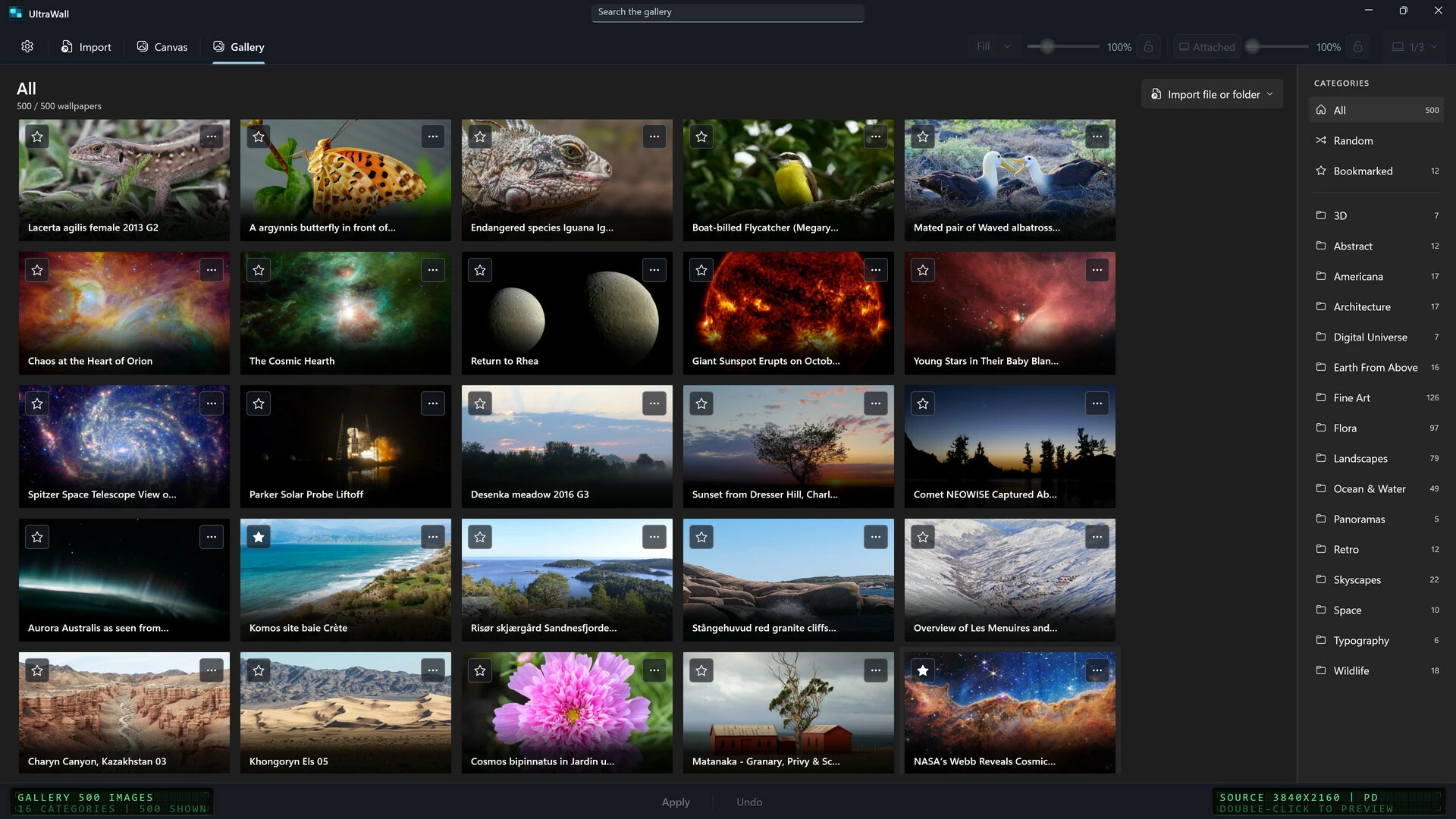
1. Gallery: added a gallery of 500, 4k built-in wallpapers, more to be added with each update. Add your own wallpaper folders so you can access them anytime.
2. UI/UX rehaul: redesigned the UI to look and feel polished, more work on that end to come with each update starting with the refreshed app logo and icons.
3. Expanded menu and settings: added a separate settings window with more settings and options to be added later, including a developer mode.
4. Expanded multi-monitor controls: attached/detached mode for even more control and precision.
5. More quality of life improvements, security and stability.
Upcoming planned features:
Live Wallpaper support.
3D and Gaussian support (experimental).
Support for more languages.
A mobile version for Android and iOS <= we are making every effort to offer this version for FREE for customers of UltraWall. More details to be communicated here or on the website.
Most wallpaper apps give you a list of pictures and a Set button. UltraWall gives you a Canvas.
The Canvas
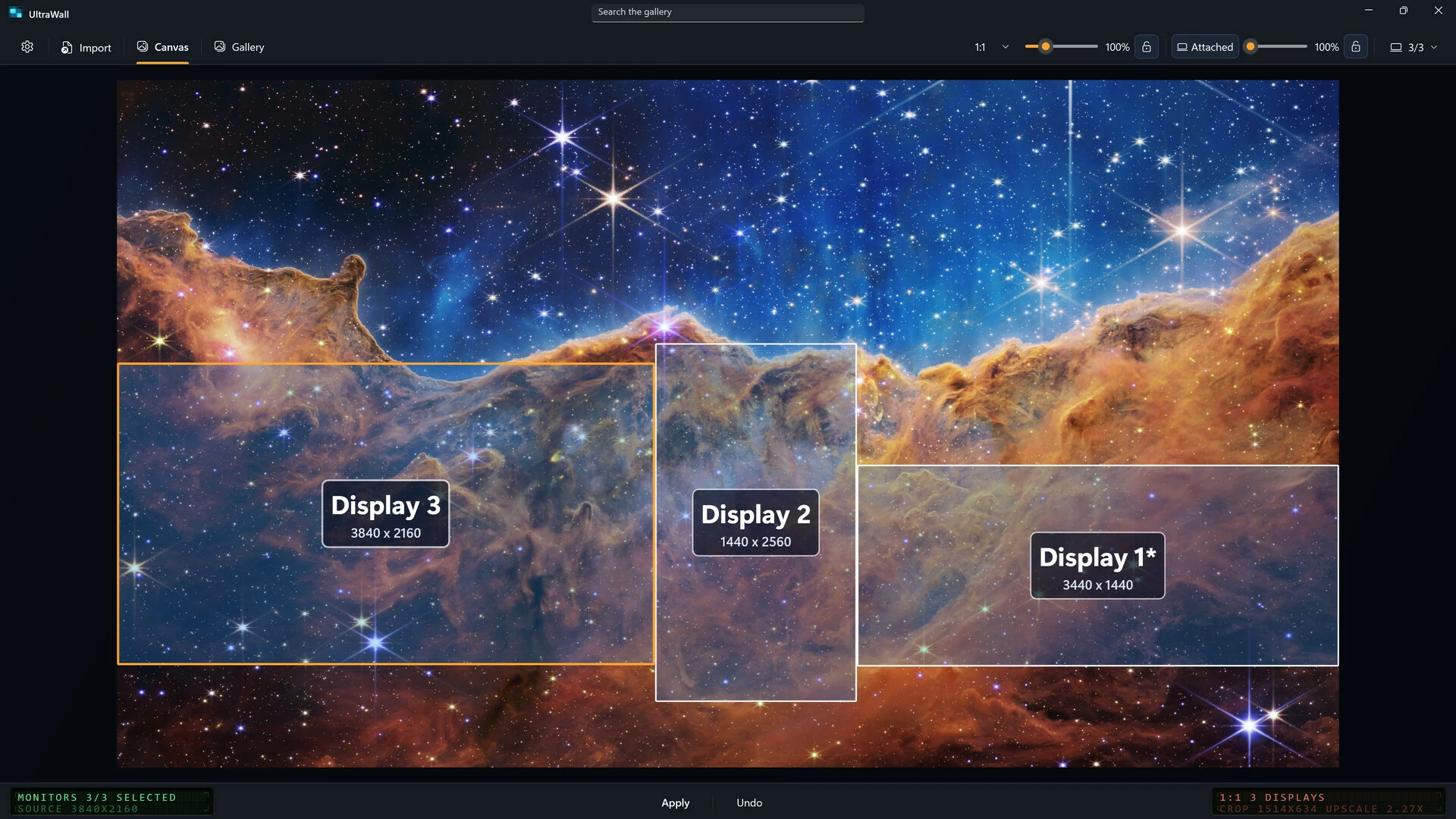
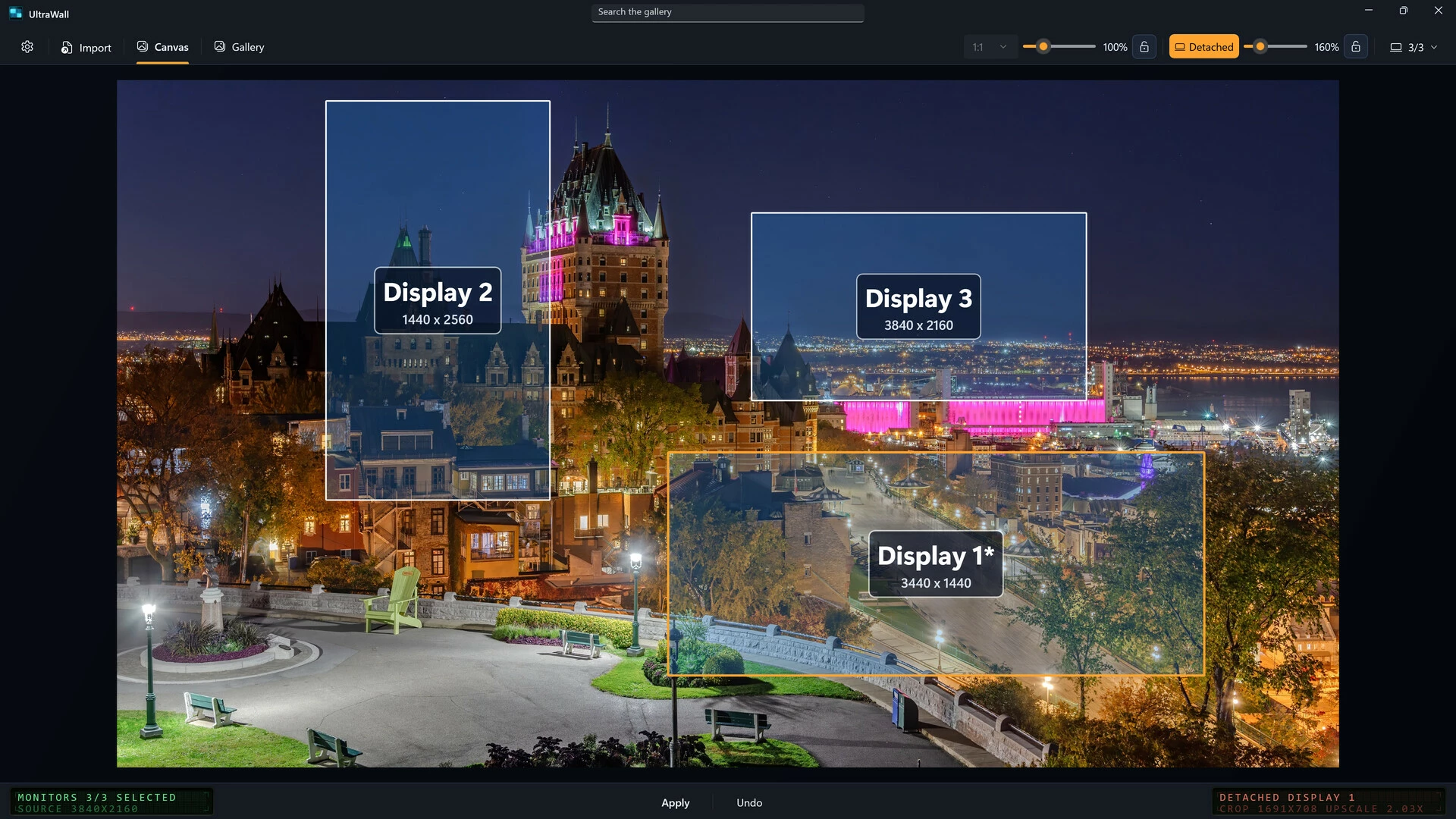
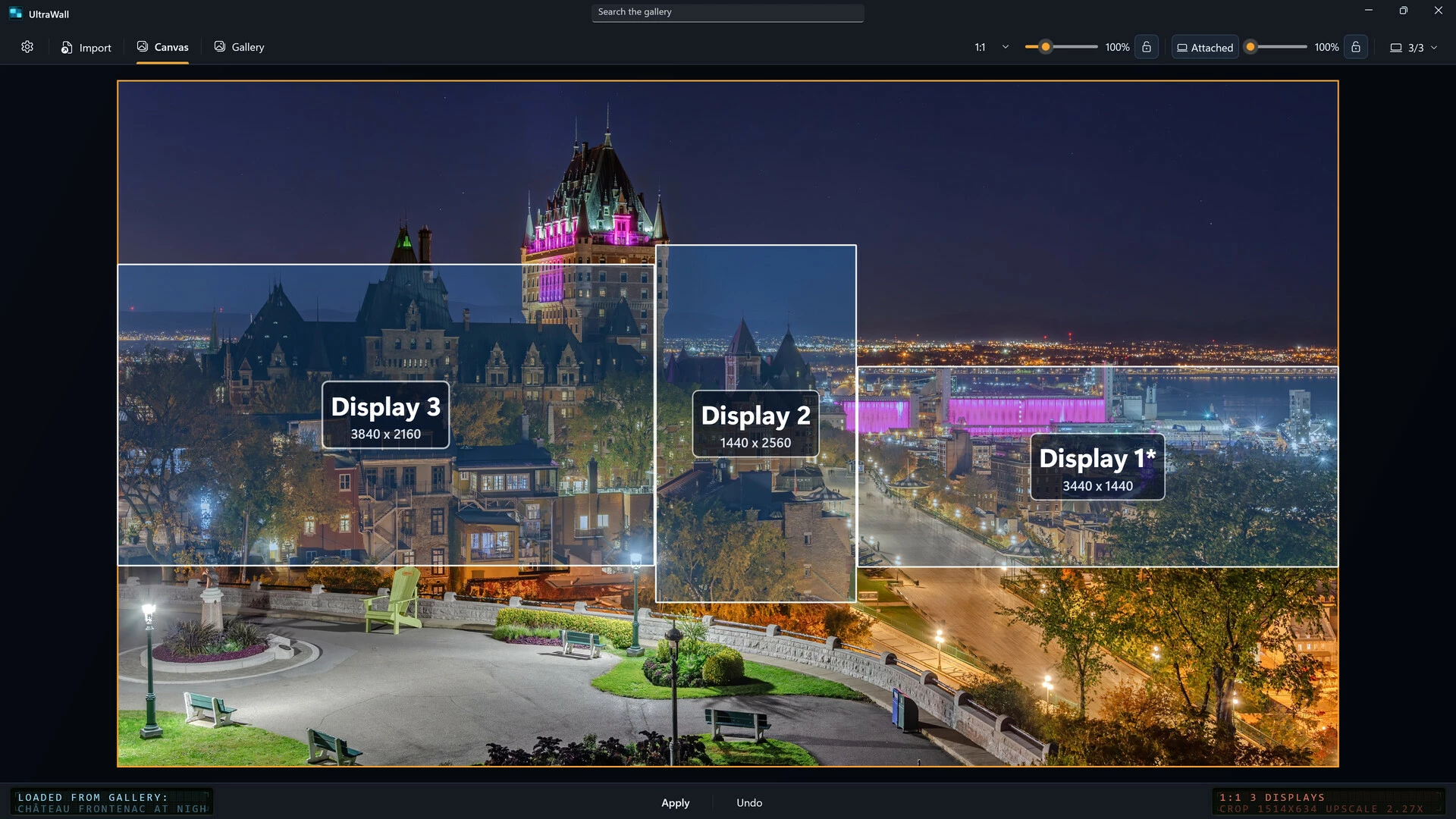
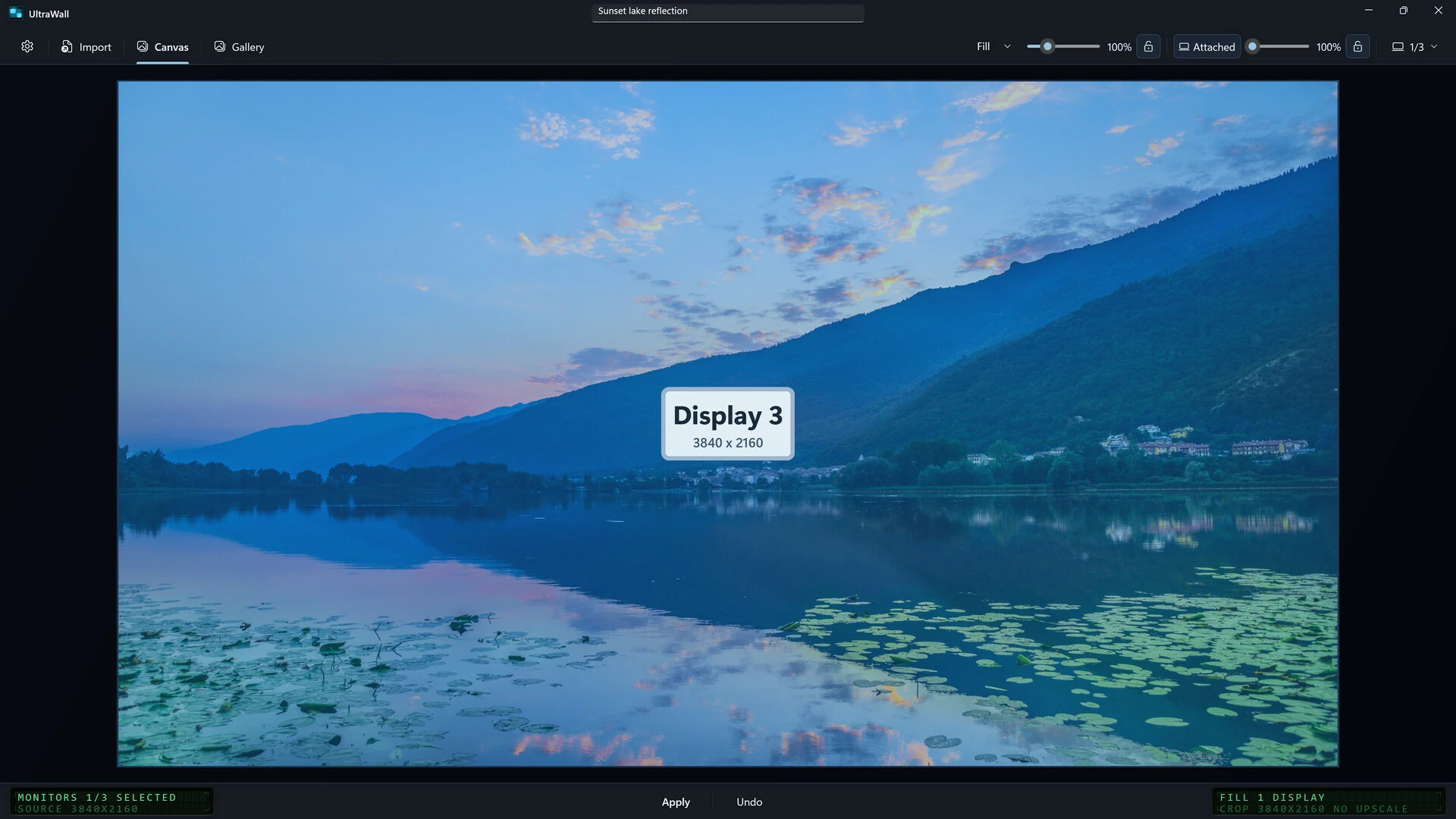
Open an image and your real displays appear over it as movable frames: a 4K TV, a portrait monitor, an ultrawide, whatever you actually run, at their true resolutions and layout. You compose the wallpaper visually instead of guessing.
In Attached framing, your displays keep their Windows layout while you position and zoom one image across all of them, you choose exactly which part of the picture shows on each. In Detached framing, each display's frame moves and zooms independently over the same image: the castle on one screen, the harbor on another, or a separate crop of the same skyline for every monitor.
Choose Fill, Fit or 1:1 scaling per composition. A live readout shows the exact mode, source and crop resolution, upscaling and padding as you work, so you know what quality each display gets before you commit. Apply with one click; session Undo restores the previous wallpaper state. Monitor selections and framing preferences persist per layout.
The Gallery
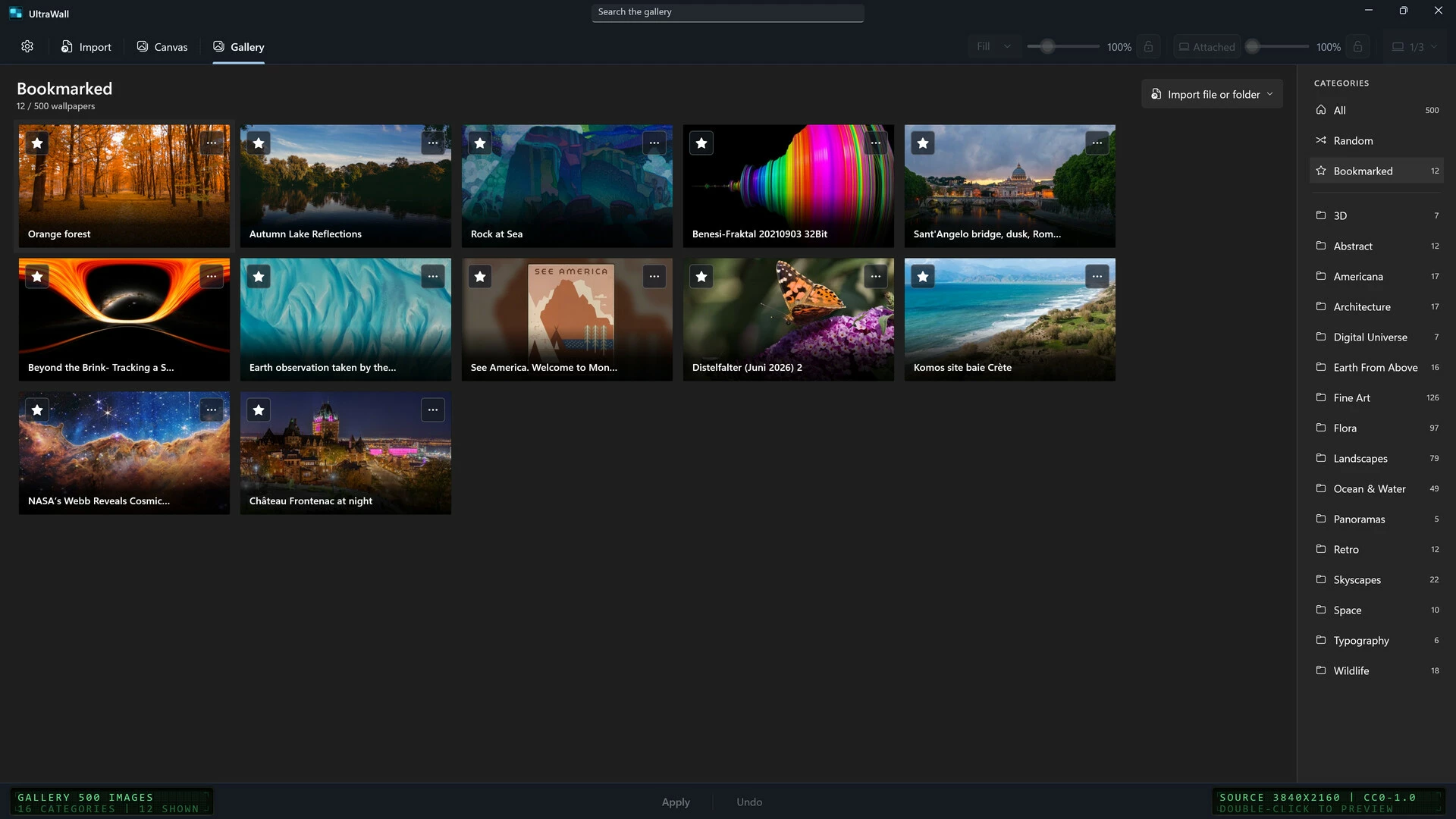
500 static wallpapers, each 3840 x 2160 pixels, installed with the app across 16 categories: Fine Art, Landscapes, Flora, Ocean & Water, Skyscapes, Wildlife, Architecture, Americana, Space, Abstract, Retro, Typography, Panoramas, Earth From Above, Digital Universe and 3D.
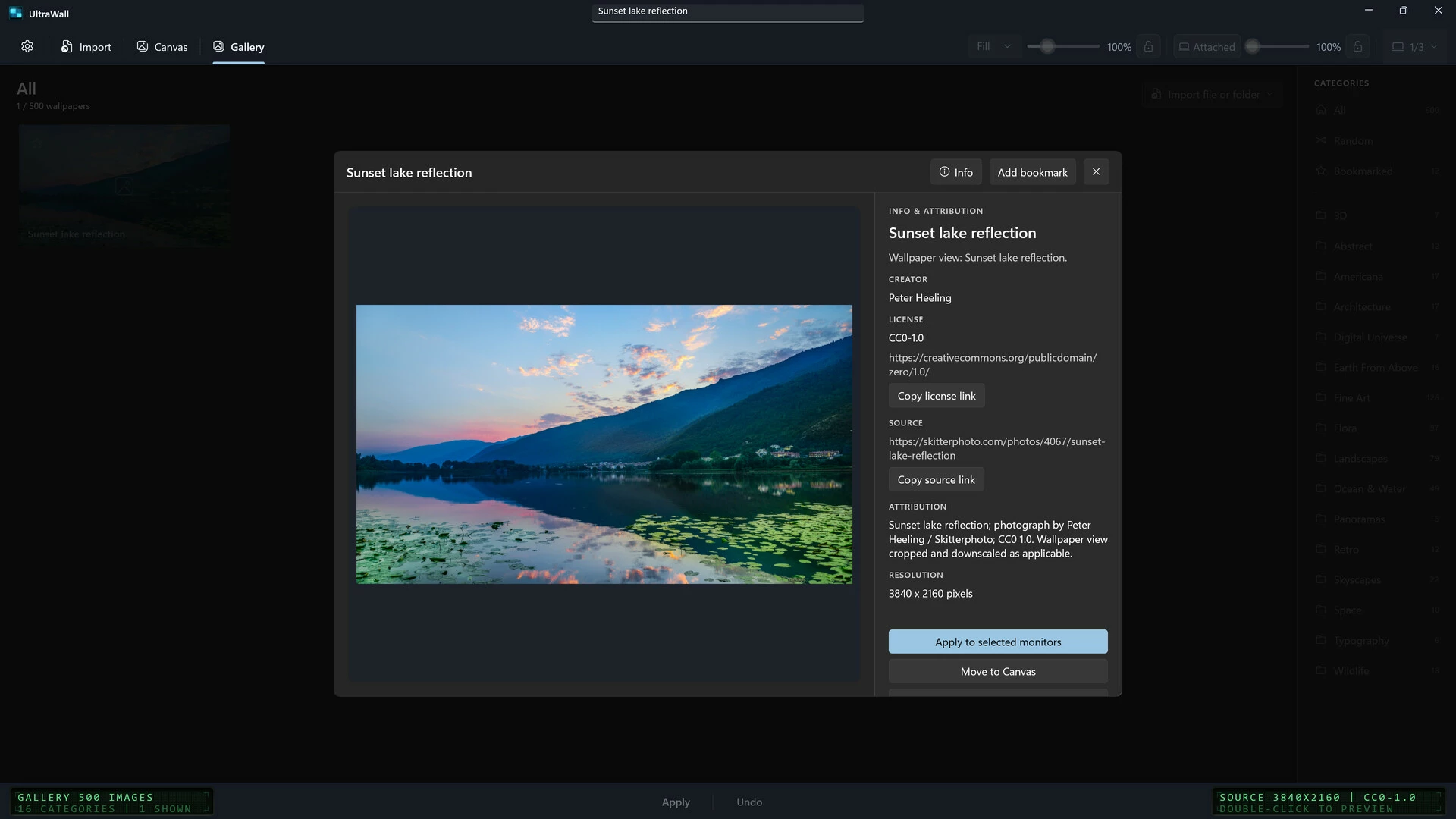
Browse by category, search titles, creators, tags and licenses locally, bookmark favorites into their own view, or let Random pick from your current results. Every included image shows its creator, source and license in the Info panel. The collection is human-curated from public-domain and CC0 sources, and the content policy excludes AI-generated imagery.
Preview any image full size, apply it directly to a chosen display with Best Fill, move it to the Canvas for precise framing, or save a copy to a folder you choose.
Your own images
Import a JPG, JPEG, PNG or BMP through the picker, drop a file onto the Canvas, or remember whole folders so your own collection appears in the Gallery alongside the included content. Your files stay where they are; UltraWall indexes them in place and rescans on request.
Private by design
The wallpaper workflow operates offline after installation. UltraWall has no account or registration service, no application telemetry, no advertising integration and no cloud image feed. There is no Steam Workshop integration; the included gallery and your own local files are the only image sources. Settings, bookmarks and caches live on your computer. The optional diagnostic report is a local text file you review and choose to send; the app never sends it for you. A Steam account and internet access may be required for purchase, download, dependencies, restoration and updates.
Multi-monitor and single display
On a single display, UltraWall is a curated wallpaper gallery with precise framing. With several displays, it becomes a composition tool: one image across your selected monitors with coordinated per-display crops, or different wallpapers on different displays with successive applies.
[*]Dark, Light and System appearance; System follows Windows theme changes
[*]Keyboard-first workflow: Ctrl+G Gallery, Ctrl+F search, Ctrl+O import, Ctrl+Enter apply, Ctrl+Z undo
[*]Offline legal documents, About and keyboard reference in Settings
[*]Clear Local Data removes the app's disposable data while preserving files your current desktop still uses
[*]One-time purchase with no subscription; ordinary commercial use is permitted under the EULA
==============================================
First candidate release, v1.0.0
UltraWall is a fully offline wallpaper manager for multi-monitor setups that work on Windows. No internet connection. No accounts. Per-monitor control, spanned mode, precise scaling, using only your own local images. Easily set your wallpaper how you want. No external attack surface.
While other wallpaper apps connect to servers, sync to clouds, or load community-sourced content that can be weaponized, UltraWall works exclusively with images from your own local folders. It cannot be reached remotely and it doesn't reach out anywhere.
CORE FEATURES:
■ Multi-monitor detection with mixed-DPI-aware physical bounds
■ Per-monitor wallpaper composition — a different wallpaper on each display
■ Spanned mode — one image across the full combined desktop surface
■ Monitor subset selection with layout persistence
■ Draggable monitor overlays on a live composition canvas
■ Fill / Fit / 1:1 scaling with a real-time quality readout before you apply
■ File picker (Ctrl+O) or drag-and-drop import — JPG, JPEG, PNG, BMP
■ Session undo, zoom controls, local image cache capped at 1 GB
■ Live Windows light/dark theme sync PRIVATE BY ARCHITECTURE
■ Fully offline — no network permissions requested or used
■ Zero telemetry, zero data transmission, no accounts
■ No community content and no executable content — nothing external to exploit
■ Your images stay on your machine
One-time purchase. No Subscription. Own it forever. All future updates included as long as the app stays in development. Refunds are handled by Steam per its policy.
- Если не установлен Steam клиент, скачайте его для Windows (клиент также доступен на Mac и Linux) и установите.
- Запустите Steam, зайдите в свой аккаунт или зарегистрируйте новый, если у вас его еще нет.
- При оформлении заказа, предоставьте ссылку на свой профиль в Steam или ваш SteamID состоящий из 18 цифр (765***).
- Ожидайте приглашения от нашего бота (если у вас аккаунт с ограниченными правами) или добавьте бота в друзья (ссылка на бота будет предоставлена после успешной оплаты).
- После того, как вы добавите нашего бота в друзья, игра автоматически (время ожидания обычно составляет не более 5-30 секунд) будет отправлена вам в виде подарка (гифта).
- Примите подарок, добавьте в Библиотеку и нажмите «Играть».









и мы вам напишем, если цена на этот товар снизится