
Купить PortalDesk

Дата выхода: 19 ноября 2026
Регион:
Россия, Беларусь, Казахстан, Украина, Армения, Азербайджан, Грузия, Кыргизстан, Республика Молдова, Таджикистан, Туркменистан, Узбекистан, Аргентина, Турция
Язык:
Английский (Интерфейс)
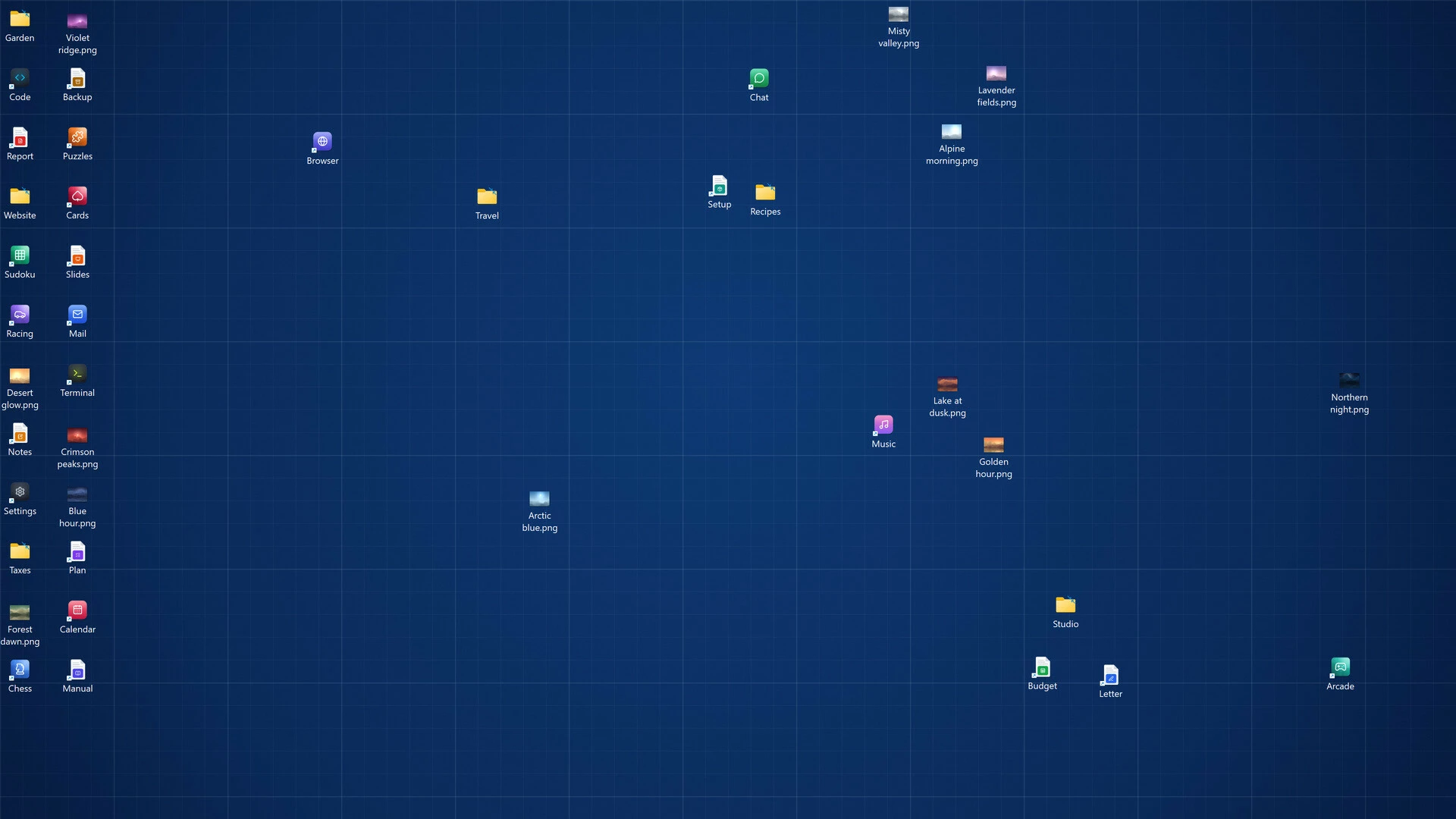
Turn a cluttered desktop into a calm, organized workspace. Group icons into beautifully styled zones, open any folder as a live folder, and bring everything to the front with one shortcut. Lightweight, and a one-time purchase - no subscription.

Описание
Игра в раннем доступе
Приобретите игру и начните играть — примите участие в ее развитии.
A calm, organized desktop - built your way
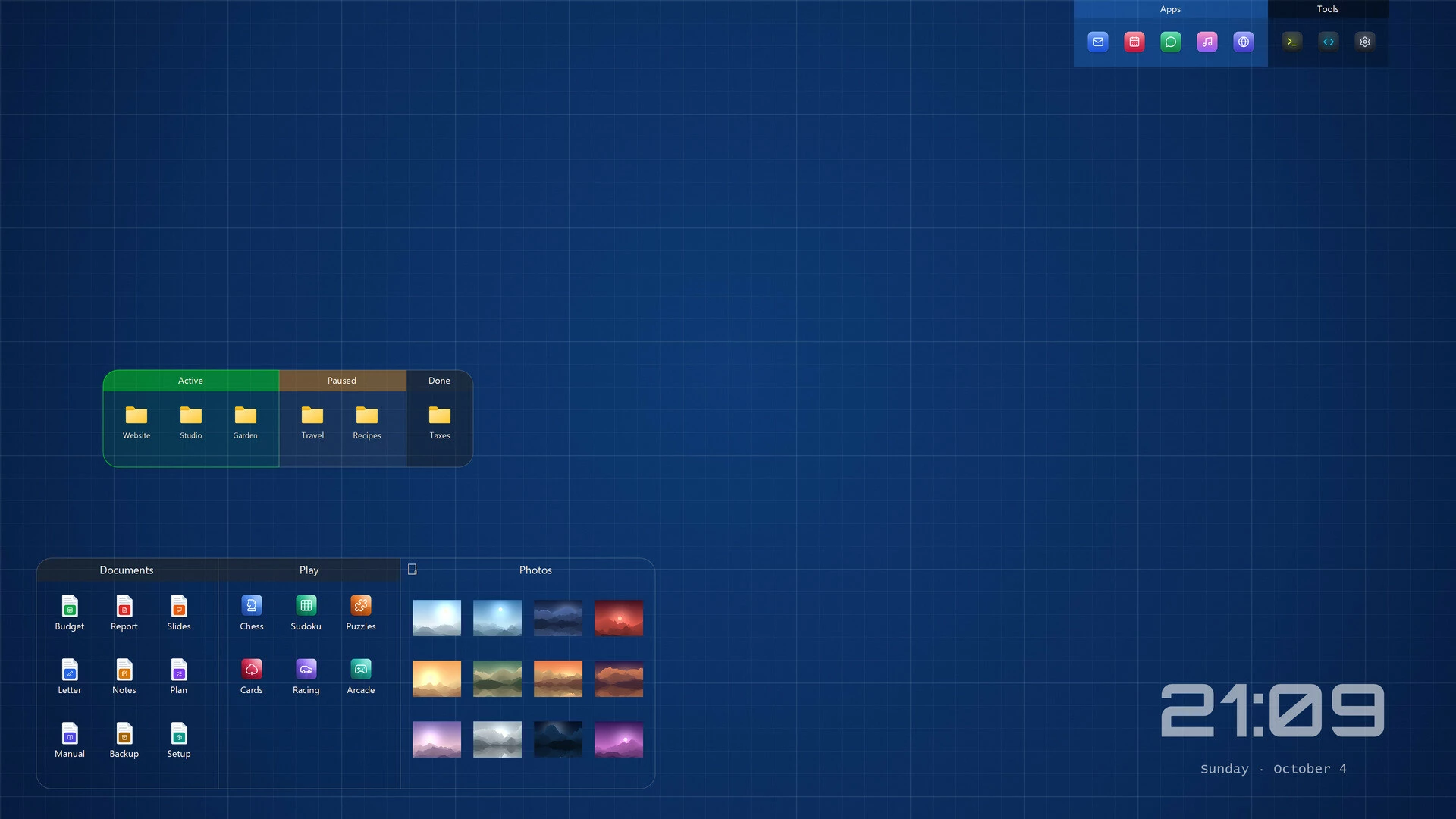
PortalDesk turns a cluttered Windows desktop into a tidy workspace. Group your icons into zones, style every detail, and keep the files and folders you use most one glance away.Features
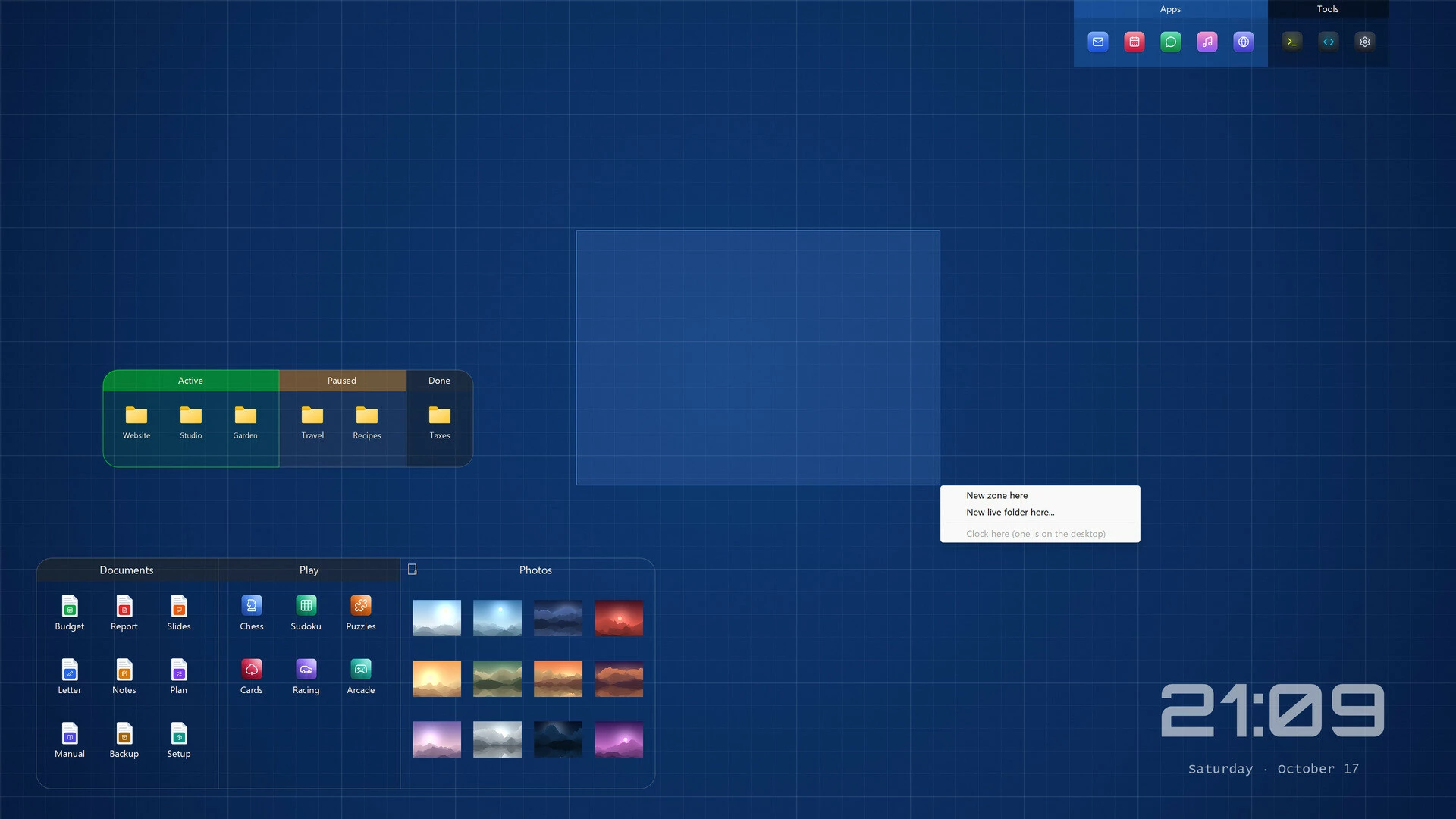
- Zones for your icons. Group files, folders and shortcuts. Drag icons into, out of and between zones, and reorder them freely.
- Draw a zone anywhere. Right-drag on an empty spot of the desktop to create a zone, a live folder or a clock.
- Live folders. Show the contents of any folder right on your desktop, always up to date.
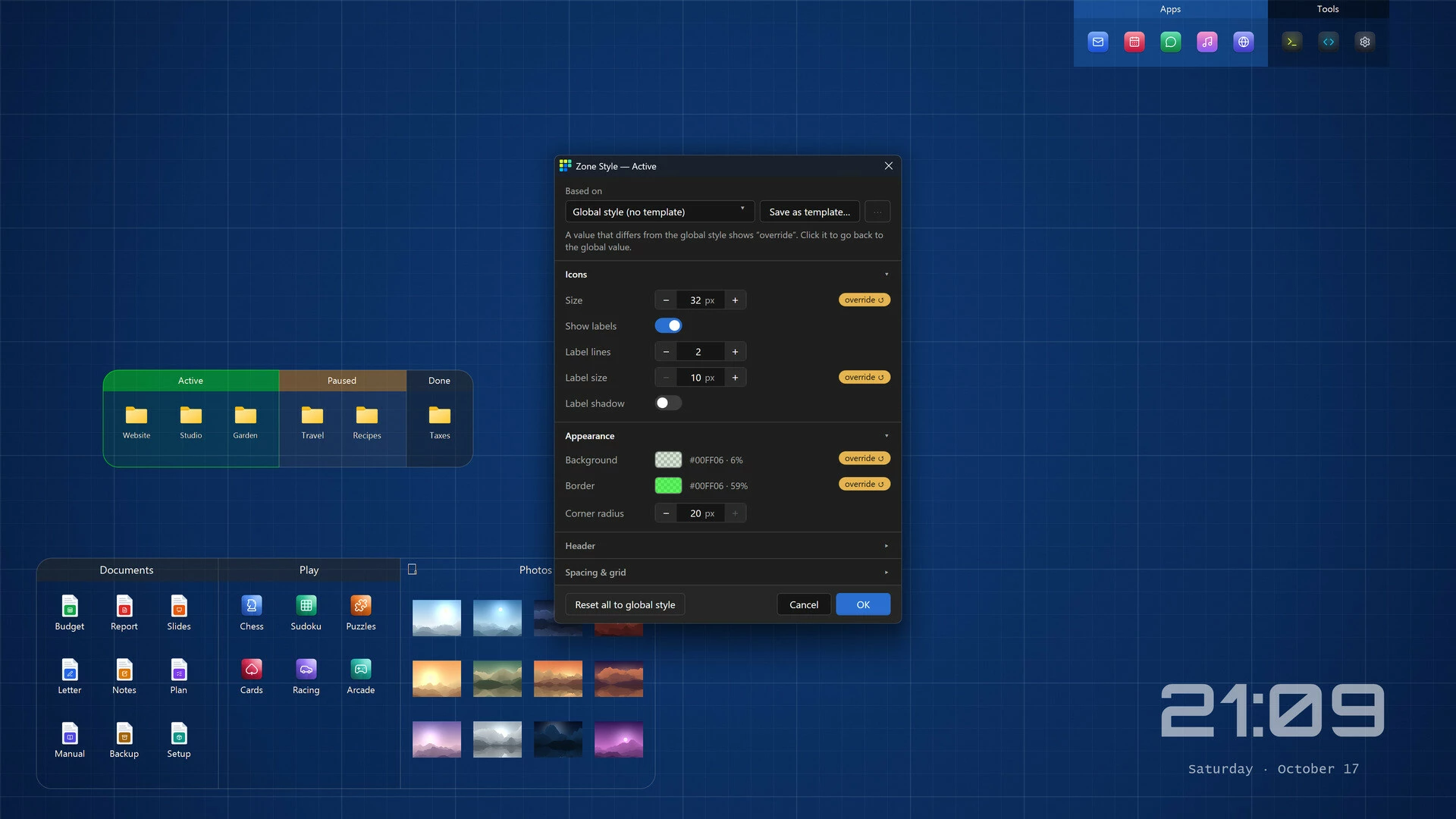
- Style down to the last detail. Colors, corner radius, spacing, icon size, fonts and headings. Set a global style, save templates, fine-tune any single zone - with a live preview.
- Tidy by default. Zones snap to a grid (hold Alt for free placement), and zones placed side by side join into one group.
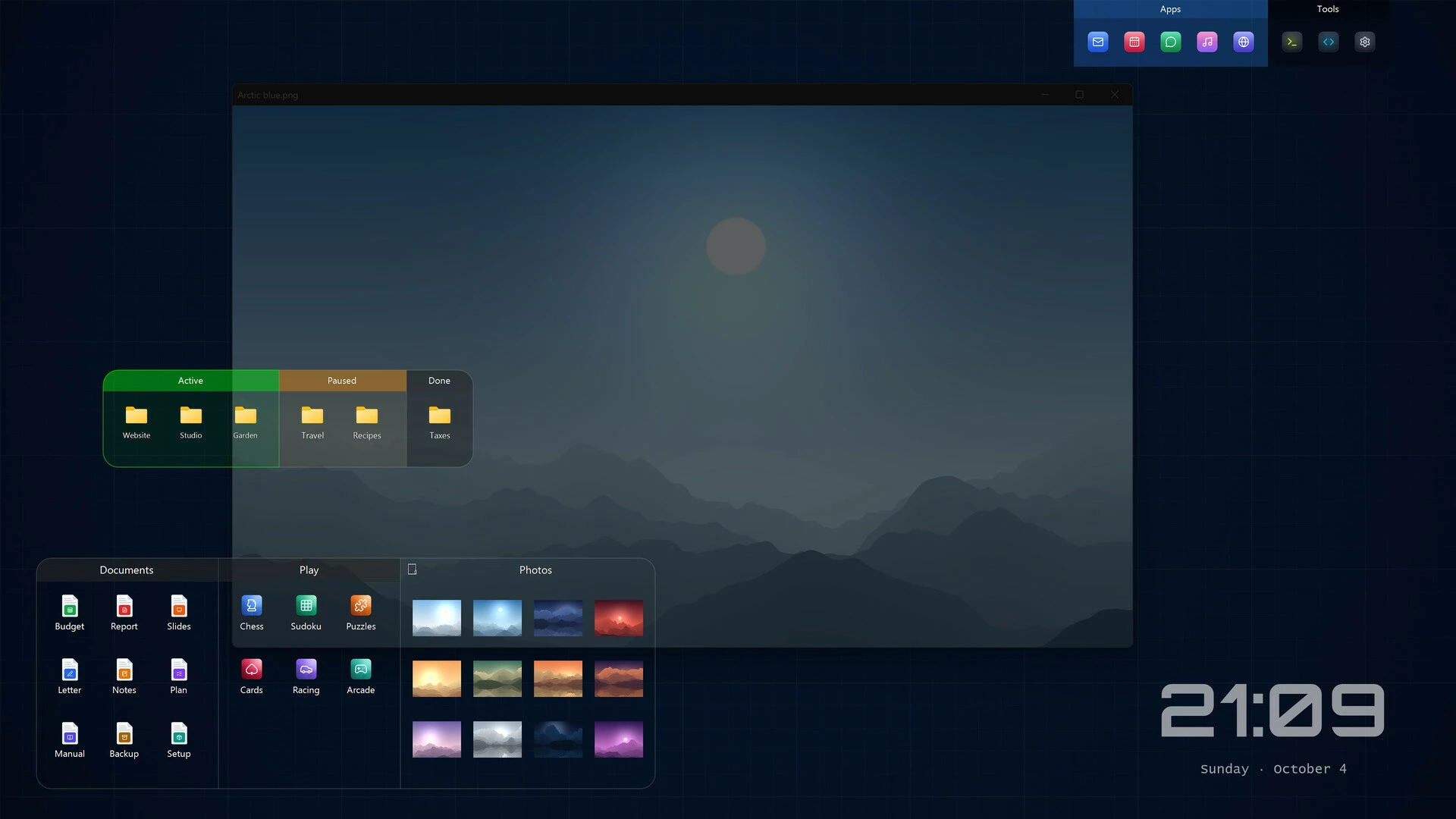
- Clock widget and quick-access overlay. A customizable clock with date, and Ctrl+D to bring your zones in front of all windows - press again to send them back.
- Your files stay safe. Nothing is moved or changed - PortalDesk only organizes how your desktop looks.
- Lightweight. Runs quietly in the background.
- Updates through Steam.
One purchase, no subscription
Buy once and it's yours. No subscription, no account.Early Access
Everything listed above works today. Planned next, shaped by your feedback (plans, not promises):- Tabs inside a zone
- Rules that sort new desktop files into zones automatically
- Roll a zone up to its title bar
- More widgets
- List and details views, sorting
- Import and export of layouts
Активация продукта в Steam
- Если не установлен Steam клиент, скачайте его для Windows (клиент также доступен на Mac и Linux) и установите.
- Запустите Steam, зайдите в свой аккаунт или зарегистрируйте новый, если у вас его еще нет.
- При оформлении заказа, предоставьте ссылку на свой профиль в Steam или ваш SteamID состоящий из 18 цифр (765***).
- Ожидайте приглашения от нашего бота (если у вас аккаунт с ограниченными правами) или добавьте бота в друзья (ссылка на бота будет предоставлена после успешной оплаты).
- После того, как вы добавите нашего бота в друзья, игра автоматически (время ожидания обычно составляет не более 5-30 секунд) будет отправлена вам в виде подарка (гифта).
- Примите подарок, добавьте в Библиотеку и нажмите «Играть».
Детали игры
Работает на:
Дата выхода:
19 ноября 2026
Издатель:
Разработчик:
Похожие игры

Популярное






Комментарии и отзывы (0)
Если у Вас не отправляются сообщения - почистите cookie в браузере
и авторизуйтесь заново :)


Войдите для комментирования


Узнайте первым о снижении цены
Введите ваш адрес электронной почты
и мы вам напишем, если цена на этот товар снизится
и мы вам напишем, если цена на этот товар снизится
Отписаться
Ваш e-mail будет отписан.
Язык:
Валюта:
Язык: